45
Highlight the Enable Caller ID check box and
press OK to enable or disable Caller ID alerts
to appear on screen for this user account.
Once you have entered the settings for the new account, highlight Submit
and press OK.
Edit a User Account
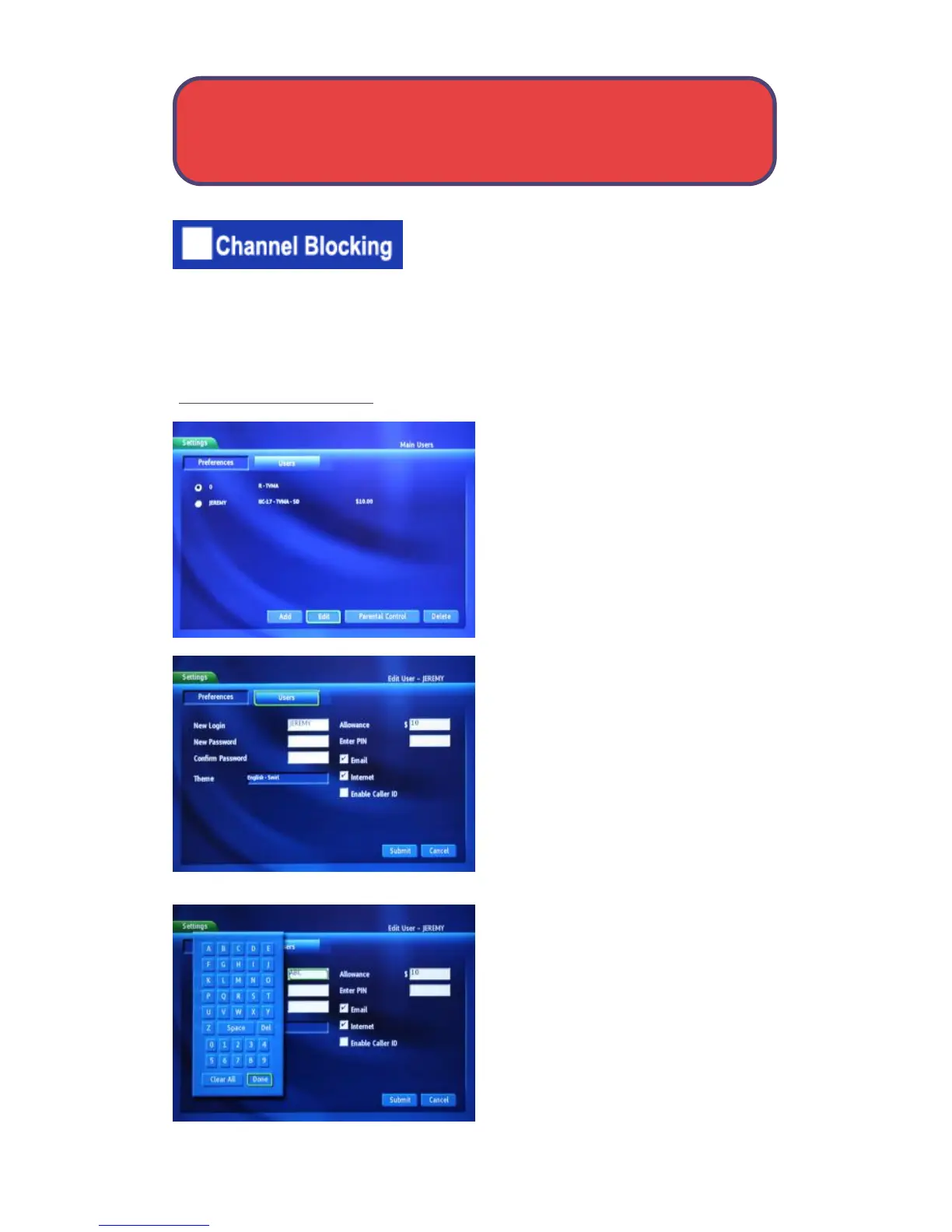
To edit a user account, highlight the
user account and press OK, then
highlight the Edit button and press
OK.
Note: The master account is the first
account listed and is shown in
yellow rather than white.
Highlight New Login to change the
name for the account and press OK.
An on-screen keyboard appears.
Use the arrow buttons to highlight
a letter or number press OK to add it
to the login name.
Once you have entered the desired
name, highlight Done and press OK
to return to the Create New User
screen.
User Settings - Settings



 To Next Page