46
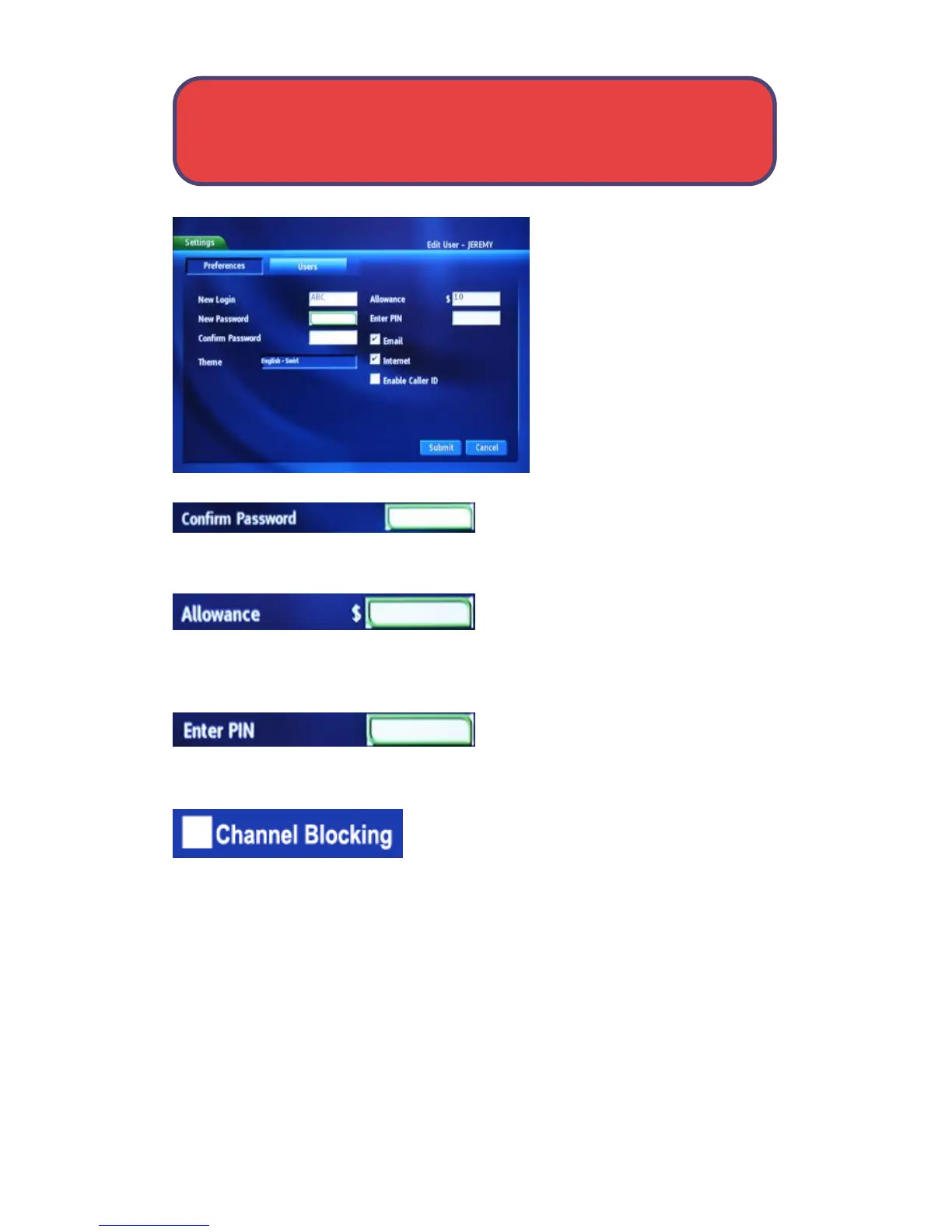
Settings - User Settings
Highlight New Password to
enter the password for the new
account. Use the keypad on
your remote to enter the
password.
Highlight Confirm Password to
re-enter the password for the new
account. Use the keypad on your remote to enter new password.
Highlight Allowance $ to change the
limit to the amount of pay per view
that can be purchased per month for the new account. Use the keypad on your
remote to enter the new purchase limit.
Highlight Enter PIN to change the PIN
used to purchase pay per view and
press OK. Use your keypad on your remote control to enter the PIN.
Highlight the Enable Caller ID check box and
press OK to enable or disable Caller ID alerts to
appear on screen. Once you have entered the
changes for this account, highlight Submit and press OK.



 To Next Page