EasyManua.ls Logo

Entone Digital TV - Remote Control Layout

Entone Digital TV
64 pages
Print Icon
To Next Page IconTo Next Page
To Previous Page IconTo Previous Page
Loading...
7
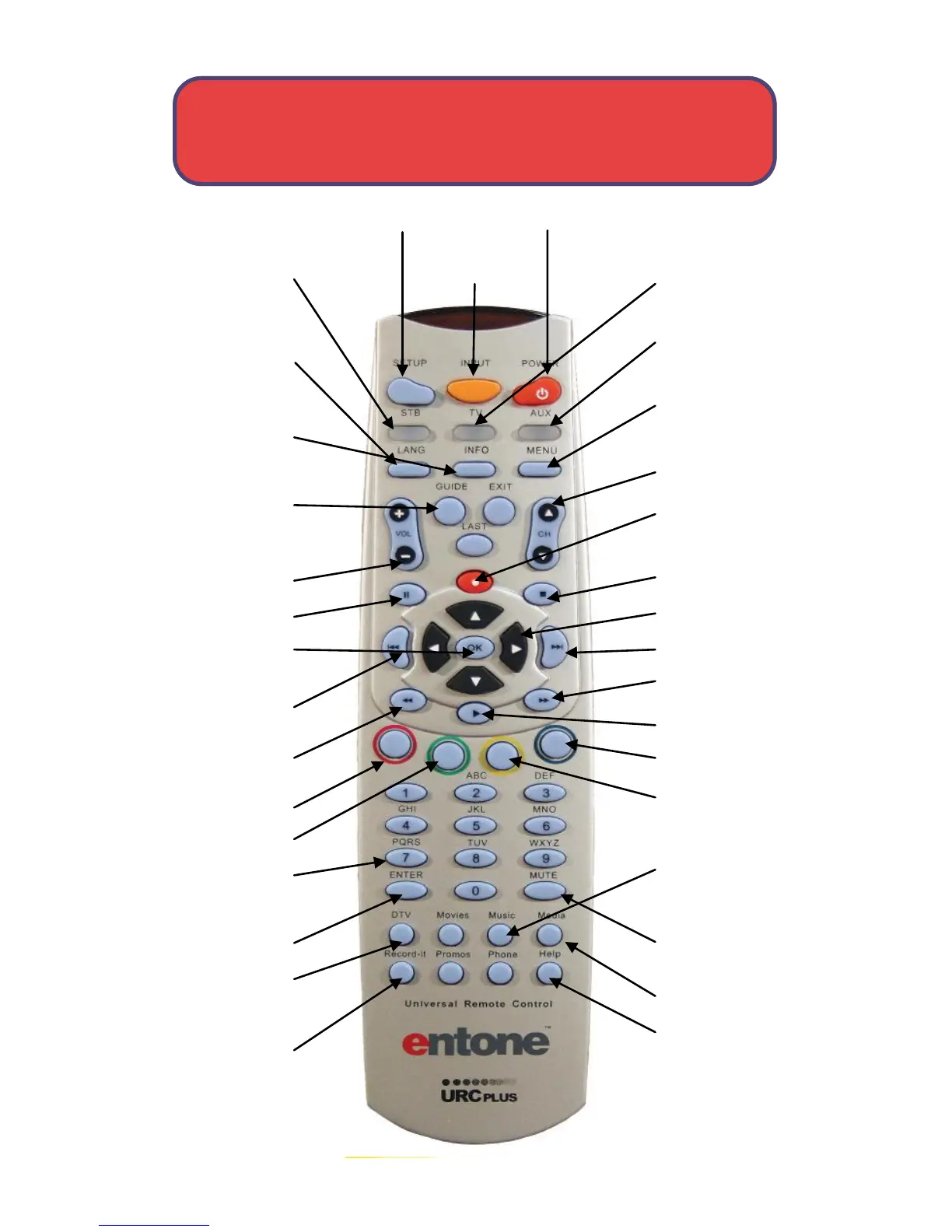
Remote Control Layout
Setup Input Power
STB
Puts remote in
STB mode.
LANG
Closed caption
on or off
Info
Displays selected
program info.
Guide
Displays program
guide
Volume Control
Pause live TV
OK
Executes menu
options
Previous
Reverse
Red
Green
Number Keys
Direct access to
channels
Enter
DTV
Returns to live
programming
Record-It
Displays the DVR
menu
Help
Displays help
menu
Media
Mute
Music
Displays
available music
channels
Yellow
Blue
Play
Fast Forward
Up to 5 speeds
Next
Arrow Keys
Stop
Record
Starts recording
& brings up DVR
Channel
Navigation
Menu
Displays
on-screen menu
AUX
Selects AUX
Device
TV
Selects to
control TV
Switches
between video
inputs on TV

Table of Contents

Related product manuals