EPSON Stylus COLOR 680/777/777i Revision B
Disassembly and Assembly Disassembly 80
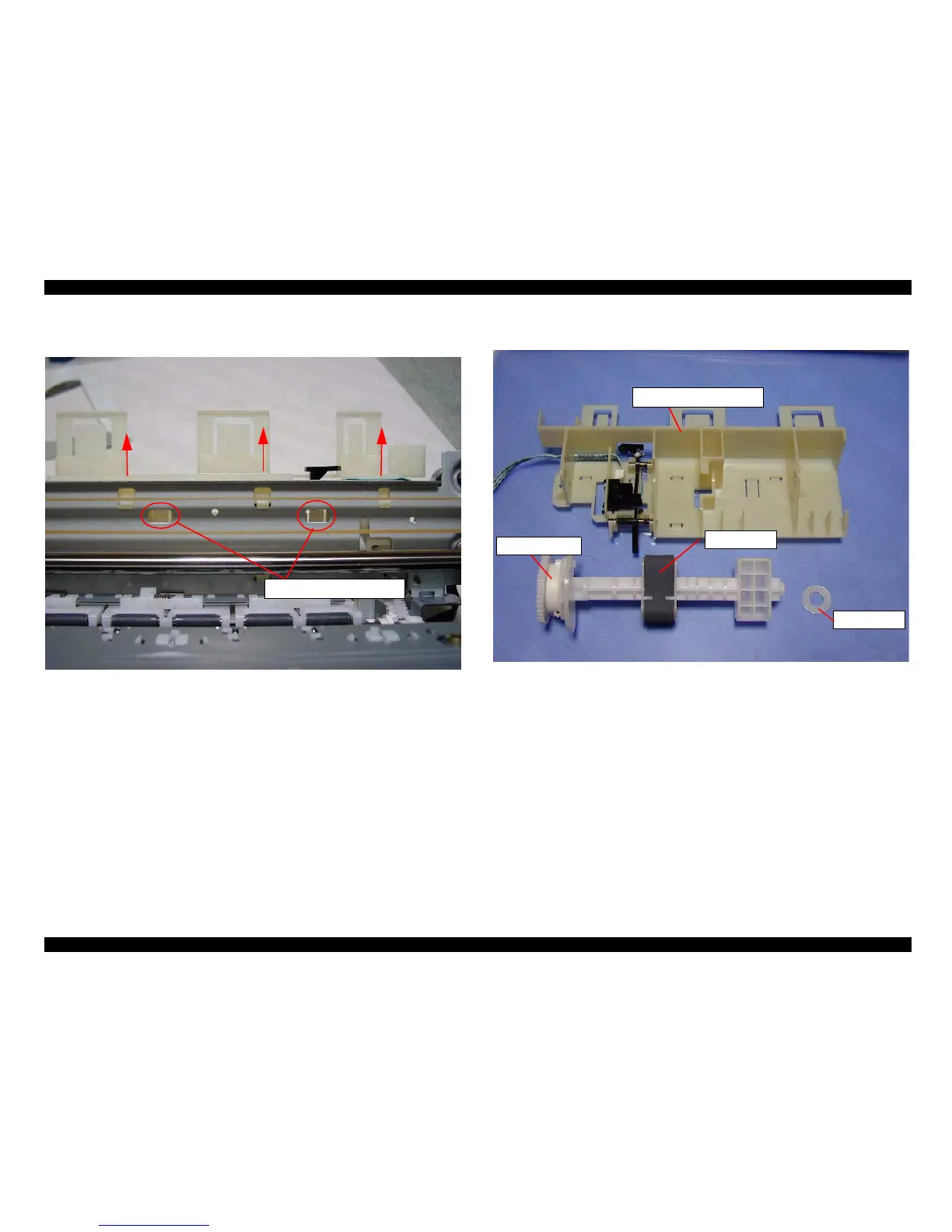
4. Push the two hooks of the LD roller shaft holder as shown in the following figure.
5. Pull the LD roller shaft holder unit upward from the Main frame.
Figure 4-22. Pushing two hooks of the LD roller shaft holder
6. Remove the LD roller along with the Clutch mechanism from the LD roller shaft
holder unit.
Figure 4-23. Removing the LD roller with Clutch mechanism
Two hooks for LD roller holder
LD Roller
Clutch mechanism
LD Roller shaft holder unit
Washer



 To Next Page