EPSON Stylus COLOR 680/777/777i Revision B
Disassembly and Assembly Disassembly 68
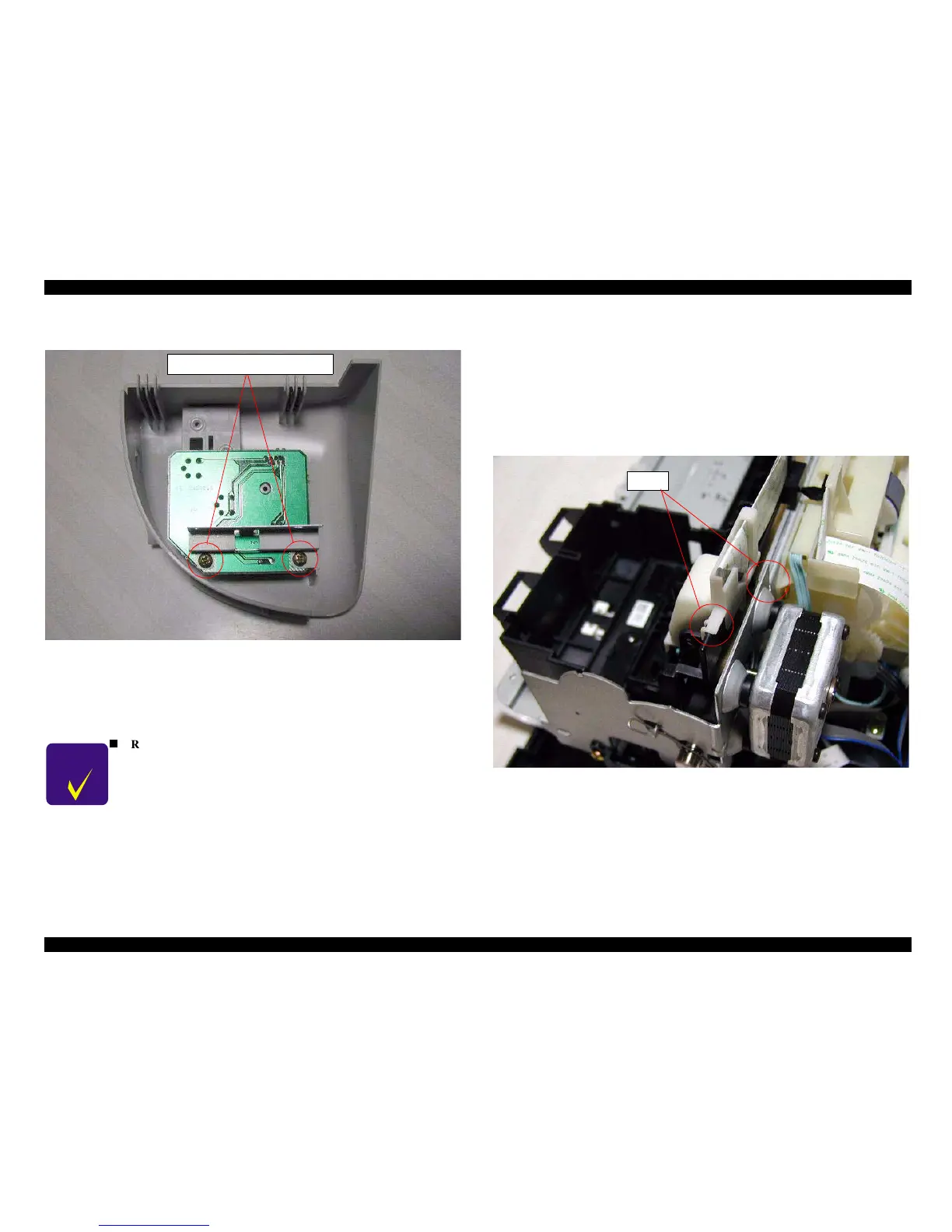
3. Remove 2 screws (C.B.P-TITE 3x8 F/Zn) and detach the Sub Right Panel Housing
from the Operation Panel Assembly.
Figure 4-5. Removing 2 screws for C383PNL board
4. Remove the Panel Shield Plate and the C383PNL board from the Operation Panel
Assembly.
5. Disconnect the Panel FFC from the connector on the C383PNL board.
4.2.3 Printhead removal
1. Remove the Housing from the printer. (Refer to Section 4.2.1.)
2. Open the Cover Cartridge and remove the both black and color ink cartridge.
3. Remove the Cover Cartridges for black and color ink cartridges from the CR
Assembly.
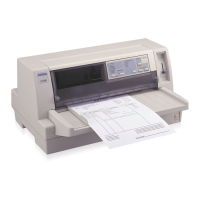
4. Remove the Head FFC Holder from the CR Assembly by releasing two hooks.
Refer to Figure 4-x.
Figure 4-6. Removing the Head FFC Holder
5. Disconnect the Printhead's FFC from the connector on the Printhead.
C H E C K
P O I N T
n
Removing the Operation Panel Assembly also separates the
stacker assembly from the Printer Mechanism, since the Stacker
Assembly is held with Operation Panel.
C.B.P-TITE 3x8 F/Zn
Hooks



 To Next Page