EPSON Stylus COLOR 680/777/777i Revision B
Disassembly and Assembly Disassembly 86
C H E C K
P O I N T
n
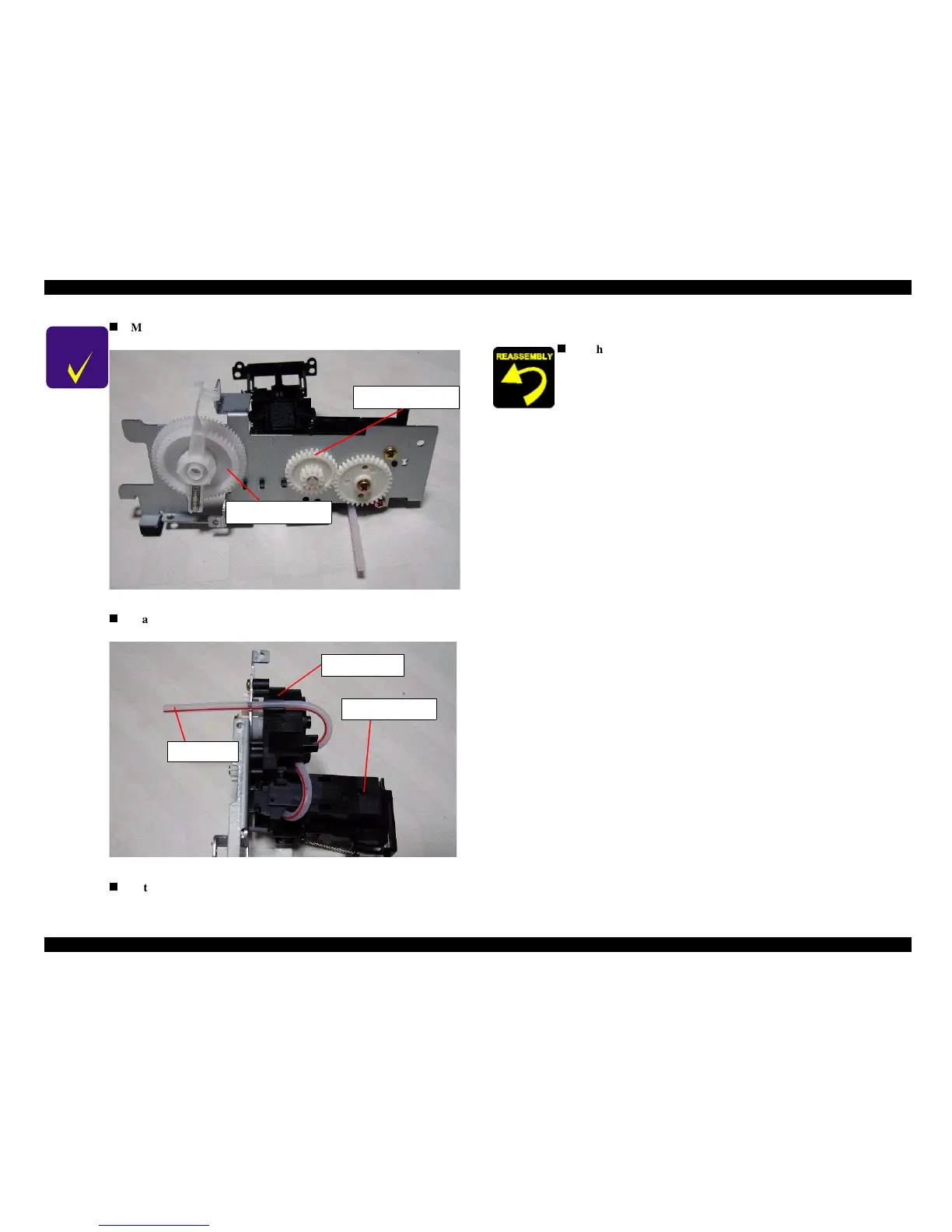
Make sure that all gears are set in each gear shaft on the Ink
system frame.
Figure 4-36. Gear engagement on the Ink system frame
n
Make sure that the ink tube is placed along the following
position.
Figure 4-37. Ink tube placing position
n
After installing the Pump Assembly, ensure that the cleaner
parts move back and forth by rotating the Gear.
Combination gear
37.6, 44.4
Combination gear
9.6, 24
Cap assembly
Ink tube
Pump unit
n
Tightening torque for screw
• C.B.S 3x6 F/Zn screw for Ink system frame & Cap assy.: 9+/1 kgf.cm



 To Next Page