3-12
Installing the Software
R4C6740
Setup Guide Rev. C
INSTALL.FM A5 size
10/26/00
L
Proof Sign-off:
K.Pipa
J.Miyakoshi
K.Norum
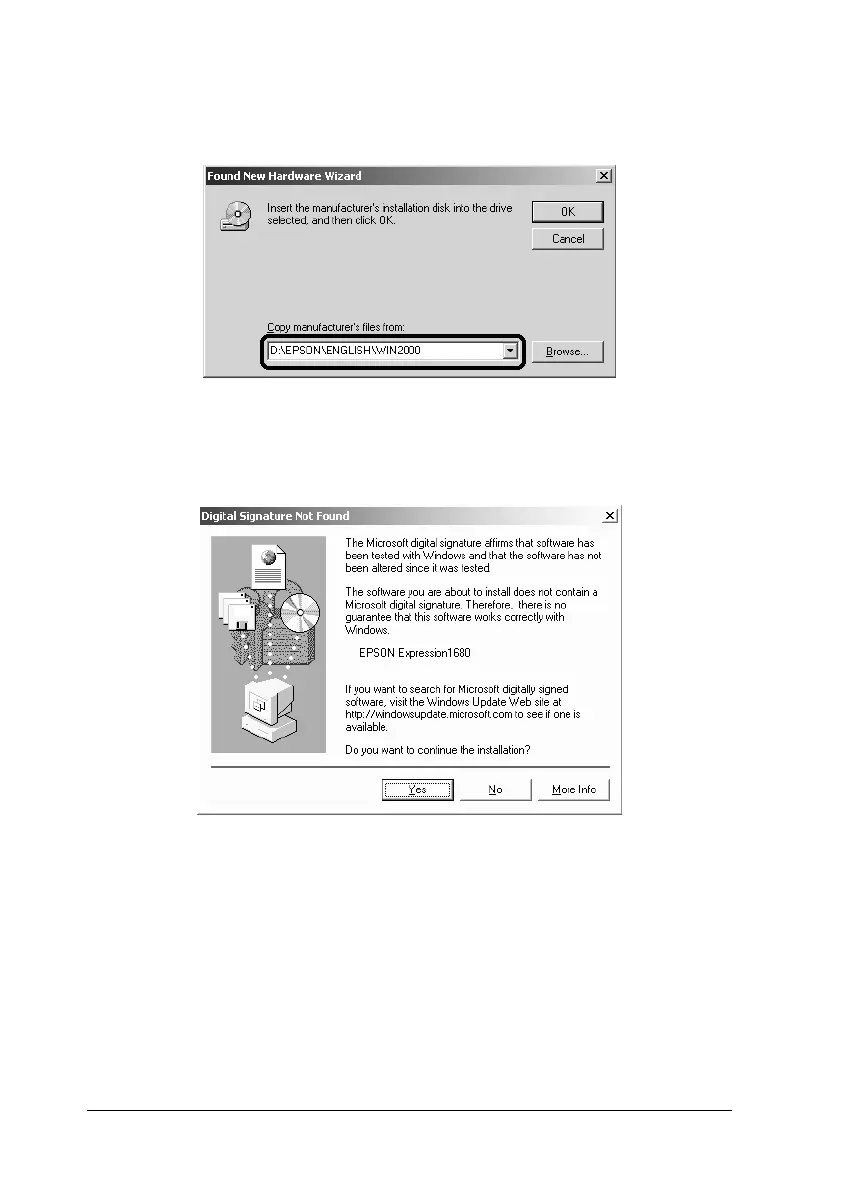
5. Browse the CD-ROM for EPSON\(your preferred
language)\WIN2000, then click OK.
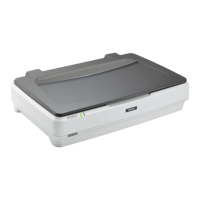
6. Follow the instructions on the screen. When the dialog box
shown below appears, click Yes to continue.
Note:
If you click No and stop installation, your scanner will appear under
Other Devices with a ? mark in the Device Manager menu. To
reinstall EPSON TWAIN, you must first uninstall the software.
Follow the instructions in “Recovering from Scanner Software
Installation Problems on Windows 98, 2000, and Millennium
Edition” in the online Reference Guide to uninstall your scanner
before installing EPSON TWAIN again.







 To Next Page