44
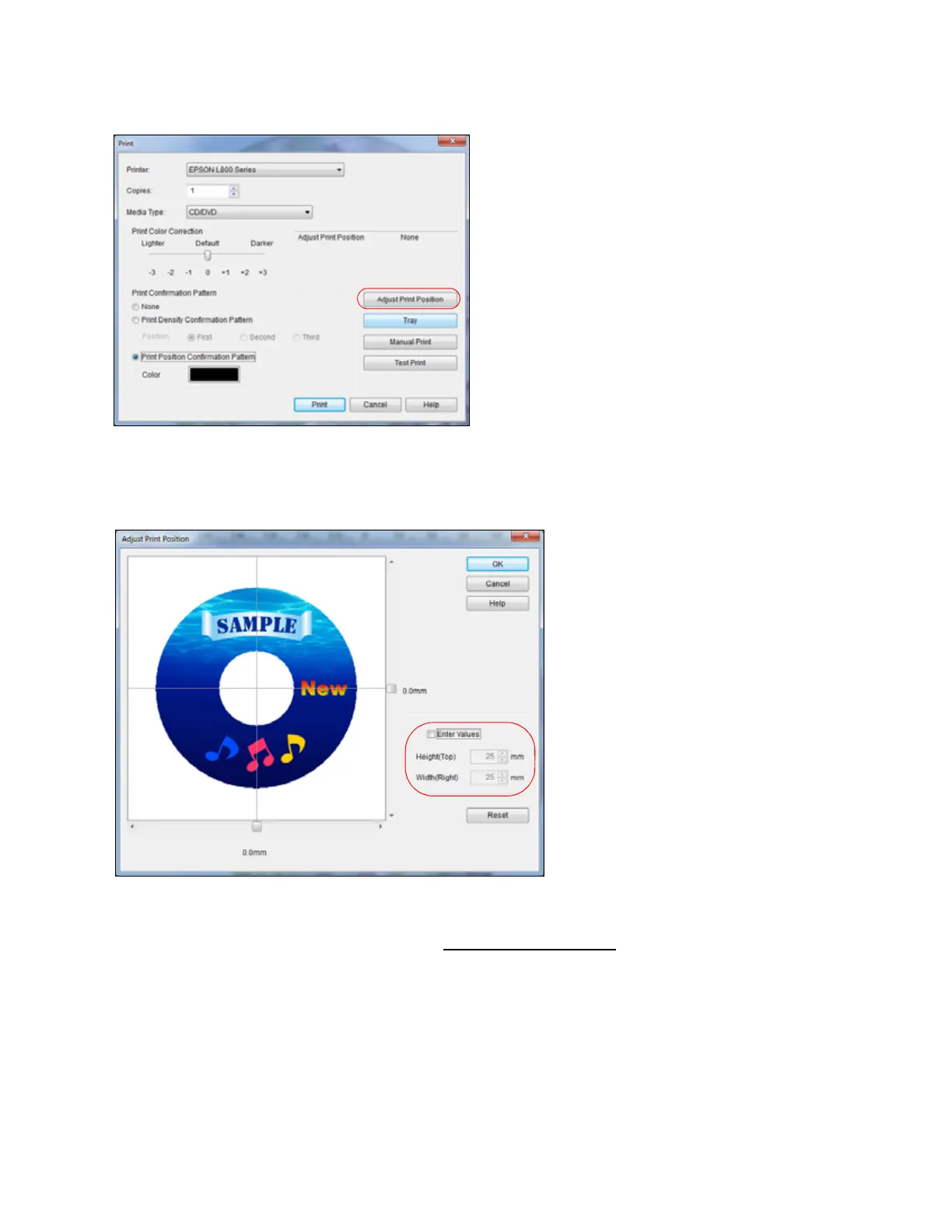
9. Click Enter Values, then select the distance for Top in the Height (Top) box and the distance
for Right in the Width (Right) box.
10. Click OK.
Now you can burn another CD or DVD and print your design again.
Mac OS X Adjustment
1. Open EPSON Print CD.
2. Open the File menu and select Print.
3. Make sure your EPSON printer is selected.
4. Click Print Position Check Pattern.



 To Next Page