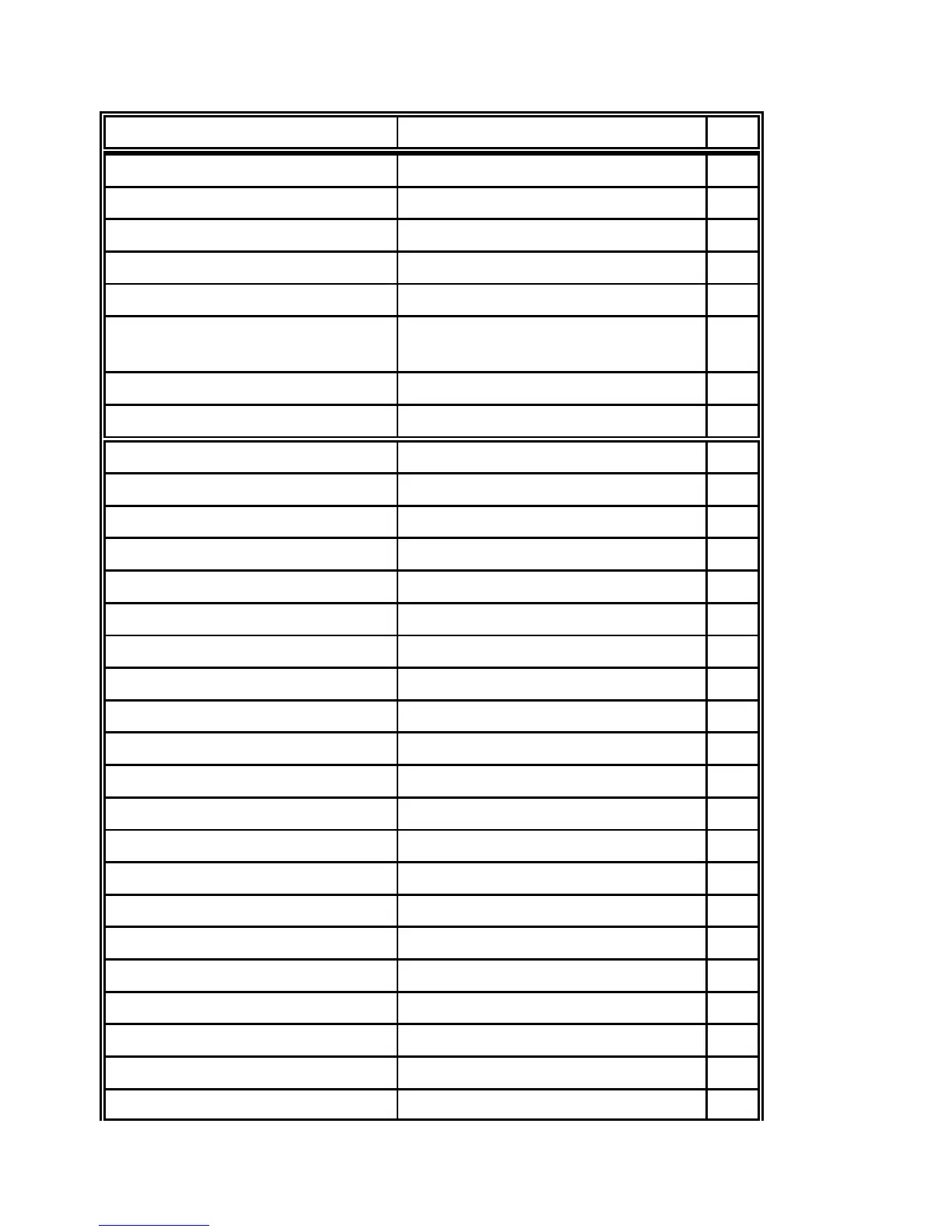
1B 6A P Perform / Reverse Line Feed E-4
1
P1
180
1B 6B P Select Font E-10
1
1B 6C P Set Left Margin E-10
1
1B 70 00 / 1B 70 01 Cancel / Select Proportional E-10
1B 71 P Select Character Style E-10
1
1B 74 P Select Character Table E-15
1
E-18
1B 77 00 / 1B 77 01 Cancel / Select Double Height E-11
1B 78 P Select Character Quality E-11
1
1B 24 P P Set Absolute Horizontal Position E-6
12
1B 26 00 P P P P P data Define User Defined Characters E-7
12345
1B 28 2D P P P P P Select Line Marking E-8
12345
1B 28 42 P P k m s v v c bcdata Select and Print Barcode E-20
12 12
1B 28 43 P P P Set Page Length in defined Unit E-16
123
1B 28 47 P P Select Graphics Mode E-19
12
1B 28 55 P P Set Unit E-17
12
1B 28 56 P P P Set absolute vertical Print Position E-16
123
1B 28 63
P P
P P P Set Page Format E-16
12
345
1B 28 74
P P
P P Assign Character Table E-18
12
34
1B 28 76 P P P Set relative vertical Print Position E-16
123
1B 28 5E P P Print Data as Character E-19
12
1B 2A P P P data Select Various Graphics Modes E-14
123
1B 2E
P P
P P P P Print Raster Graphics E-19
12
3456
1B 3A 00 P 00 Copy ROM Character Set to RAM E-8
1
1B 3E 4B P Reassign Graphics Mode K E-13
1
1B 3E 4C P Reassign Graphics Mode L E-13
1
1B 3E 59 P Reassign Graphics Mode Y E-13
1
1B 3E 5A P Reassign Graphics Mode Z E-13
1
1B 42 P ....P 00 Set Vertical Tabs E-3
116
1B 43 00 P Set form Length in Inches E-3
1












 To Next Page