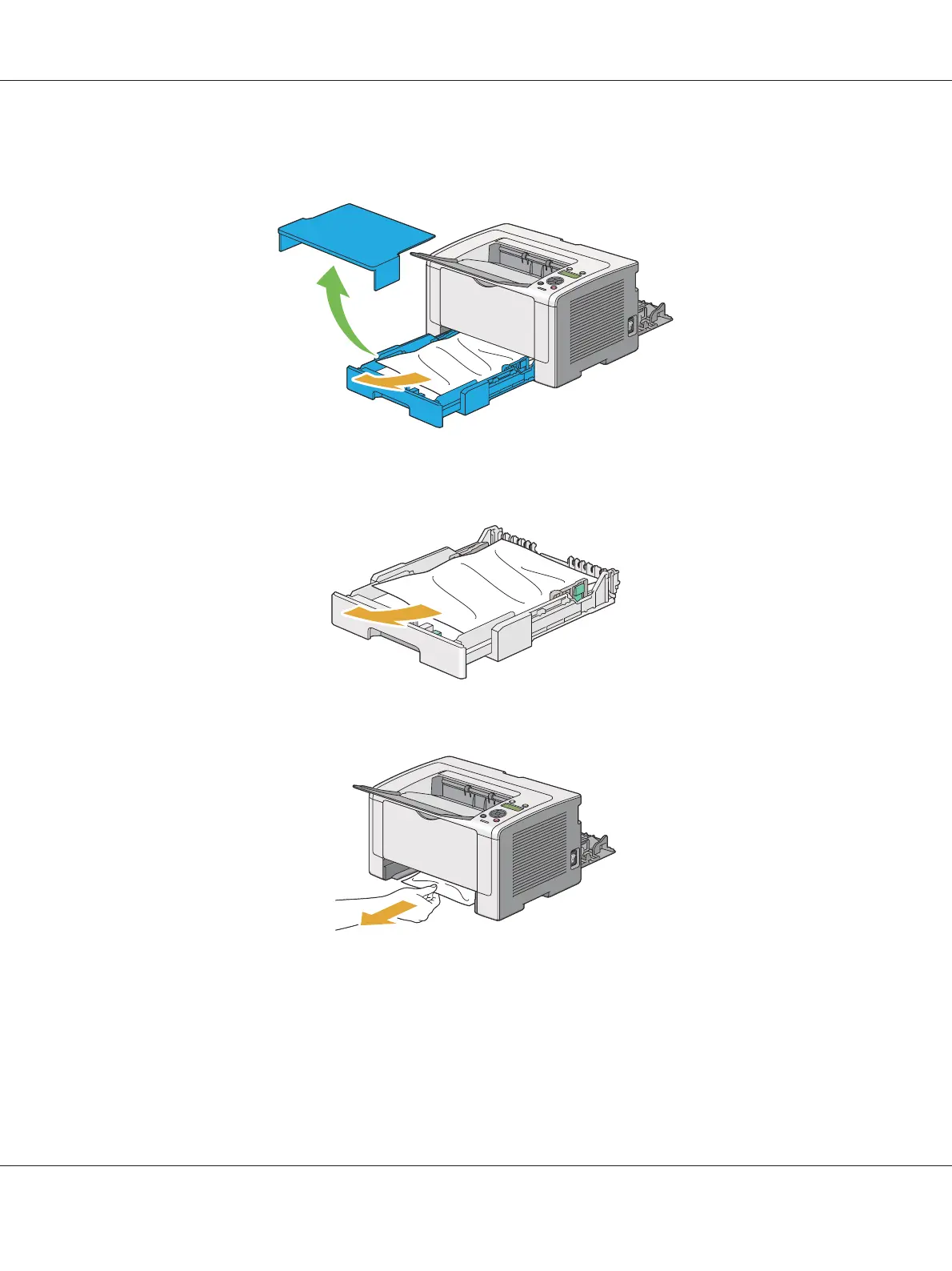
3. Pull the paper tray out of the printer carefully. Hold the tray with both hands, lift the front slightly,
and remove it from the printer.
4. Remove all the jammed and/or creased paper from the tray.
5. Pull the jammed paper out carefully to avoid tearing it.
AL-M200 Series User’s Guide
Troubleshooting 178











 To Next Page