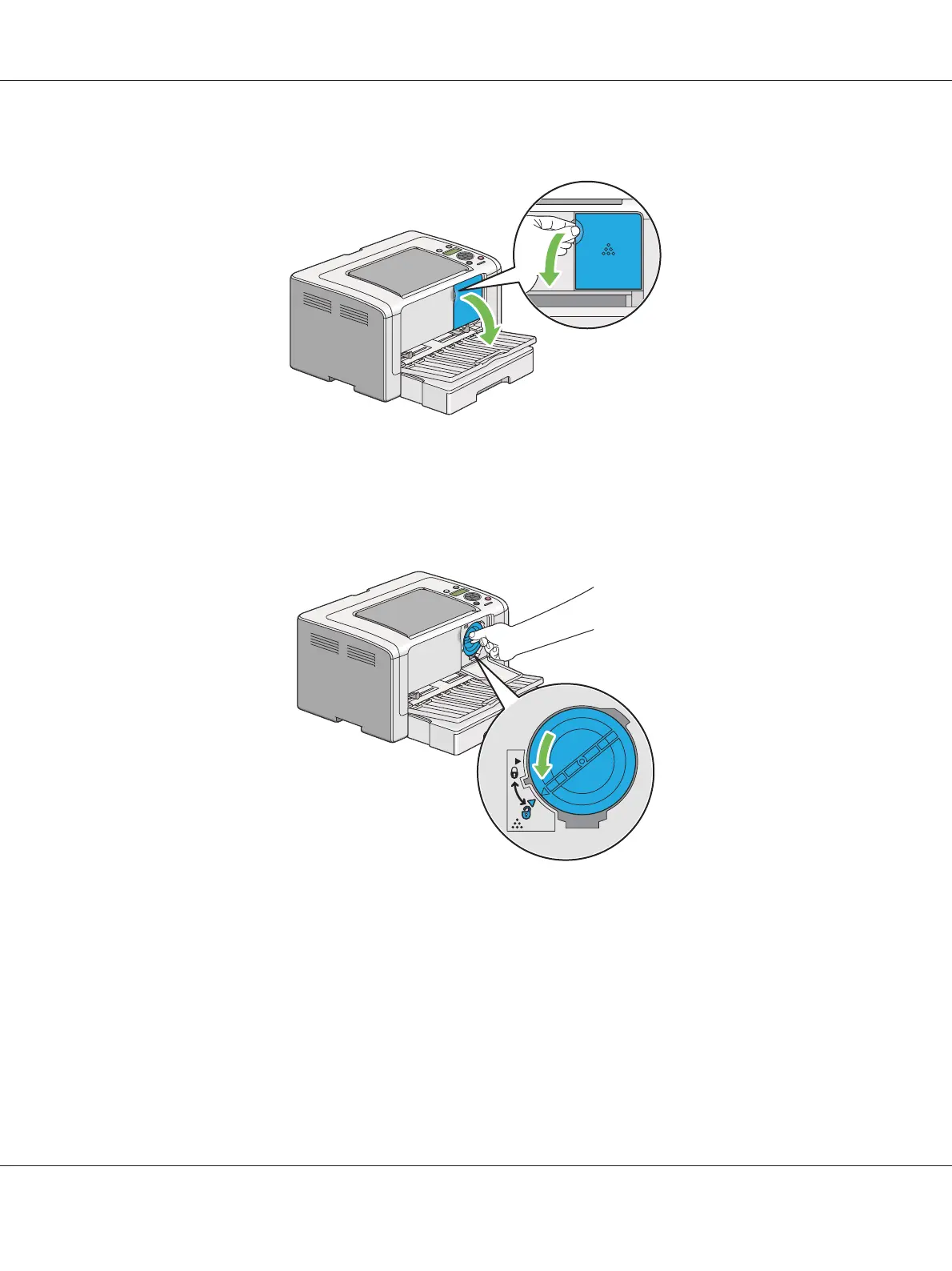
2. Open the toner access cover.
3. Spread a few sheets of paper on the floor or table where you want to place the removed toner
cartridge.
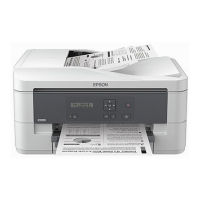
4. Turn the toner cartridge counterclockwise to unlock.
5. Pull the toner cartridge out.
Important:
❏ Do not touch the shutter of the used toner cartridge.
AL-M200 Series User’s Guide
Maintenance 209











 To Next Page