EG_GenPro25e_1055_UG_002_UK
Descriptions and non-contractual illustrations in this document are given as an indication only.
ERCOGENER reserves the right to make any modification.
Dct_427_02
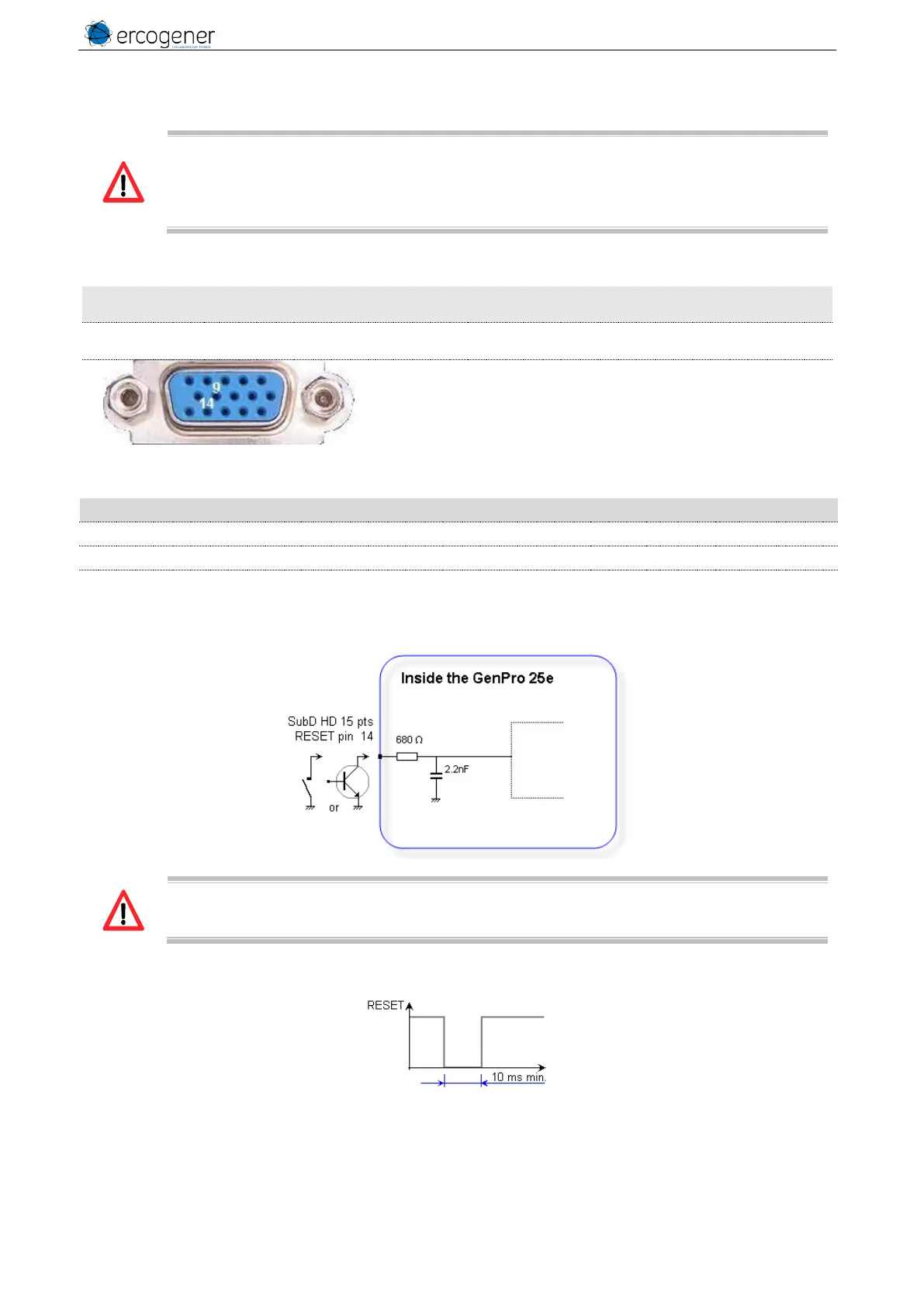
3.9 RESET
The use of the RESET function is strictly reserved for the manufacturer and distributors.
This signal must be used only in case of emergency RESET. A software RESET is always
preferable to a Hardware RESET. It is strongly unadvised to execute this function whilst in
communication or dialog, without having previously detached it from the operator network.
Using the RESET does not restore the factory parameters.
Table 31 : Description of RESET input
Connector 16 pins
Pins number
Table 32 : Conditions of use of RESET signal
Internal Pull-Up Resistor
Figure 19 : Internal electrical scheme of RESET
The use of the RESET signal must be done through a transistor assembly or via dry contact.
The integrator has the responsibility to protect the input from electrical perturbations and to
respect the functioning parameters values.
Figure 20 : Chronogram of RESET signal



 To Next Page