EG_GenPro25e_1055_UG_002_UK
Descriptions and non-contractual illustrations in this document are given as an indication only.
ERCOGENER reserves the right to make any modification.
Dct_427_02
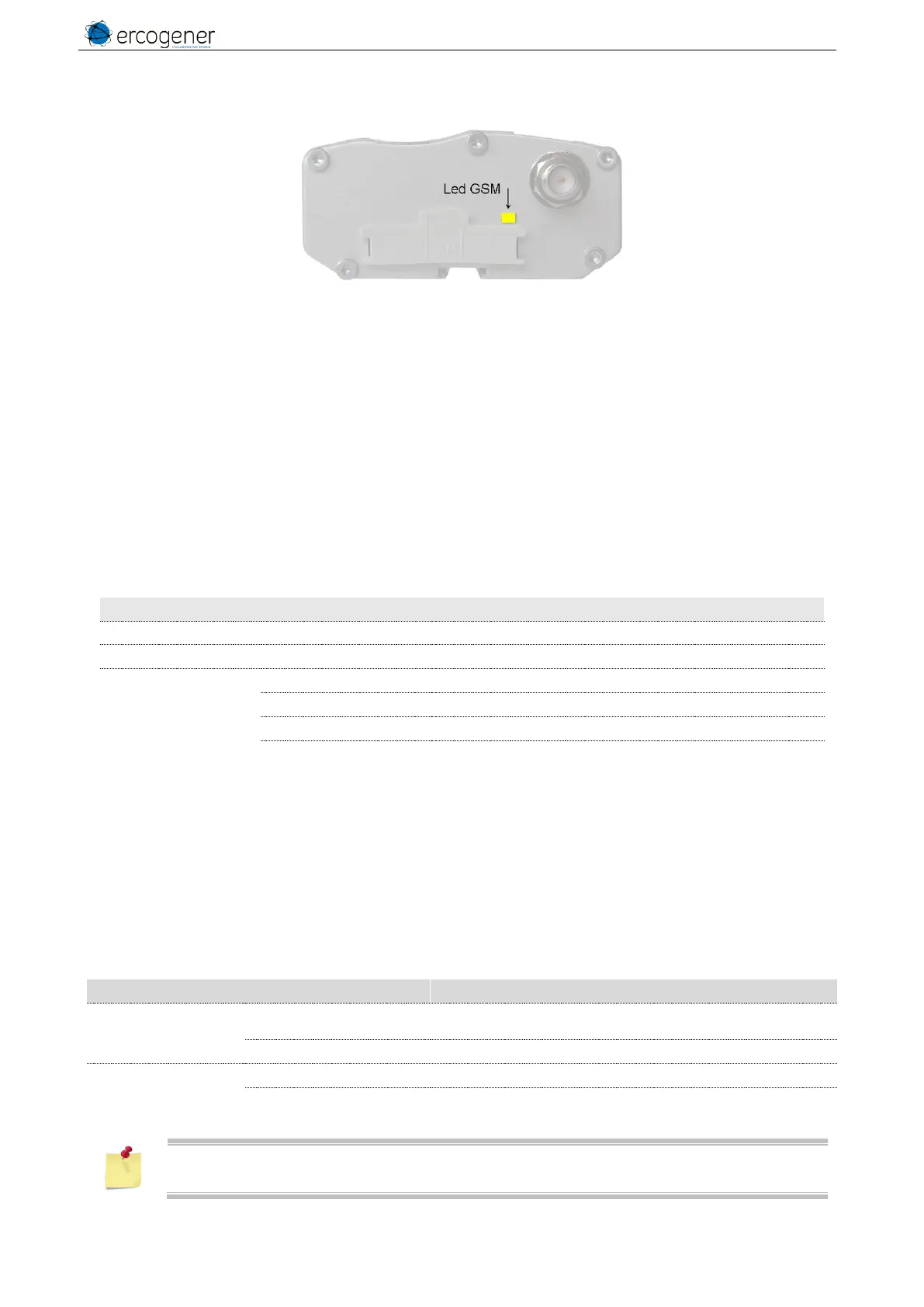
3.12 Led of the modem
Figure 23 : Back side Led
3.12.1 Without application
The GenPro 25e does not contain any application. The Led is OFF.
3.12.2 With standard library
The GenPro 25e contains the standard library. The Led is OFF.
3.12.3 The application ERCOGENER EasePro_Vx
The status of the GSM module is indicated by the status of the LED situated on the back side of the modem.
Table 39 : Status of GSM LED
The module is not activated or OFF.
Module attached to GSM network
GPRS connected (wait IP address)
GPRS connected (IP address is set)
3.12.4 The owner application
The GenPro 25e contains your application. The led status depends on your parameters.
3.12.5 With Mode Transparent option (S0502A)
With this option GSM LED Status is managed by the GSM module.
Table 40 : Status of GSM LED with S0502A option
- The module is power off or under attachement to GSM
network.
- Module in communication.
- Module attached to GSM network
- Module attached to GSM network in roaming mode.
When the command AT+CPWROFF is sent to the modem, after the OK response, the GSM
LED is ON.



 To Next Page