7 GENERAL FUNCTIONS
0459 287 601
- 25 -
© ESAB AB 2020
Default is OFF.
7.7 Code Lock
When the CODE LOCK function is activated and a lock code is set, only the MAIN MENU,
MEMORY MENU, and the MEASUREMENTS MENU can be accessed without a lock code.
The PROCESS MENU, the SETTINGS MENU and the CONFIGURE MENU will require a
lock code.
Default set to OFF.
7.7.1 Configure a lock code
The lock code is configured by an authorised ESAB service technician using ESAB Software
Administration Tool (ESAT).
7.7.2 Activate code lock function
Activation of CODE LOCK function is performed in the CONFIGURE MENU.
A configured lock code is retained also if the CODE LOCK function is turned OFF and later
activated again.
7.7.3 Enter a locked menu
When the code lock function is active and a lock code is configured, entering a lock code
makes it possible to access a locked menu.
7.8 VRD (Voltage Reduction Device)
The VRD function is activated using ESAB Software Administration Tool (ESAT), which has
to be managed by authorised ESAB service technician. When the VRD function is activated,
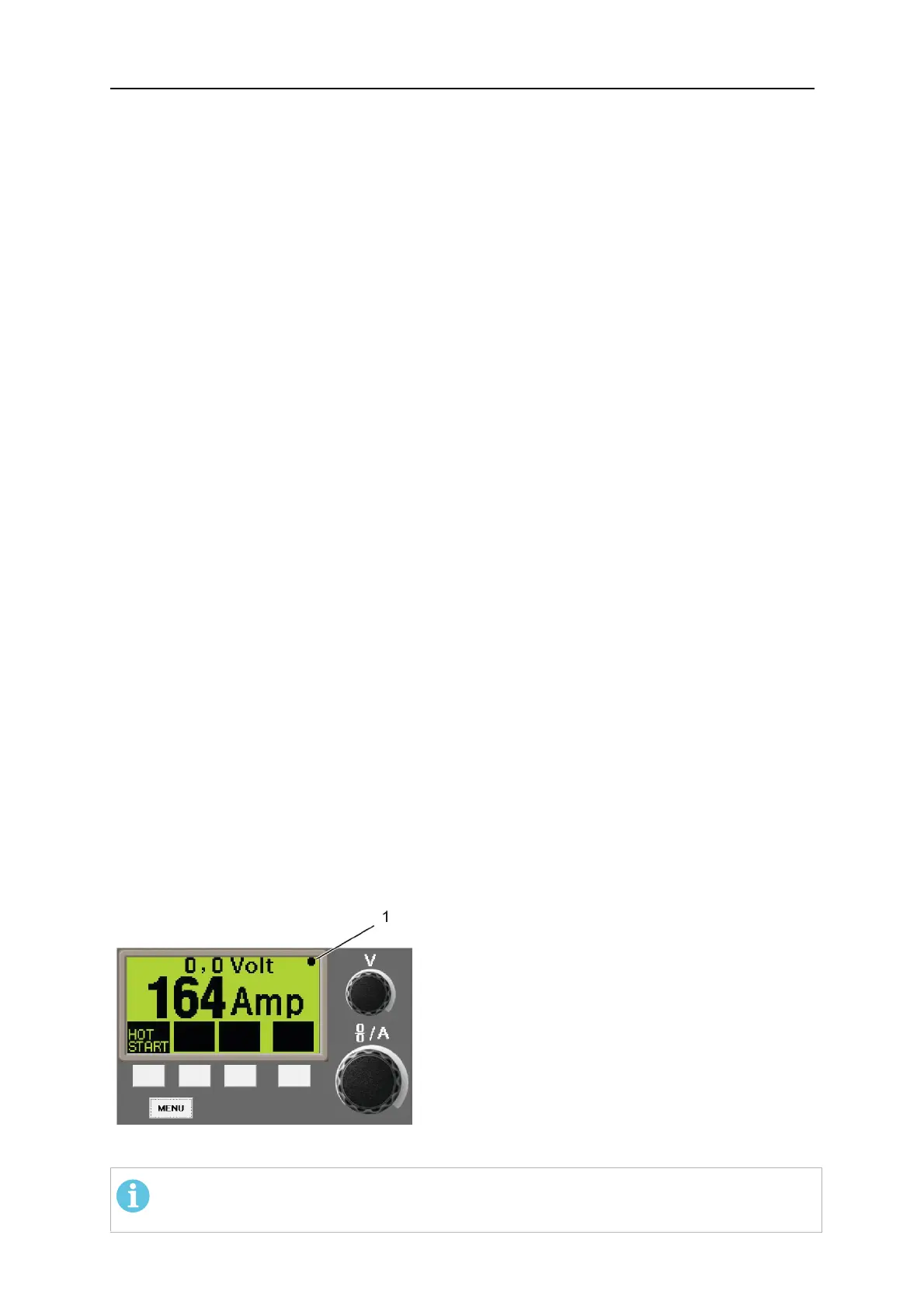
the CONFIGURE menu VRD shows ON to indicate this. The VRD icon is also present in the
top right corner of the display.
The VRD function ensures that the open-circuit voltage does not exceed 35 V when welding
is not being carried out. This is indicated when the icon for VRD is visible, see picture.
The VRD function is blocked when the system senses that welding has started.
If the VRD function is activated and open-circuit voltage exceeds the 35 V limit, this is
indicated by an error message (16) appearing in the display and welding cannot be started
whilst the error message is displayed.
1. The VRD icon
NOTE!
The VRD function works for power sources where it is implemented.



 To Next Page