Edition 050614
-- 7 5 --
cu20i1
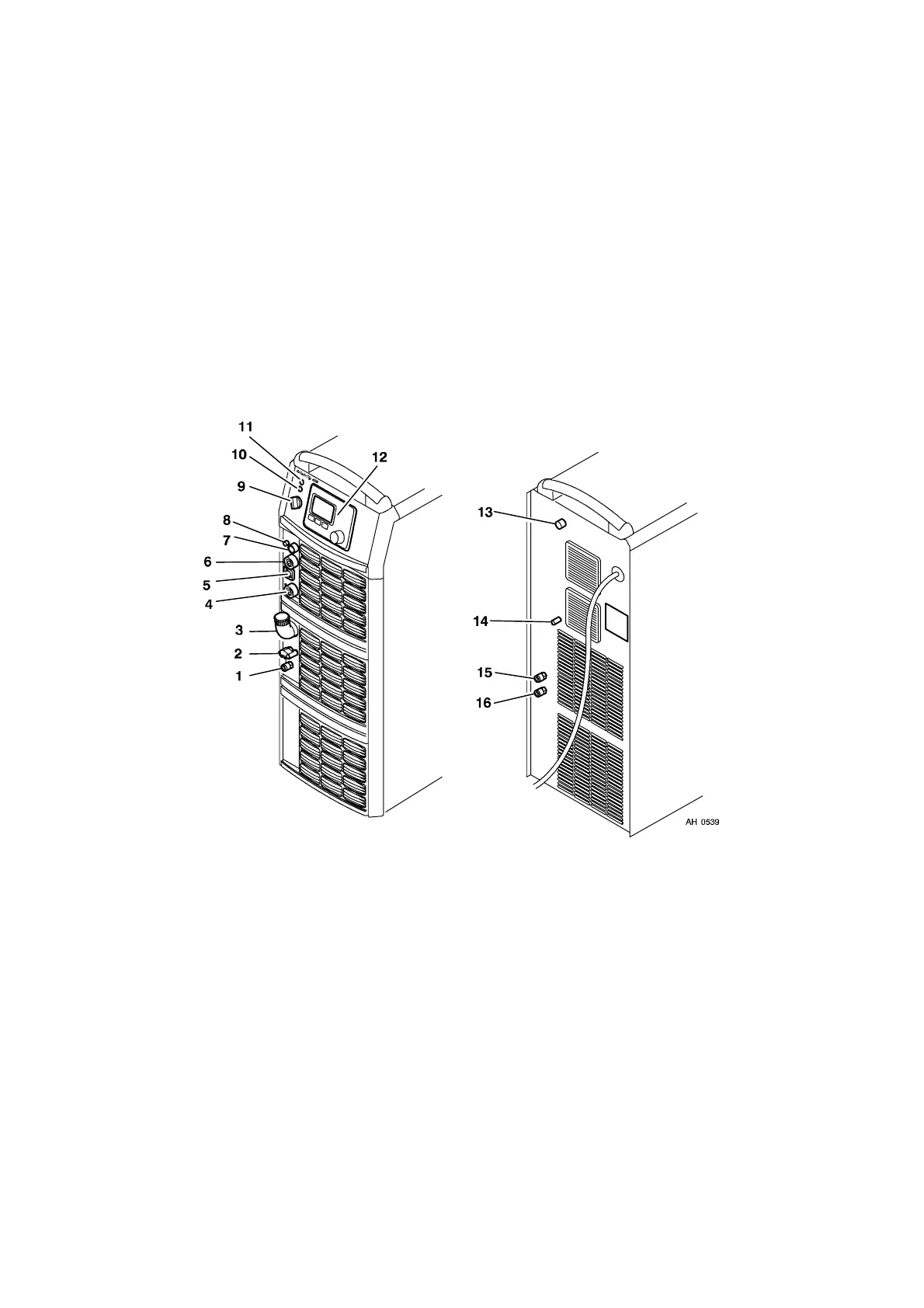
Connections and control devices, AristoTig 400
1 Connection for cooling water from the TIG
torch -- RED
9 Main power supply switch, 0 / 1 / START
2 Connection with water lock for cooling wa-
ter to the TIG torch -- BLUE
10 White indicating lamp -- Power supply ON
3 Cooling water filler 11 Orange indicating lamp -- Overheating
4 Connection for return cable (+) 12 Control panel
(see the respective instructions)
5 Connection for remote control adapter 13 MCB
6 Connection for welding cable (--) 14 Connection for gas hose
7 Connection for start signal from the wel-
ding torch
15 Connection for cooling water. Not used on
this model.
8 Connection for gas to the TIG torch 16 Connection for cooling water. Not used on
this model.
Turning on the power source
Turn on the mains power by turning the main power supply switch to the ”START” position.
Release the switch, and it will return to the ”1” position.
If the mains power supply should be interrupted while welding is in progress, and then be
restored, the power source will remain de--energised until the switch is again turned
manually to the ”START” position.
Turn the unit off by turning the switch to the ”0” position.
Whether in the event of a loss of power supply or of turning the power source off in the
normal manner, welding data will be stored so that it is available next time the unit is
started.



 To Next Page