6 CONTROL PANEL
0463 479 001
- 30 -
© ESAB AB 2017
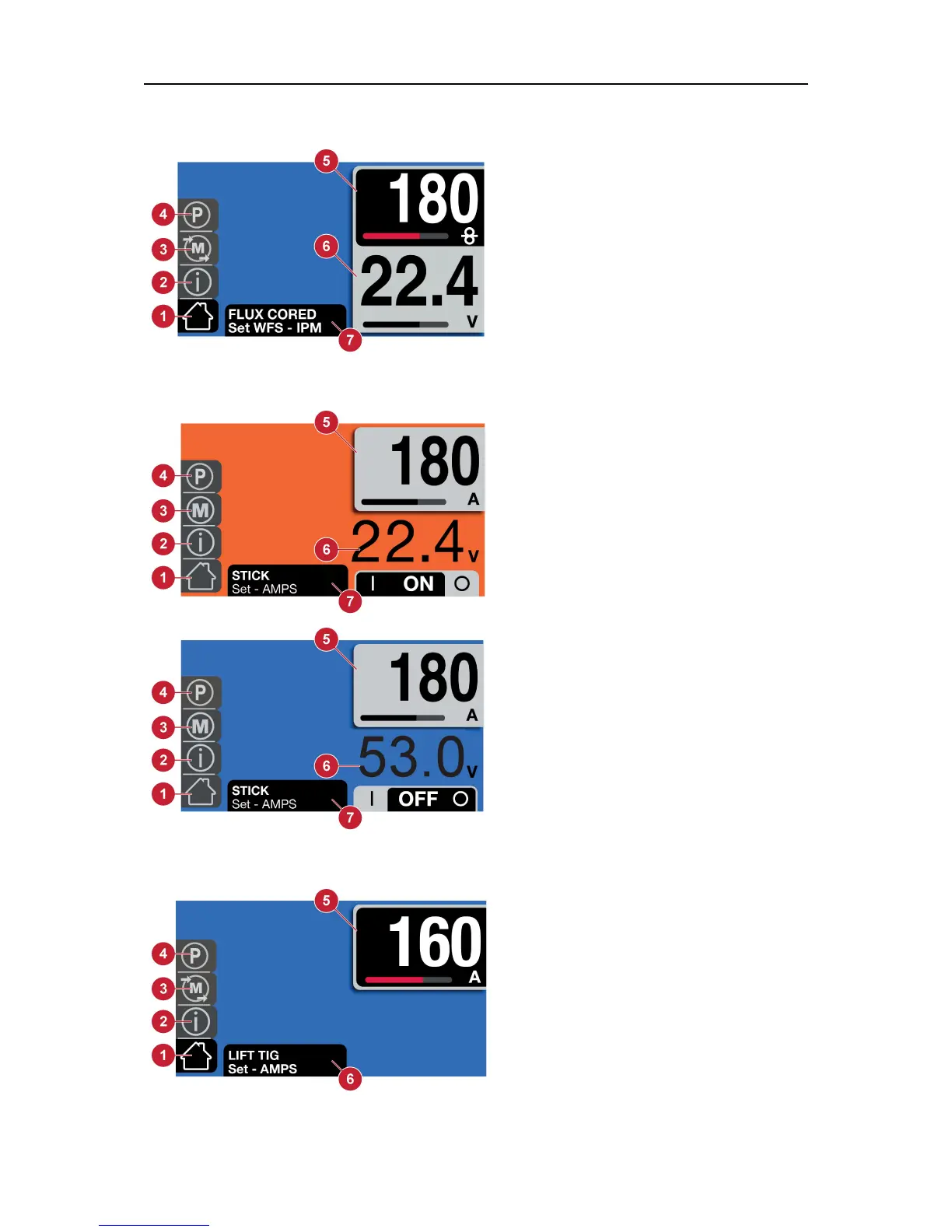
6.1.4 Flux cored wire mode
1. Home screen
2. Information
3. Memory
4. Parameter
5. Wire feed speed
6. Voltage
7. Dialogue box
6.1.5 Stick mode
1. Home screen
2. Information
3. Memory
4. Parameter
5. Amperage
6. Voltage (OCV or arc)
7. Dialogue box
The user must select the ON position to
have output voltage and weld current.
Also the background color indicates the
output state, where blue indicates an
"off" state and orange indicates an "on"
state.
6.1.6 LIFT-TIG mode (EMP235ic only)
1. Home screen
2. Information
3. Memory
4. Parameter
5. Amperage
6. Dialogue box



 To Next Page