IP Series Installation Manual Function 3: Extension programming
F.11
13. Trunk-to-trunk transfer
— When enabled, this lets the station user initiate a trunk-to-trunk
transfer. The user, while connected to a CO line, can press TRANSFER, followed by his/her line
access code(s), dial an off-site number and then complete the trunk-to-trunk transfer by simply
hanging up. Both parties are then connected.
Default: Disabled.
Important:
USE OF FEATURES, SUCH AS TRUNK-TO-TRUNK TRANSFER, THAT REQUIRE TRUNK-TO-TRUNK
CONNECTIONS WILL INCREASE THE RISK OF TOLL FRAUD. IN NO EVENT SHALL ESI (ESTECH
SYSTEMS, INC.) BE LIABLE FOR ANY DIRECT, INDIRECT, INCIDENTAL OR CONSEQUENTIAL
DAMAGES WHATSOEVER INCLUDING, BUT NOT LIMITED TO, FRAUDULENT TOLL CHARGES,
LOSS OF BUSINESS PROFITS, BUSINESS INTERRUPTIONS OR ANY OTHER COSTS OR DAM-
AGES RELATED THERETO ARISING FROM THE USE OF THESE FEATURES.
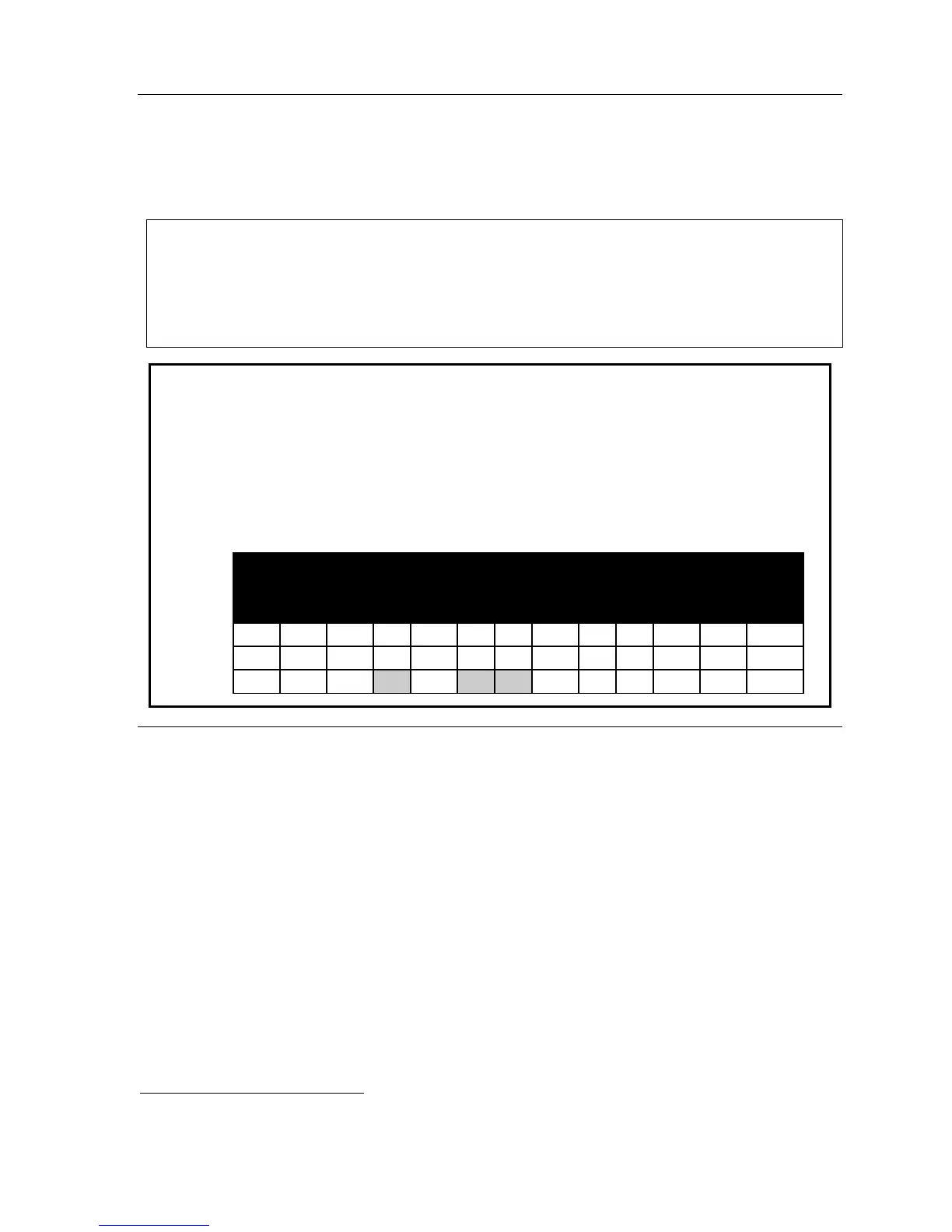
Example: Here is a portion of a completed Programming Worksheet (Appendix II)
for extension feature authorization. Note that:
• Extension 100 cannot record calls but can make toll calls (except those listed
in the deny table) and can access the system speed dial numbers.
• In comparison, Extension 102 cannot make general toll calls but also can call
any system speed dial number, even if it’s a toll call.
• (Extension 110 doesn’t have DND, AA block, record or service observing
capability because it’s an analog port.)
1.
Ext.
2.
Name
3.
Call
wait
4.
DND
5.
AA
block
6.
Rec.
7.
Svc.
obs.
8.
Toll
allow
9.
Sys.
spd.
dial
10.
Auto
page
11.
Ext.
fwdg.
12.
Fwdg.
to toll
nos.
13.
Trunk-
to-trunk
xfer
100 Jane Y Y N N N Y Y N N N N
102 Sally Y Y N Y N N Y Y N N N
200* Bill Y N Y Y N N N N
Function 33: Department programming
You can create up to 10 departments (or “hunt groups”), each with a maximum of 32 extensions. You
also can assign an extension to more than one department. Department numbers range 200–299.
Department hunting methods
You can designate a department to be rung in one of the following methods:
• In Order — Calls will ring each phone in the order listed. If all are busy or none answer, the call
will call forward as programmed here.
• All — Calls will ring all listed phones at the same time. If no extension answers or all are busy,
the call will call forward as programmed as part of this function.
• UCD — Calls will be rotated evenly throughout the listed extensions. If none answer or all are
busy, the call will call forward as programmed here.
*
An example of an analog phone.



 To Next Page