1.
2.
3.
4.
5.
6.
7.
8.
9.
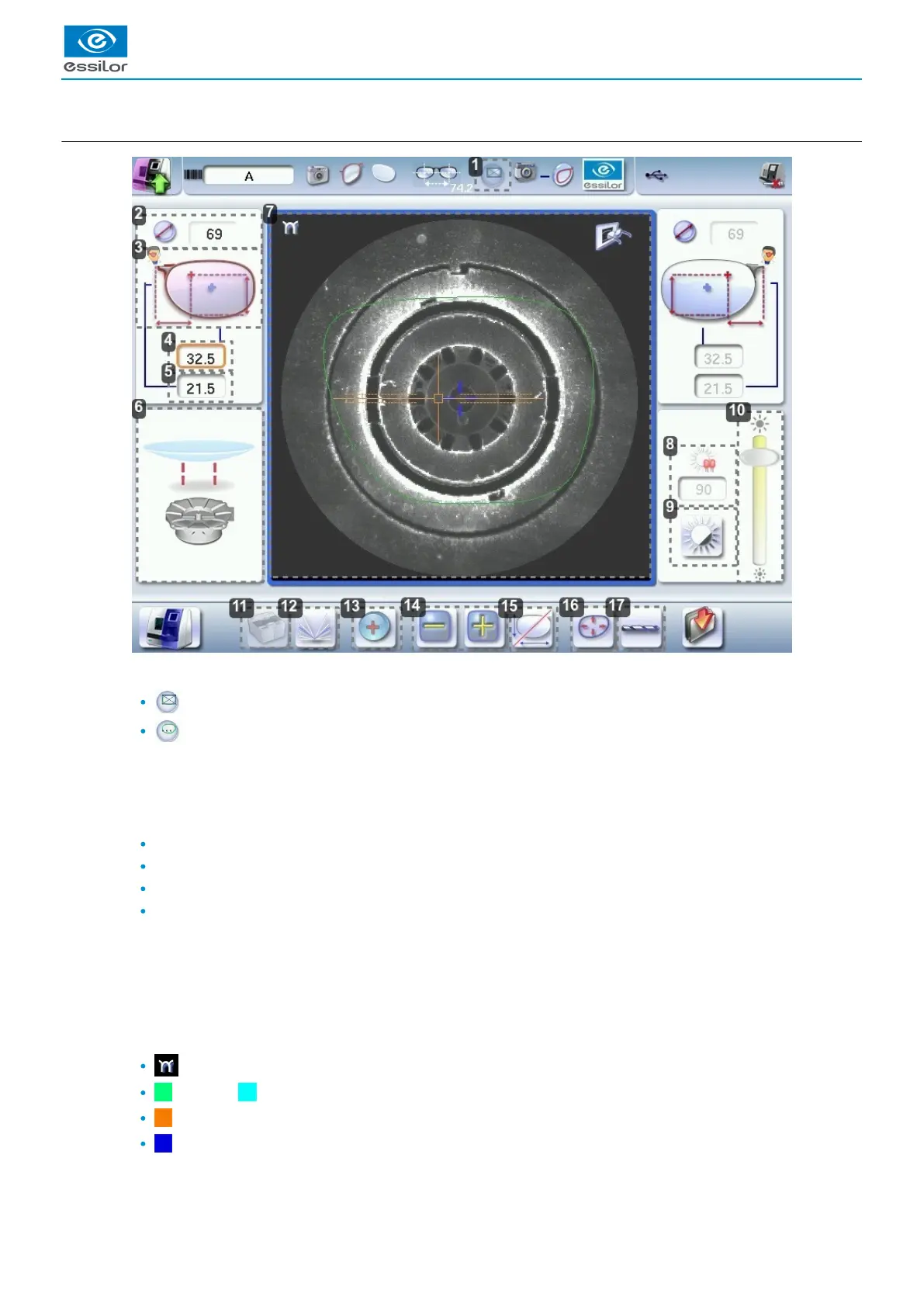
b. Menu screen
Blocking mode
Blocking in the centerboxing
(p.156)
Blocking in the optical center
For further information, refer to the section .Lens Centering > Blocking a lens > Preparing blocking (p.57)
Minimal diameter of the lens to be used
Active eye and type of display of PD and pupillary height
Four modes available:
Boxing mode
Datum mode
ΔY mode
ΔX + ΔY mode
For more information on the type of display, consult the section Digital system configuration > Customize the
tracer-centerer-blocker > Decentration mode. (p.111)
Half PD
Pupillary height
Posiblock display to be used depending on the job.
Work area
: Nasal side indicator
(green) or (cyan): Lens shape
(orange): Centering target according to the type of lens
(blue): Boxing center of the shape
Contrast Adjustment



 To Next Page
 Loading...
