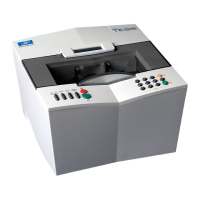
Essilor E-Tess Tracer
4- Using the e-Tess tracer
28
Validate, the job number is displayed, or cancel,
Press to start tracing.
- If you want to work in current job:
Press to start tracing,
N.B. Caution, in this case the jobs are not stored.
- If you are working with bar codes (Péniche or Opsys):
Scan the bar code, the number is displayed on screen,
Press
to start tracing.
3.3. FRAME TRACING
Standard tracing
1. Take the lenses out of the frame,
2. Insert the frame on the tracing table, making sure that each circle lies between the clamps,
IMPORTANT
Adjust the frame if necessary.
Make sure that the drum is correctly closed.
Make sure not to crush the frame if it is flexible.
3. Select your trace type in the following cascade:
: standard tracing,
: very high curve tracing (see special cycles below),
: "precal" tracing (see special cycles below),
4. Select your tracing side in the following cascade
: dissymmetric binocular tracing,
: right eye monocular tracing,
: left eye monocular tracing,
: symmetric binocular tracing,


 To Next Page