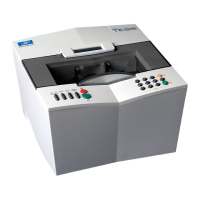
Essilor E-Tess Tracer
3 Contents
CONTENTS
1. PRECAUTIONS REQUIRED _____________________________________________ 6
1.1. Work surface ___________________________________________________________ 6
1.2. Environment____________________________________________________________ 6
1.3. Electrical installation_____________________________________________________ 6
1.4. Symbols _______________________________________________________________ 7
1.5. cleaning _______________________________________________________________ 7
2. INSTALLATION _______________________________________________________ 8
2.1. Introduction ____________________________________________________________ 8
2.2. Connections____________________________________________________________ 9
Connection to a PC ___________________________________________________________ 9
Connection to an edger:________________________________________________________ 9
2.3. First time use __________________________________________________________ 10
Description of the main screen _________________________________________________ 10
Navigation principle _________________________________________________________ 11
Main icons _________________________________________________________________ 11
2.4. Customising the display_________________________________________________ 12
2.5. Configuring the tracer___________________________________________________ 14
Choose the language _________________________________________________________ 15
Configure the connection and the communication parameters _________________________ 15
3. CHECK PRO_________________________________________________________ 17
3.1. Installation ____________________________________________________________ 17
3.2. Use __________________________________________________________________ 19
4. USING THE e-TESS TRACER ___________________________________________ 26
4.1. Description of the tracer_________________________________________________ 26
4.2. Initialisation ___________________________________________________________ 26
4.3. Frame tracing__________________________________________________________ 28
Standard tracing_____________________________________________________________ 28
Special cycles ______________________________________________________________ 29
4.4. Recalling a job _________________________________________________________ 32
4.5. Shape alteration________________________________________________________ 33
5. AUTOMAINTENANCE _________________________________________________ 36
5.1. Calibration check_______________________________________________________ 36
5.2. Calibration ____________________________________________________________ 38
5.3. Self-tests______________________________________________________________ 39
5.4. Statistics______________________________________________________________ 41
5.5. List of errors __________________________________________________________ 42
5.6. Touch screen calibration ________________________________________________ 43
6. IMPORT-EXPORT ____________________________________________________ 45
6.1. Export ________________________________________________________________ 45
6.2. Import ________________________________________________________________ 45
Adding a standard ___________________________________________________________ 46
Software update_____________________________________________________________ 46
7. ERROR CODES ______________________________________________________ 48


 To Next Page