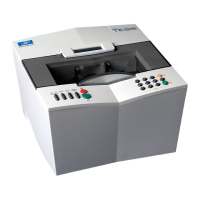
Essilor E-Tess Tracer
15 3- Check Pro
Choose the language
Choose the required language from the dropdown list.
Configure the connection and the communication parameters
The default parameter configuration is shown below:
N.B. M
odifying this configuration could have an adverse effect on the operation of your instruments. The
configuration in this menu should only be modified if your configuration is not compatible with that
proposed by default, with support from your Essilor technician.
a. Edger connection :
Three icons are available to configure the connection with the edger:
- Port type used, choose by pressing repeatedly:
Serial port
No edger
- Communication protocol:
OMA,
- Communication port configuration :
Choose the baud rate (19200: usual rate)
Choose the flow control (Hardware control = usual configuration)
Validate your configuration .
b. PC connection :
Three icons are available to configure the connection with the edger:
Speed Flow control Use
PC serial
port 19200
Control Opsys configuration
Edger
serial port 19200
Control Delta T configuration
Mode IP address Subnet mask Use
IP Static Tracer IP address Opsys configuration Regular


 To Next Page
 Loading...