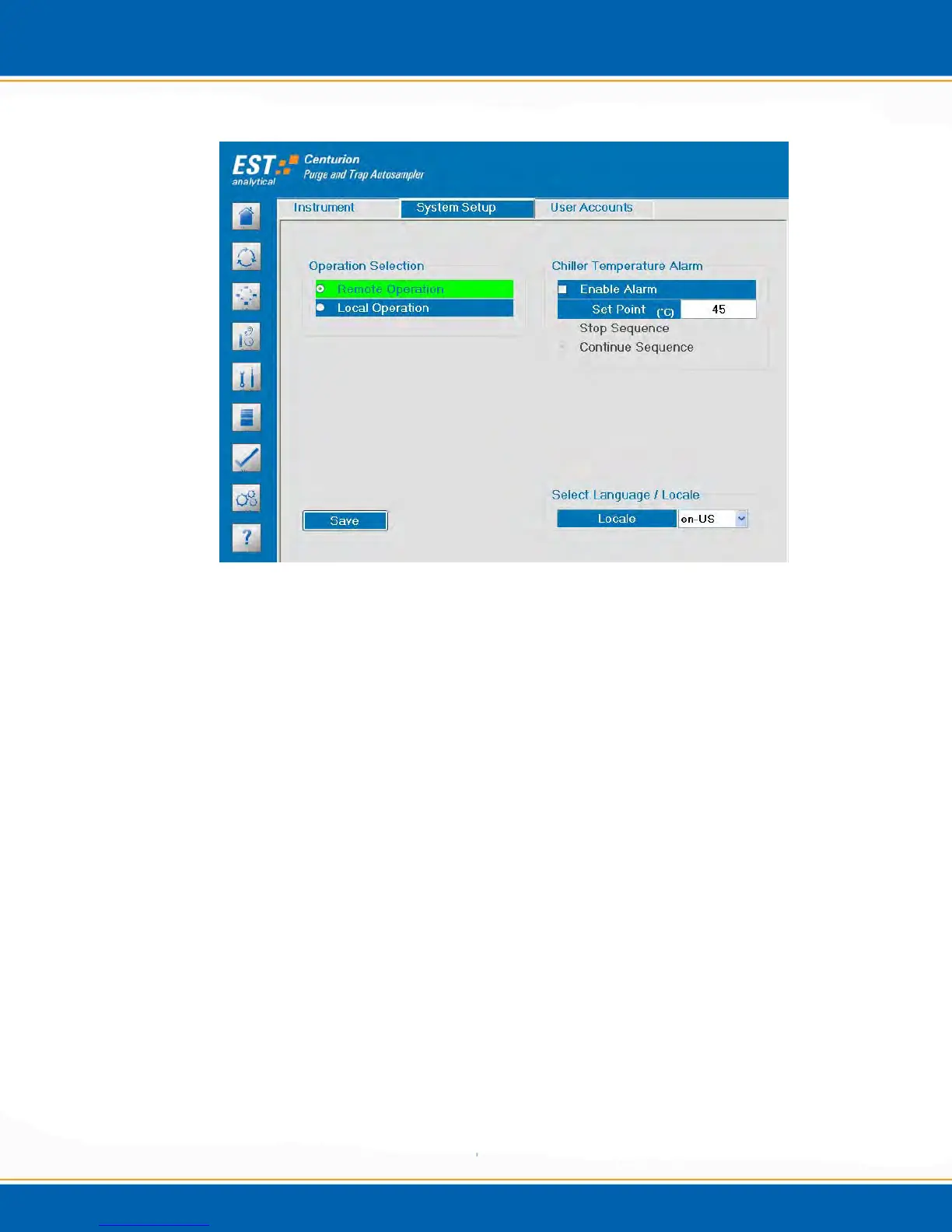
Figure 3i: Options Screen System Setup Tab
Operation Selection: There are two options available: Remote or Local mode.
Remote – When remote mode is selected the Centurion will only start the
sample process when a purge ready signal is received from the
concentrator. If the Centurion is ready to start the sample process and the
concentrator is not in purge ready, a Waiting for Purge Ready message
will be displayed on the Run Status screen.
Local – When the local mode is selected the Centurion will not wait for a
purge ready signal from the concentrator before beginning the sample
process.
Chiller Temperature Alarm (option): To activate the alarm <click> Enable
Alarm. Select Stop Sequence and the sequence will stop if the alarm is
triggered. Select Continue Sequence and the sequence will continue even though
the alarm is triggered.
Save – To save the instrument configuration, <click> the Save button.
3.8.3 User Accounts - <click> the User Accounts tab, the screen will appear as shown in
Figure 3j. This tab provides the current user logon information including date, time and
duration.



 To Next Page