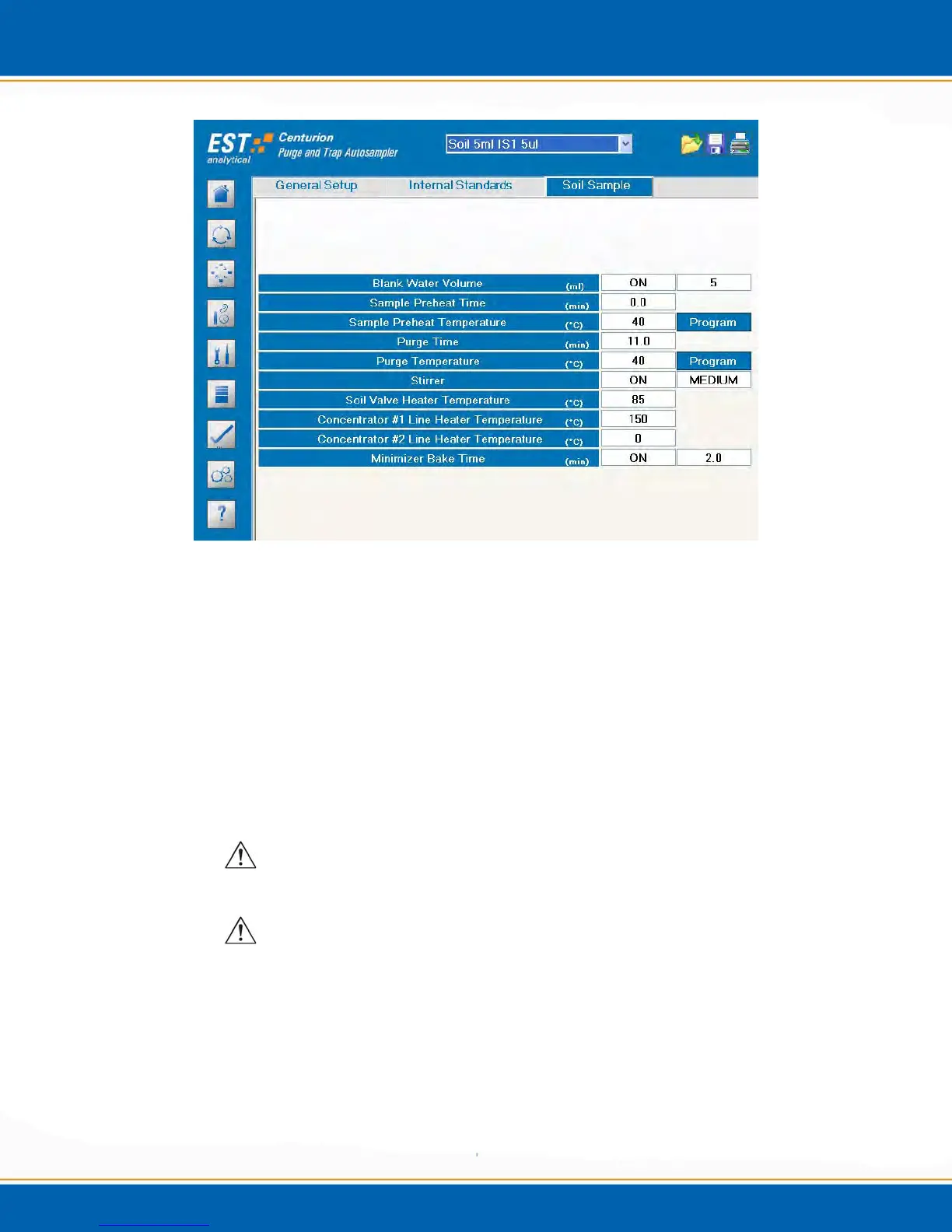
Figure 3x: Method Setup Soil Sample Screen
Blank Water Volume (ml): Select On, enter the amount of water to be added to
the soil sample vial. Choose from 5, 10, 15 or 20ml addition by <clicking>
through the field. The water is added in 5mL increments with internal standard
being added on the last 5ml addition of water. Select Off and no water will be
added to the soil vial. NOTE: If the Blank Water Volume is set to OFF, the
system will not be able to add IS.
Sample Preheat Time (min): Enter the time the sample will heat prior to purge.
Sample Preheat Temperature (°C): Enter the temperature the sample will heat
prior to purge.
CAUTION: Do not exceed the boiling point of water or the sample
matrix.
ATTENTION: Ne pas dépasser le point d'ébullition d'eau ou la matrice
de l'échantillon.
Programmable Sample Preheat Temperature: <click> the Program tab and
the popup will appear as shown in Figure 3y. Select Enable Ramp Control and
enter the desired temperature ramp.
Initial Temperature (°C) – This is the beginning temperature
programmed in °C. The temperature can be programmed from 25°C to the
set point in 1°C increments.



 To Next Page