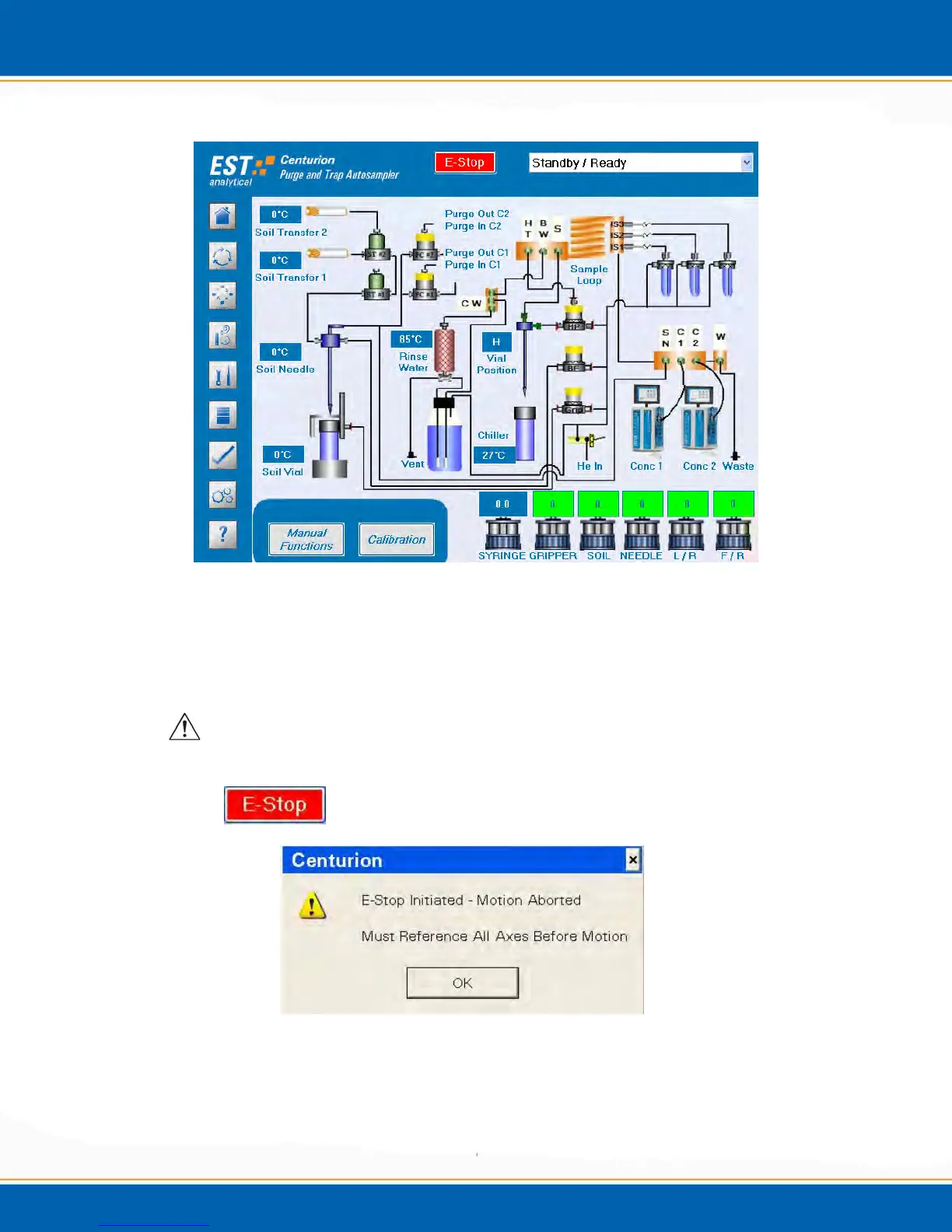
Figure 4a: Diagnostics Screen
4.4.1 E-Stop (Emergency Stop) : <click> on E-Stop and all Centurion movements will
immediately stop, it will also abort an active sequence, see Figure 4b. To enable
movement of the Centurion all axes must be homed from the Main screen Home icon.
NOTE: This function is for emergencies ONLY. If not an emergency, use the
Abort Sequence function.
Figure 4b: E-Stop Popup Screen



 To Next Page