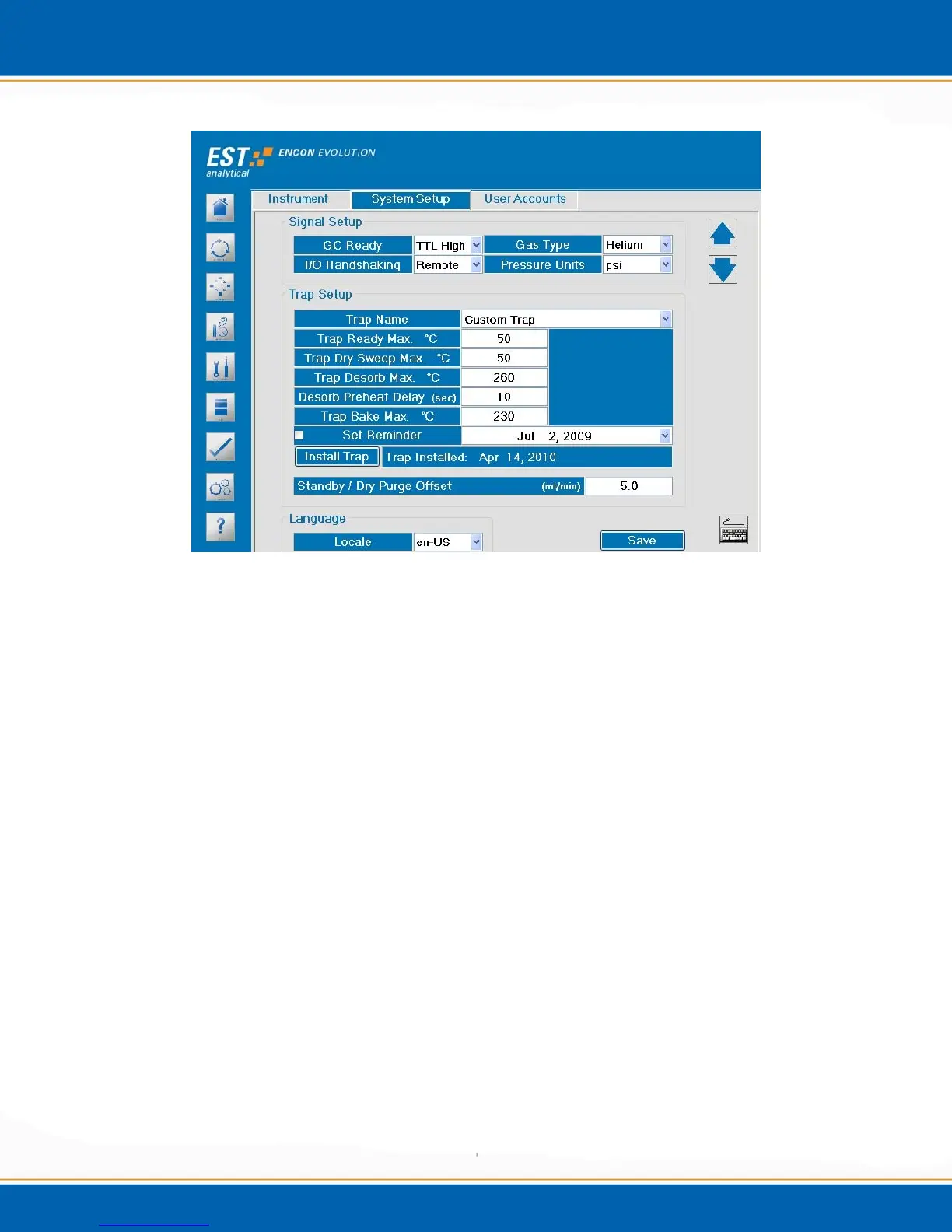
Figure 3c: Options screen – System Setup tab
System Setup tab - <click> the System Setup tab, the screen will appear as shown in
Figure 3c. From this screen select instrument configurations and settings such as type of
trap, GC ready signal, pressure units, maximum temperatures and to set the trap
maintenance reminder.
Signal setup – The Encon EV can be interfaced to most gas chromatograph (GC)
models. The GC Ready pull down provides the various selections for ready output
signals.
TTL Low - TTL Low must be selected when interfacing with a GC which gives
a high voltage output signal when ready and a low voltage output signal when not
ready.
TTL High – TTL High must be selected when interfacing with a GC which gives
a low voltage output signal when ready and a high voltage output signal when not
ready.
CC Open – CC Open, (Contact Closure), must be selected when interfacing with
a GC which gives a contact open output signal when ready and a contact closure
output signal when not ready.



 To Next Page