Properties – This selection allows for the level of access to a specific user. The user(s)
will be identified and set up by the authorized Field Service Engineer during the Encon
EV installation.
3.9 Sequence Screen
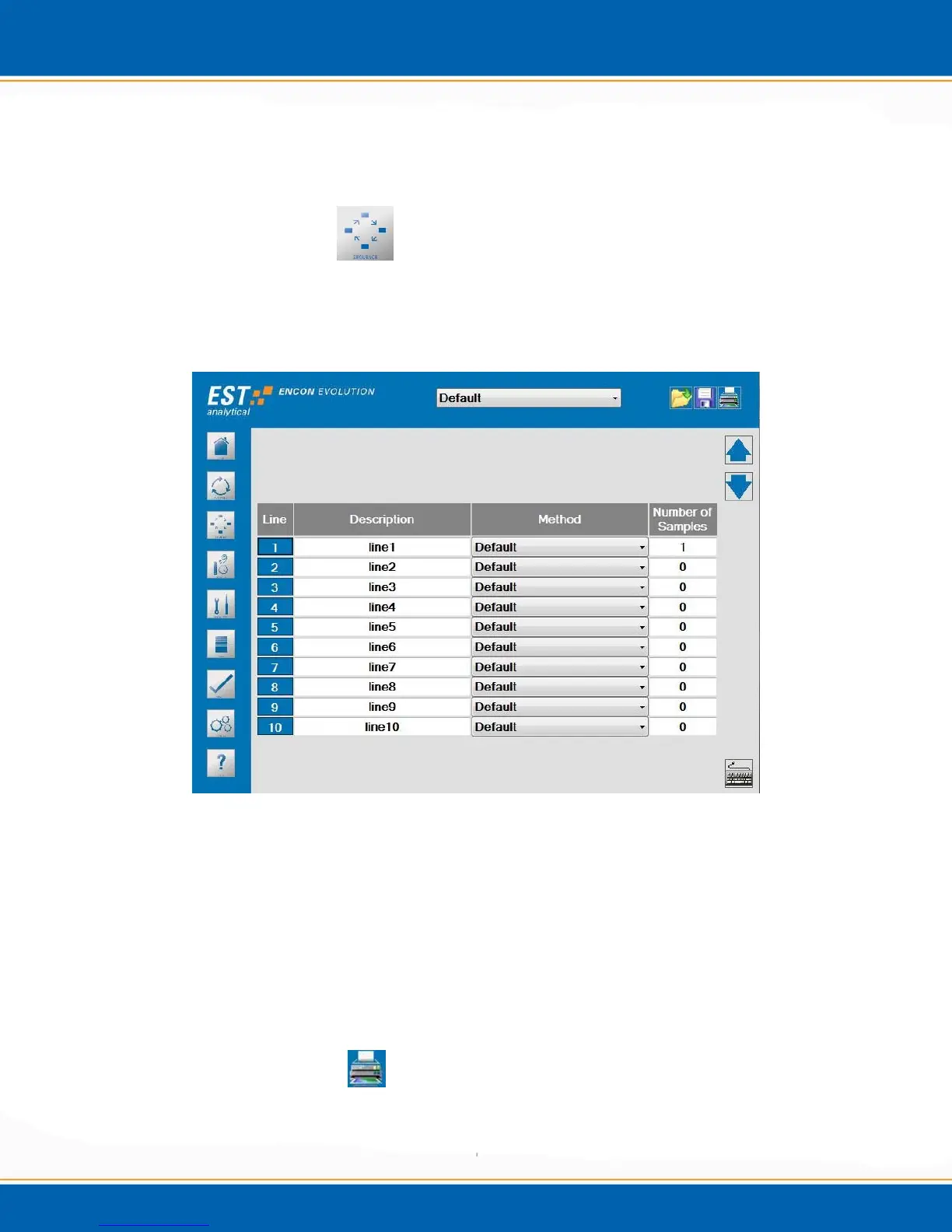
The Sequence screen provides the ability to analyze batches of samples using different
Encon EV methods. <click> the Sequence icon, the screen will appear as shown in
Figure 3e.
Figure 3e: Sequence screen
Line – Ten sequence lines are available for sample analysis by different Encon EV
methods. Ten different methods can be linked together to create a sequence.
Description – User supplied description names.
Method – The drop down lets the user select from the available methods.
Number of samples – The number of samples analyzed per method.
Printing a Sequence -
<click> on the Printer icon.
NOTE: To print, a printer must be interfaced with the Encon EV.



 To Next Page