3.11 Run Status Screen
The Run Status screen contains all the information needed to monitor the Encon EV
during the purge and trap process. <click> on the Run Status screen icon. The Run
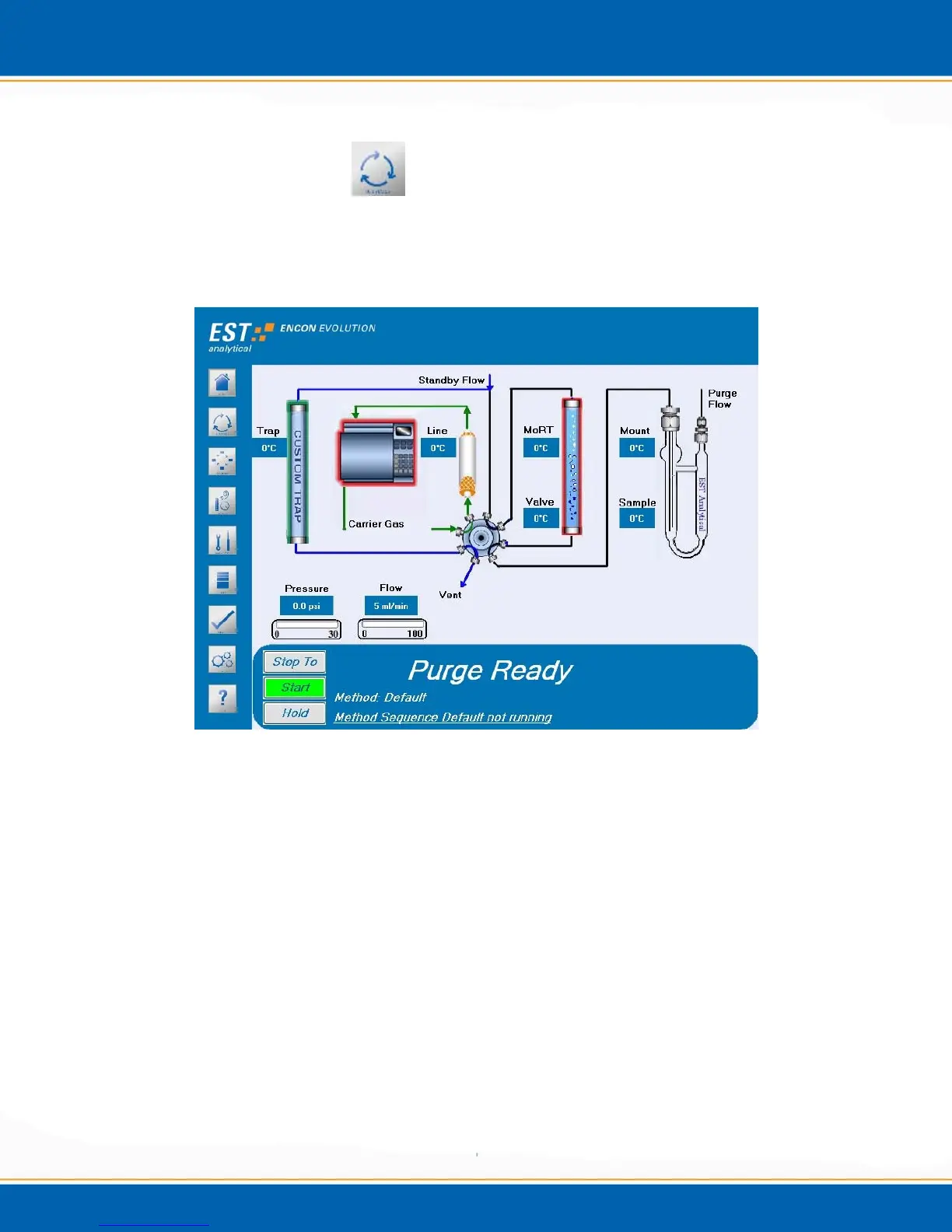
Status screen will be displayed as shown in Figure 3o.
Figure 3o: Run Status screen
The Run Status screen displays the current Encon EV instrument settings for real time
monitoring of the concentrator and contains the buttons necessary to apply the Step To,
Start / Stop and Hold functions.
Step To – The Step To button will display the following functions:
Standby
Purge Ready
Purge
Dry Purge
Desorb Ready
Desorb Preheat
Desorb
Bake
Step to Standby With Drain
Step to Bake With Drain



 To Next Page