Set Reminder – A reminder can be programmed to prompt the user to replace the trap on
a selected date, <click> on the check box. From the pull down, a calendar will be
displayed to allow the user to select the future date. After the date has passed a pop up
reminder box will appear when initializing the Encon EV application and every 24 hours
after the date has passed. When the pop up box appears, the user can choose to ignore
this reminder, <click> OK and proceed as usual. The pop up will keep appearing as long
as the enable reminder is set.
Install Trap – After a new trap has been installed, <click> the Install Trap button to
display the install date.
Save – To save the trap setup parameters, <click> the Save button.
Trap Back Pressure – This system pressure is determined from calibrating the purge
flow. When the desired purge flow is established from the Diagnostics screen the
pressure will be displayed in the pressure display pop-up box. This figure must be
manually added to the Trap Back Pressure field.
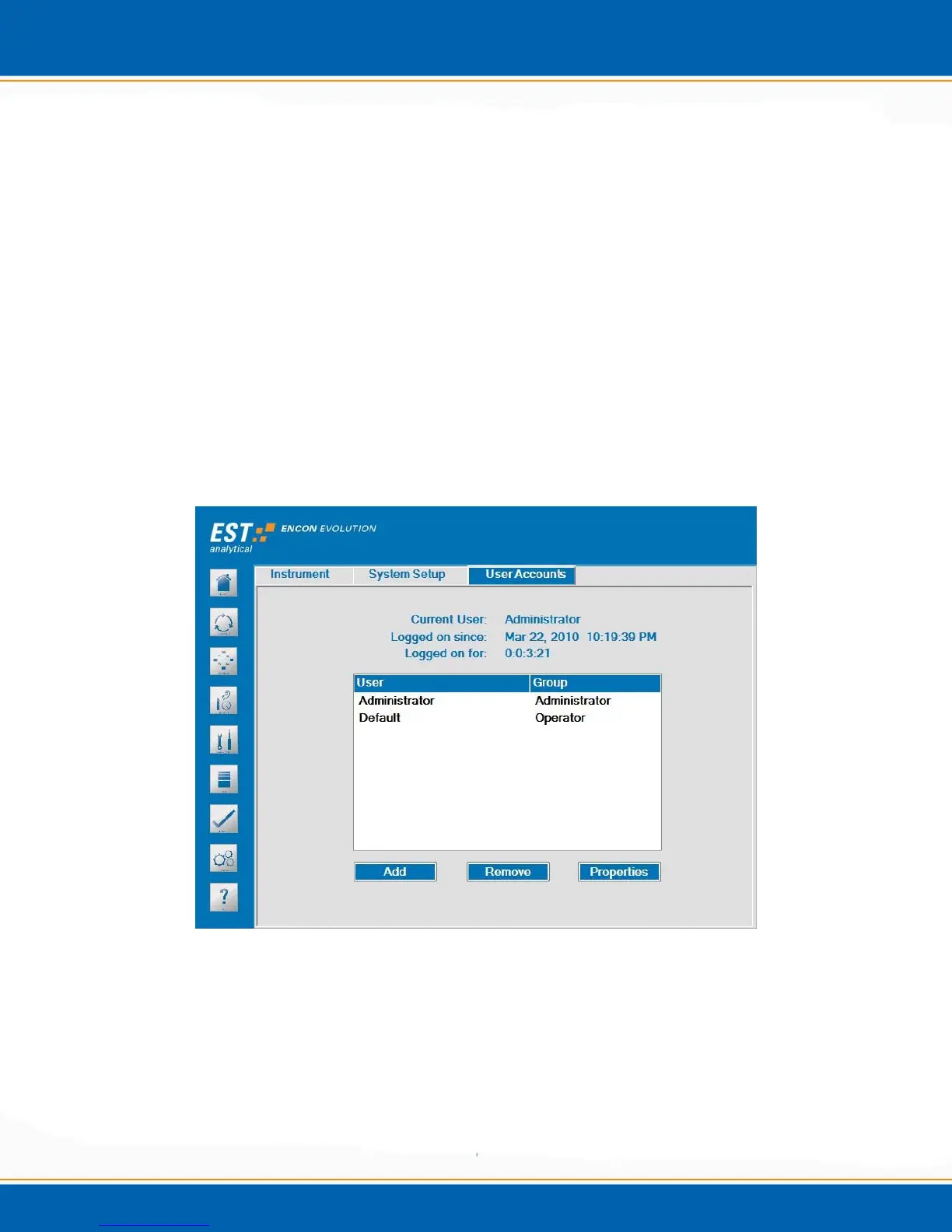
Figure 3d: Options screen – User Accounts tab
User Accounts - <click> the User Accounts tab, the screen will appear as
shown in Figure 3d. This tab provides the current user logon information
including date, time and duration.
Add – This selection allows for the addition of Encon EV users.
Remove – This selection allows for the removal of Encon EV users.



 To Next Page