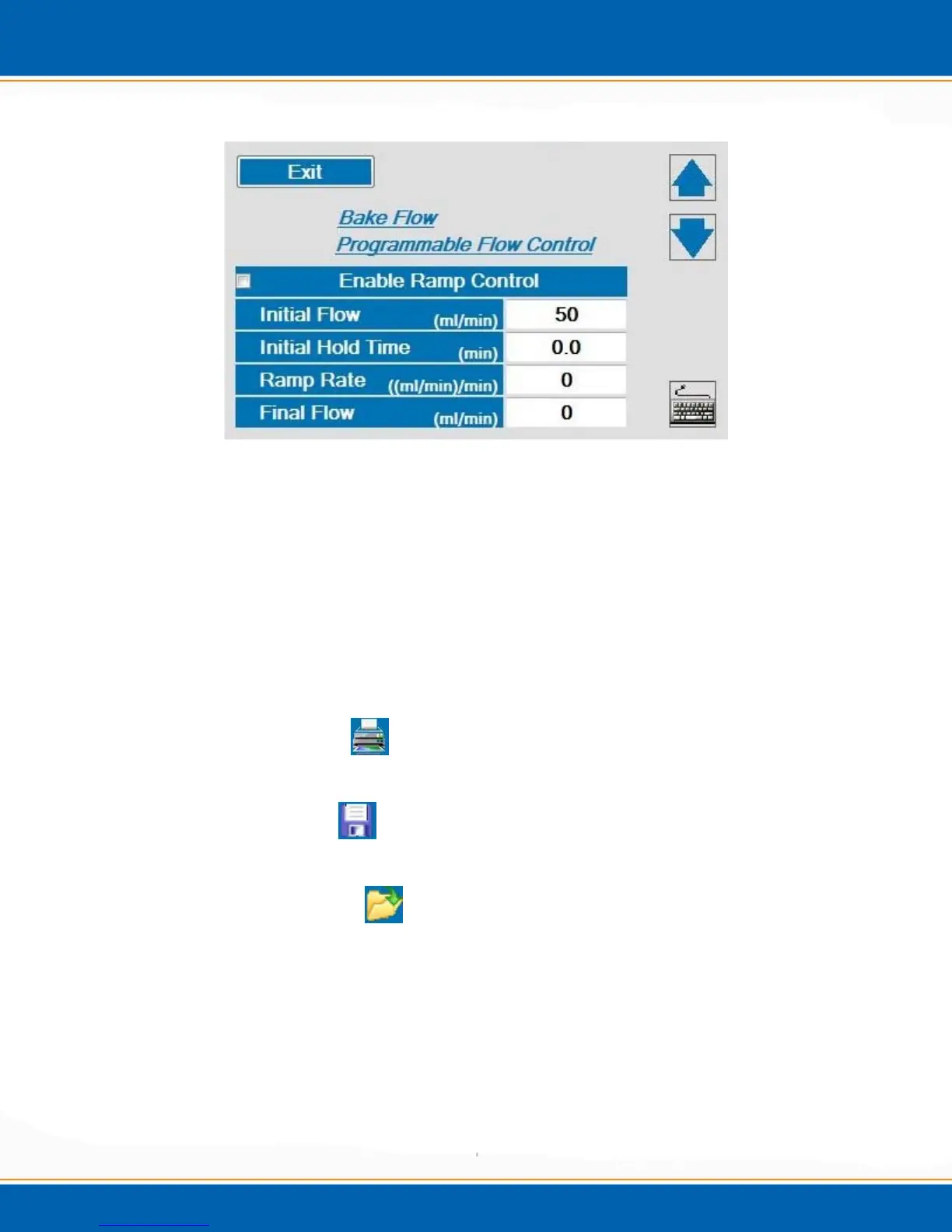
Figure 3m: Programmable Bake Flow Control
Once the desired options are selected, <click> the Exit button to return to the
method parameters screen.
Bake Time (min) – This is the total length of time for one bake cycle. The bake time can
programmed from 0.0 to 999.9 minutes.
Bake Cycles – The number of bake cycles for one sample analysis. This can be
programmed from 1 to 10 cycles. After the first bake cycle is completed the trap and
MoRT will cool to approximately 60°C before beginning to heat for the next bake cycle.
Printing the Method - <click> on the Printer icon. The method can be printed if
the Encon EV is interfaced to a printer
Saving the Method -
<click> on the Save icon and the method will be saved.
NOTE: After saving a method, it must be opened to activate.
Open a Saved Method - <click> on the Open icon and all previously saved
Methods are available to be loaded.



 To Next Page