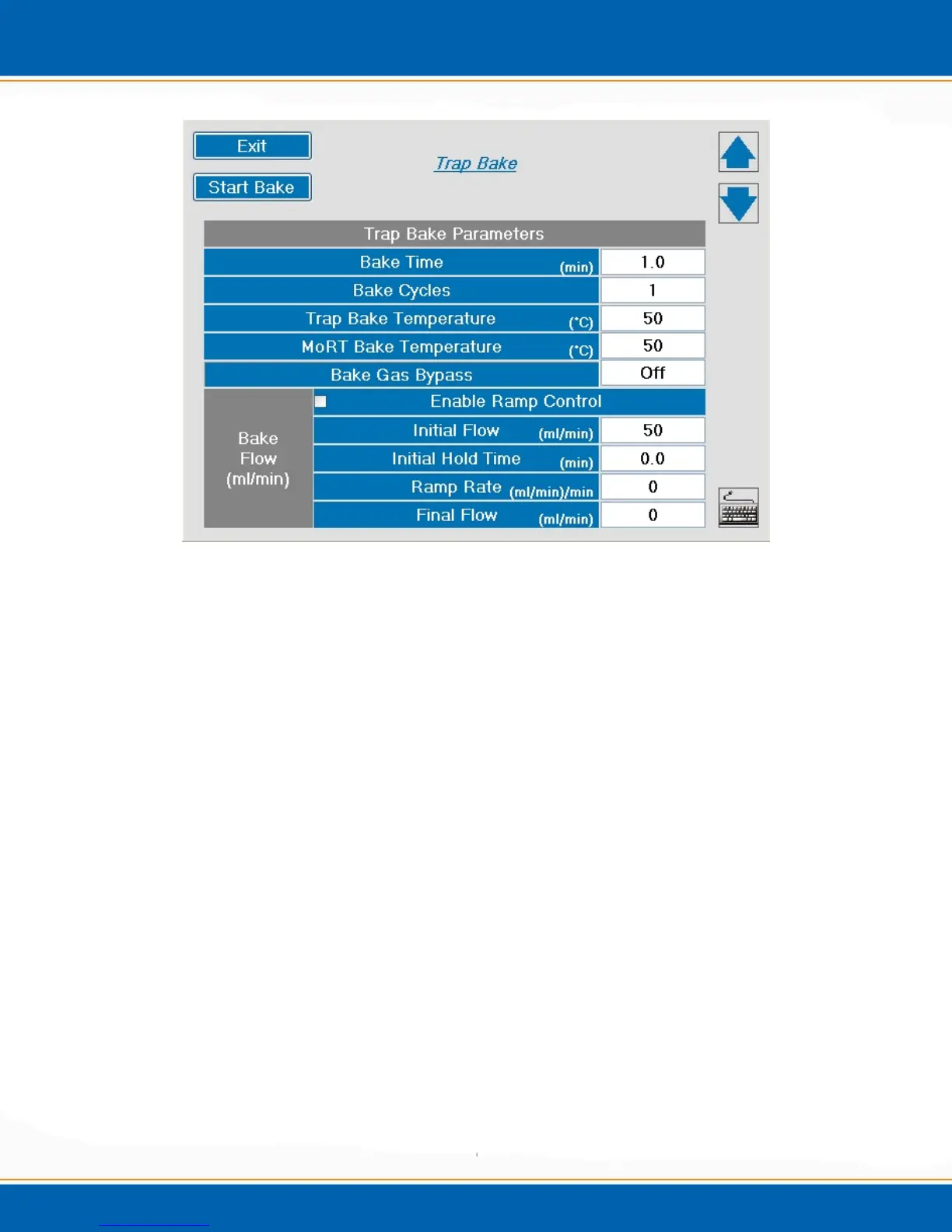
Figure 4g: Manual trap bake screen.
Bake Time (min) – Set the bake time from 0.0 to 999.9 minutes.
Bake Cycles – Set the number of cycles from 1 to 10. After the bake time is
completed the trap will cool to approximately 65°C before beginning the
next bake cycle.
Trap Bake Temperature (°C) – Set the bake temperature from 35°C to
the method set point in 1°C degree increments.
MoRT Bake Temperature (°C) – Set the bake temperature from 35°C up
to the method set point in 1°C degree increments.
Bake Gas Bypass – Select Off and during bake the gas flow pathway will be through
the sparge tube. Select On and during bake the gas flow pathway will be diverted and
not flow through the sparge tube.
Enable Ramp Control - <click> the Enable Ramp Control button to
program the desired settings. NOTE: Enabling Ramp Control is an
optional function.
Initial Flow (ml/min) – This is the beginning bake flow rate. The initial flow can be
programmed from 0 to 250 in 1 ml/min increments.



 To Next Page