ETAS 5 Instruments
5.2.7 Using Cursors
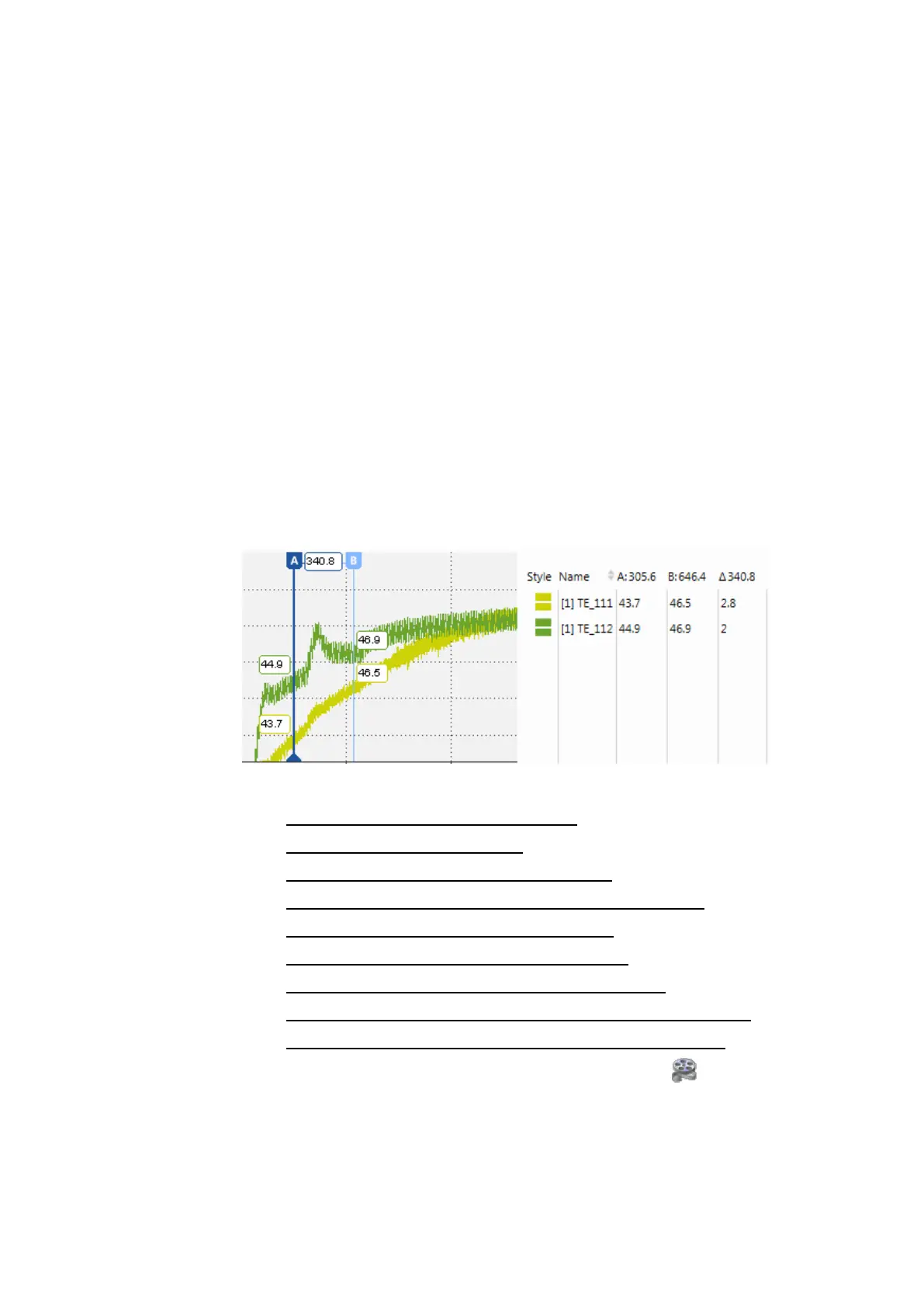
Cursors are used to get more precise values at certain timestamps. Moreover
cursors enable to determine differences between samples values and in view of
time. The oscilloscope shows directly in the graph the values of the signals at
the timestamp of the cursors as well as the difference on the Y-axis between
the cursors.
For performance reasons, MDA V8.5 initially shows a signal value based on the
minimum value of the file index. As long as index data is used, a rounding sym-
bol appears in front of the tooltips and in the cursor's column in the signal list.
The rounding symbol automatically disappears as soon as the cursor is not
moved anymore, then the exact values are loaded in the oscilloscope.
All cursor and sample values are displayed as separate columns in the signal
list. Also, the value differences of the cursors are displayed. To avoid a change in
size of the signal list when adding and removing cursors, the signal list size has
to be adapted manually by moving the splitter bar between oscilloscope area
and signal list.
You can perform the following actions:
l "To show and hide cursors" on the next page
l "To delete cursors" on the next page
l "To move a cursor sample-wise" on the next page
l "To anchor a cursor to a position in the visible range" on page91
l "To switch the synchronization cursor" on page91
l "To hide and unhide the cursor's tooltips" on page92
l "To copy the signal values at cursor's position" on page92
l "To change the number of decimals of the cursor's tooltips" on page92
l "To send the cursor time to EHANDBOOK-NAVIGATOR" on page92
To see how you can define the cursor's behavior, watch our video Instru-
ments - Oscilloscope Cursors.
MDA V8.5 - User Guide 89



 To Next Page