ETAS 5 Instruments
To remove a signal from the oscilloscope
1. In the signal list, select one or more signals.
2. In the context menu, select Remove Signal(s).
5.2.9 Creating a Bound in a Strip
To create a bound in a strip, do the following:
1. Define a new calculated signal.
2. Enter a value in the Formel-Definition field.
3. Define in the section Output Options a fixed rate with any value, for
performance reasons preferably slow (e. g. 10 sec).
4. Drag and drop the calculated signal on the same axis as the signal
for which the bound shall be used.
5.3 Scatter Plot
In the scatter plot, one signal is displayed on the X-axis and another signal is dis-
played on the Y-axis. If you assign multiple signals to the Y-axis, each signal is
displayed in its individual strip.
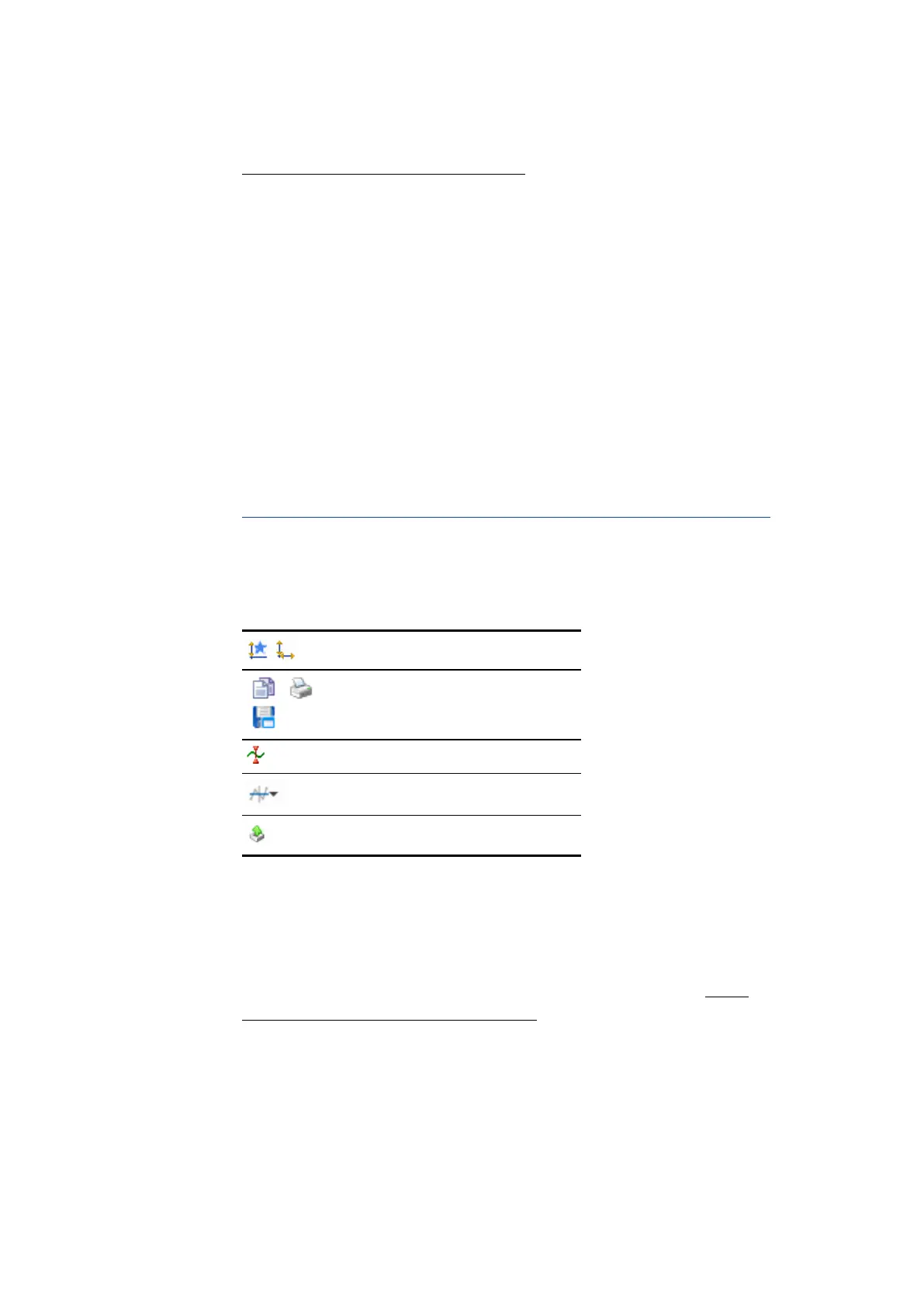
The toolbar provides you with the following functions:
Adjustment of axes
Print and store functions
Cursor options
Bound options
Export measure data functionality
The complete set of the scatter plot configuration possibilities is available in the
Properties docking window. There the tooltips provide a detailed description of
the properties and their possible options.
In the following, only the more advanced functions are explained in further detail.
For more information about synchronizing, scrolling, and zooming, see "Time
Navigation and Synchronization" on page111.
5.3.1 Adjusting Signals
You can perform the following actions:
MDA V8.5 - User Guide 95



 To Next Page