Basic Manual Control 173
[1] [Thru] [2] [0] {Offset} {Even} {Random} [Enter] - selects all even channels within the range
and puts them in random order.
{Group 3} {Offset} {Reorder} [Enter] - reorders the channels in group 3 so they are in numeric
order.
{Offset} [4] [Enter] -selects every fourth channel in the current channel selection.
[1] [Thru] [2] [4] {Offset} [4] [/] [4] [Enter] - selects channels 4, 8, 12, 16, 20, and 24. You can
select to offset by 2/2, 4/4, 3/3 etc.
[1] [Thru] [1][2]{Chan Per Group} [3] {Jump} [1] [Enter] would create these 3 subgroups of 3
channels each: (1,2,3) (5,6,7) (9,10,11). Channels 4, 8, and 12 will be jumped over and will not
be in the subgroups.
Select Channels From the Direct Selects
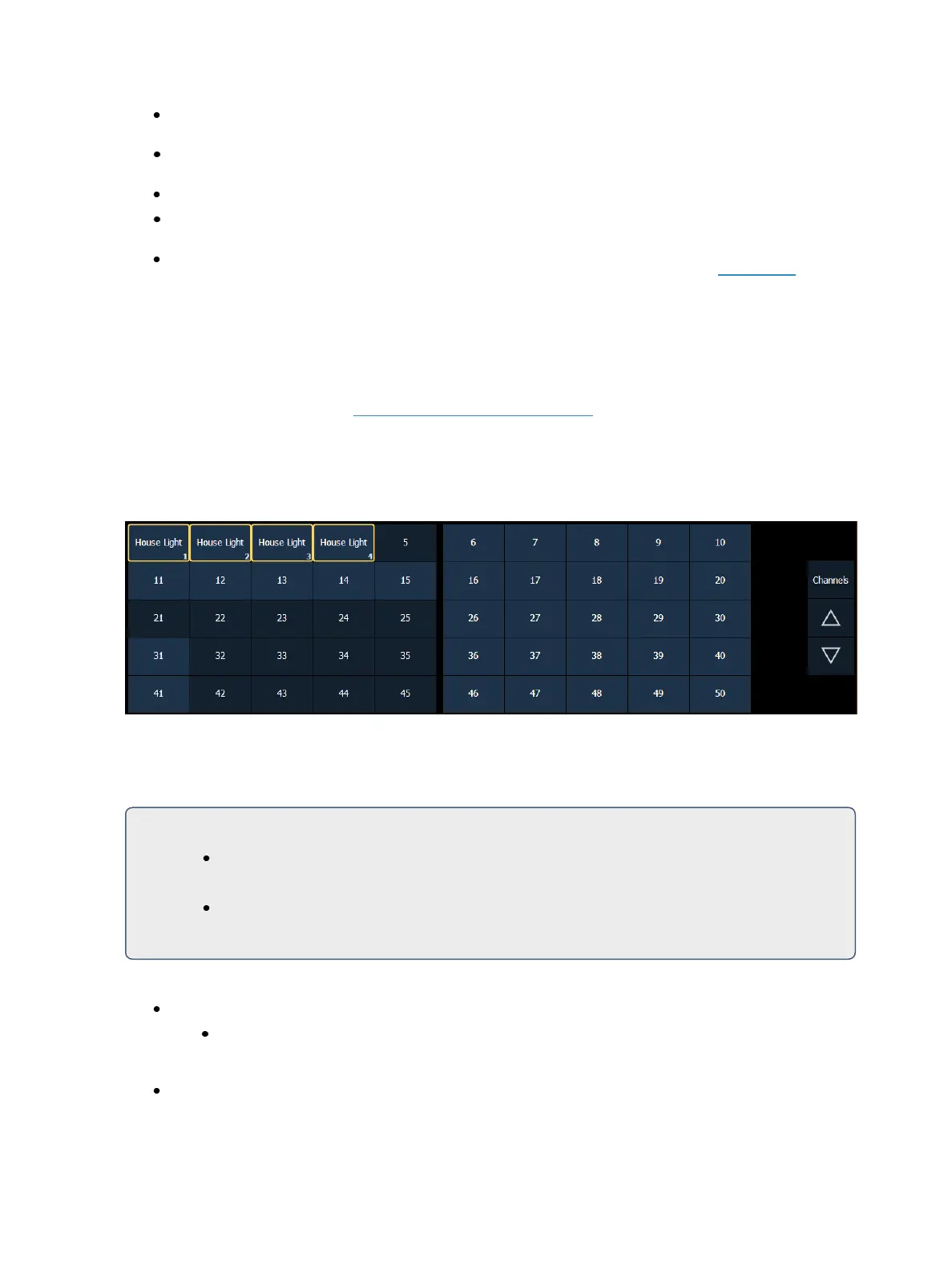
Direct selects provide one-touch selection of channels, groups, palettes, presets, effects and mac-
ros. You can configure an array of channels on direct select that display with paging buttons
provided for easy scrolling. See Using Direct Selects (on page76)
Open a direct select display by select {DS} from the Home Screen and then select the {Channels} but-
ton. When channels are posted to the direct selects, you can select one simply by pressing the chan-
nel’s touchbutton. The command line will show the appropriate channel and the selected direct
select will be outlined in yellow.
Channel selection from the direct selects is an additive process. When a channel is selected, it is
added to the current selection set. To select only one channel and deselect all others, double-press
the channel touchbutton.
For Example:
If channels [1] [Thru] [5] are selected from the keypad, pressing {Channel6} from the
direct selects adds channel 6 to the current channel selection.
If channels [1] [Thru] [5] are selected from the keypad, pressing {Channel6} {Channel
6} deselects channels 1 through 5 and selects channel 6.
The following examples illustrate the various methods of selecting channels using the direct selects:
{Channel 1} - adds channel 1 to the currently selected channels, if not currently selected.
This is similar to pressing [+] [1] [Enter] from the keypad. However if channel 1 were cur-
rently selected when you pressed {Channel 1}, this would deselect channel 1 from the
channel selection.
{Channel 5} {Channel 6}- adds channels 5 and 6 to the current channel selection.



 To Next Page