442 Eos Family Operations Manual
{Negative On/Off} - with negative on, the output is the negative of the content. With it off,
the content plays back normally.
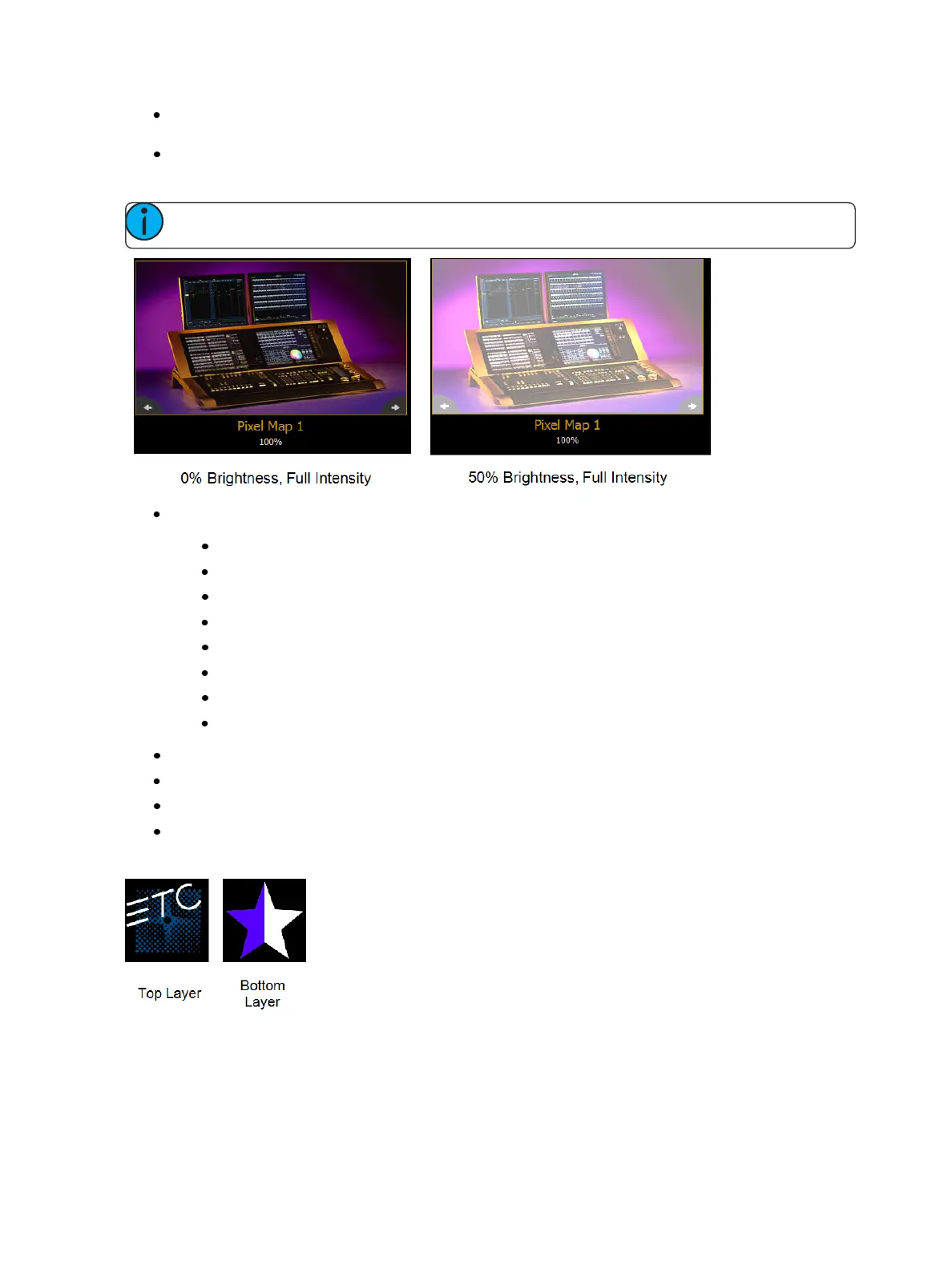
{ImageBrightness}- this varies from intensity. The following images illustrates the differences
between image brightness and intensity.
Note: All Virtual Media Layers operate in 16-bit color mode.
{Playback Mode 1}:
{Display Centered}
{Display In Frame}
{Display Out Frame}
{PlayLoop Forward}
{PlayLoop Reverse}
{PlayOnce Forward}
{PlayOnce Reverse}
{Stop}
{Playback Speed}
{In Point} - determines where in the clip (frame number) you want to enter in.
{Out Point} - determines where in the clip (frame number) you want to exit.
{Mix Modes} - sets how the layers will interact. The following table shows the various mixer
modes available. To illustrate the modes, the following layers were used:



 To Next Page