System Basics 73
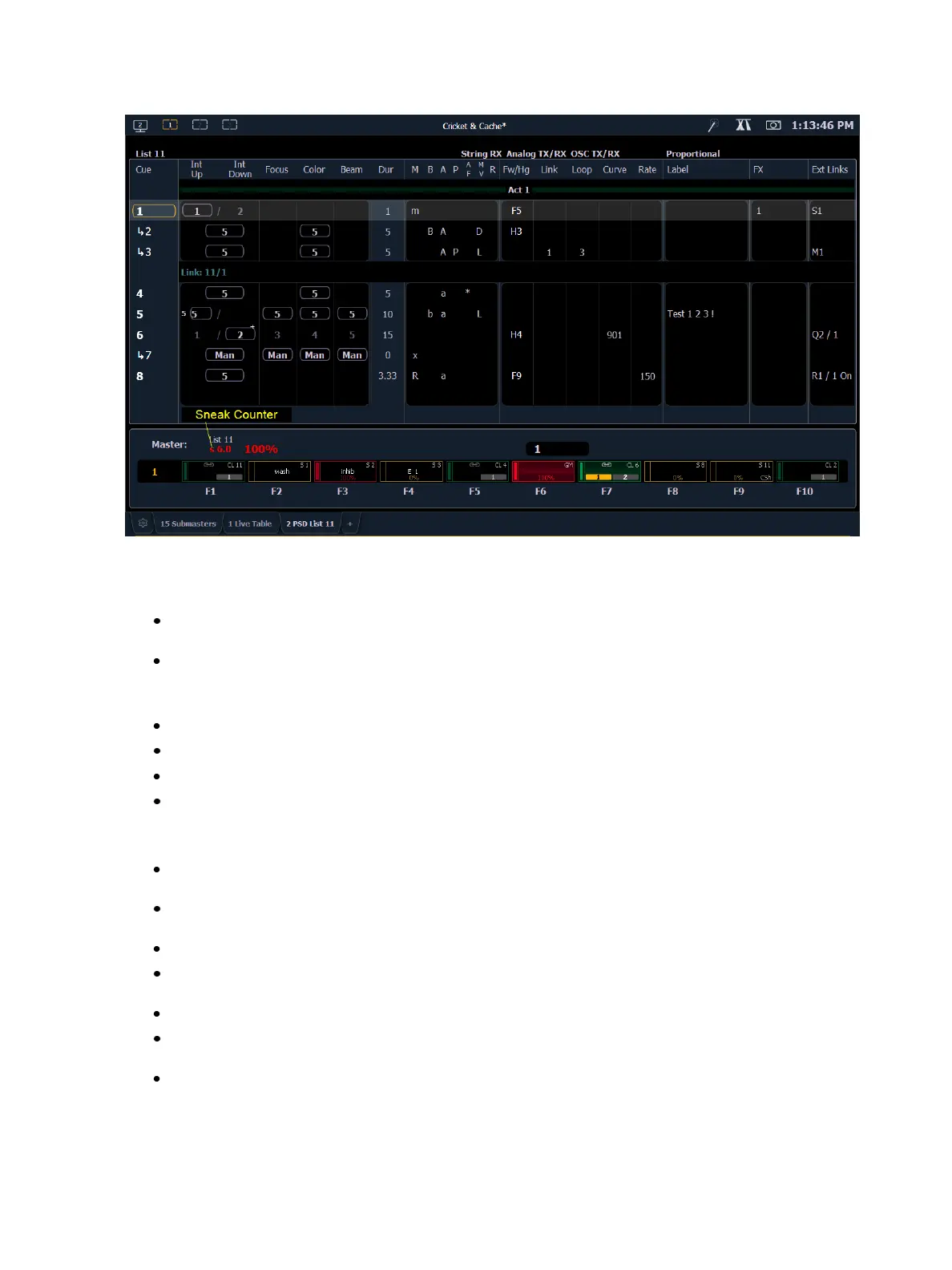
Color indicators
Cue List
Gold - Any item (cue, list, page) highlighted in gold indicates “current”.
Outlined in gold indicates “selected”.
Red - Cue fade is in progress
Fader Ribbon /Display
Red - Grandmasters and inhibitive submasters
Yellow - Additive submasters
Green - Playback faders
Orange - Presets and palettes
Text indicators
+ (see cue 6) - Indicates that there is discrete timing within the associated cue. Found in the
cue display “Timing” area.
* (see cue 4) - Indicates the cue has an allfade command. Found in the cue display “Flags”
area.
* - Indicates a link to a non-existent cue. Found in the cue display "Link" area.
D - Indicates a dark move, a cue that has any non-intensity parameters moving on channels
whose intensity is at 0. Found in the cue display “Flags” area in the move column.
x - Indicates that a mark has been placed, but the mark is broken.
A or a (see cues 3 & 4) - Indicates an asserted cue. “A” indicates the entire cue is asserted. “a”
indicates a channel or parameter assert only. Found in the cue display “Flags” area.
B or b (see cues 2 & 5) - Indicates a blocked cue. “B” indicates the entire cue is blocked. “b”
indicates a channel/ parameter block only. Found in the cue display “Flags” area.



 To Next Page