System Basics 99
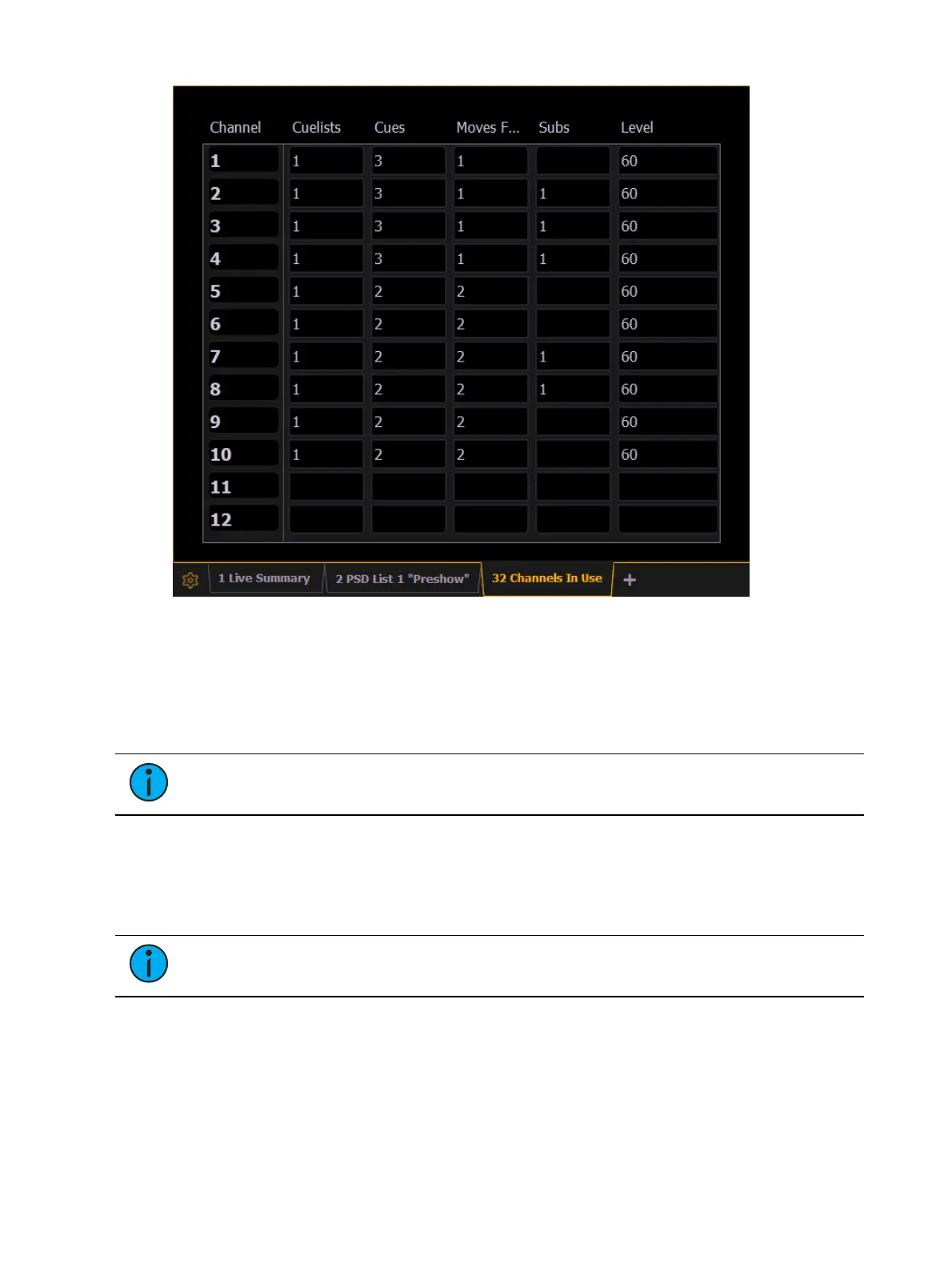
A Channels in Use display shows the following information for each channel:
Number of cue lists the channel appears in.
Number of cues the channel appears in.
Number of cue moves from zero.
Number of submasters that channel appears in.
Maximum channel level.
Note:
Right-click on the CIU tab to limit see which channels are used with a
specified cue list.
Spreadsheet (Blind Only)
Spreadsheet format is available only in blind mode. It is useful for viewing channel data and
trends for multiple cues, submasters, palettes, or presets at one time. Cues/ record targets are
displayed on the vertical axis and channel/ parameter data is visible on the horizontal axis.
Note:
Since this is a blind-only view, changes made in this view are immediate and
do not require a record or update.
As with table view, spreadsheet format allows you to choose exactly which parameters you
want to view. Parameters can be expanded/ suppressed by holding [Data] and pressing the
desired parameter buttons in the CIA. Category data is not available in spreadsheet, but you
may hide all parameters of a specific category by holding [Data] and pressing the desired
parameter category button.



 To Next Page