72 Ion Classic User Manual
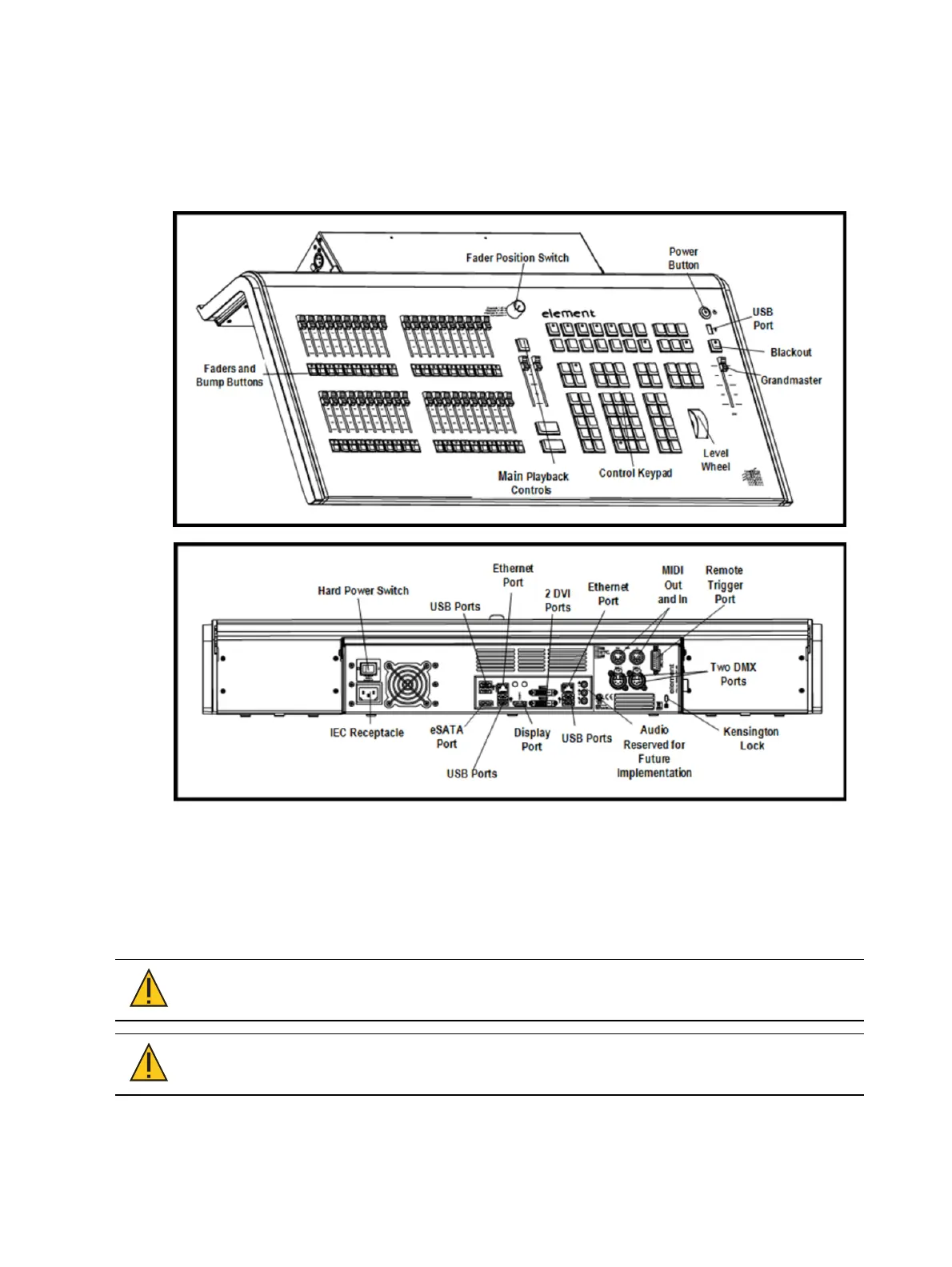
Element Classic Overview
This page provides an overview of the physical layout, components, and capacities of the
Element Classic console.
Element Classic Layout
Element Classic Components
Power Button
The power button on the front of the console is used to power up or power down. A separate
hard power switch, located on the rear panel, can be used to disconnect power from the
console’s internal components.
CAUTION:
It is recommended that you safely power down the console via
Displays > Power Off Device, before disconnecting power from the console.
CAUTION:
Power cord must be connected using an earth ground
connection.



 To Next Page