18 Ion Classic User Manual
200 configurable cue playbacks, with Go and Stop /Back
999 configurable submasters, with Bump and Assert/ channel select
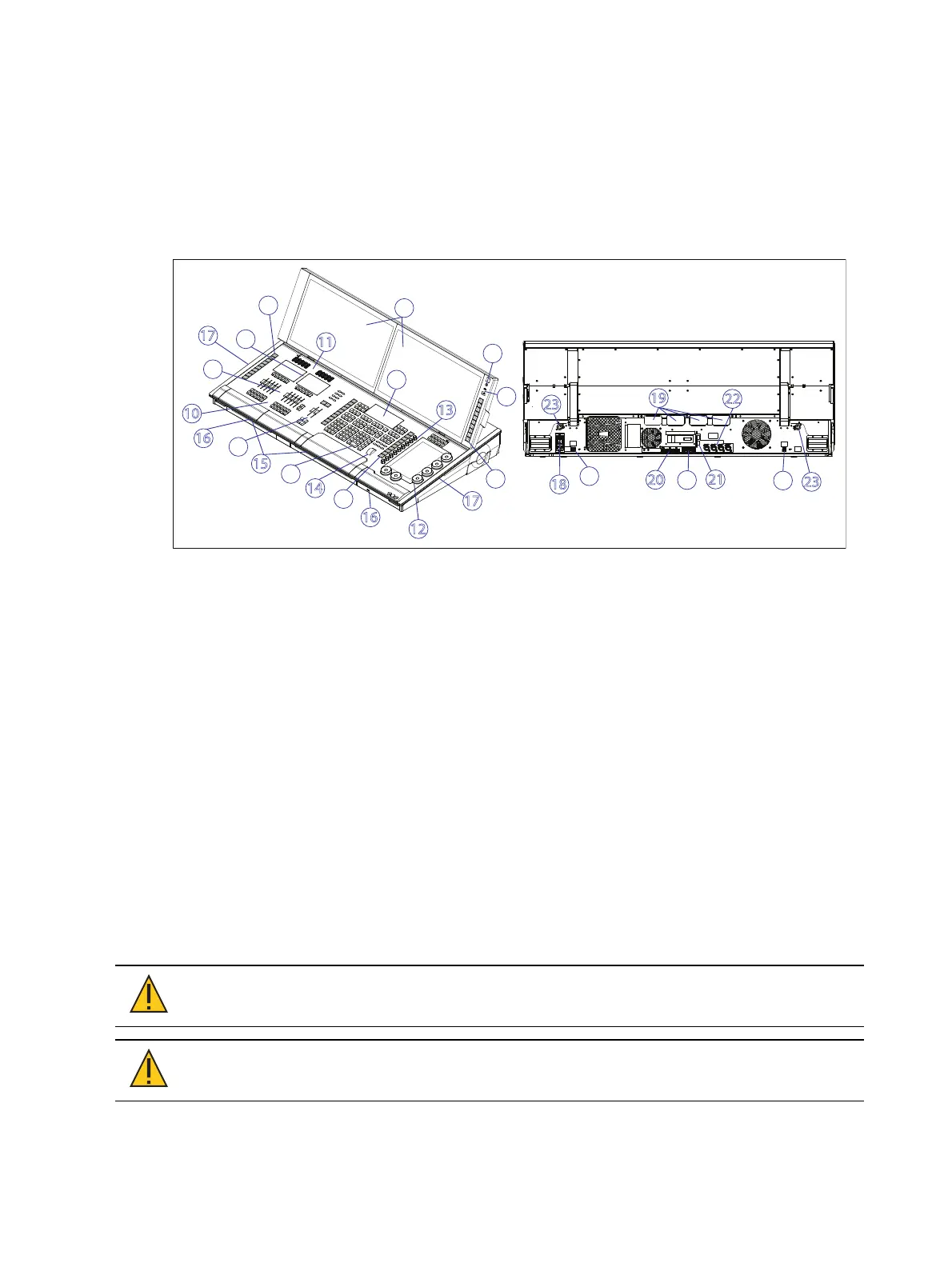
Eos Apex 10 Overview
This page provides an overview of the physical layout, components, and capacities of the Eos
Apex 10 console.
Eos Apex 10 Layout
2
21
1
2
3
4
5
6
7
8
9
10
11
12
13
14
15
16
17
17
19
20
18
22
23
6
6
16
2
2
23
1. Power button
2. USB-A&USB-C (data)
3. Internal touchscreen
4. Keypad
5. Keypad touchscreen
6. Target keys
7. Main playbacks
8. Motorized faders
9. Fader touchscreen
10. Configurable fader buttons
11. Endless fader wheels
12. Encoders
13. Mini encoders
14. Level wheel
15. Keyboard / accessory tray
16. USB-A (power only)
17. Book lights
18. Hard power switch /IECsocket
19. IOgarage
20. Display Port
21. SFP+
22. Ethernet
23. Littlite
Eos Apex 10 Components
Power Button
The power button on the front of the console is used to power up or power down. A separate
hard power switch, located on the rear panel, can be used to disconnect power from the
console’s internal components.
CAUTION:
It is recommended that you safely power down the console via
Displays > Power Off Device before disconnecting power from the console.
CAUTION:
Power cord must be connected using an earth ground
connection.



 To Next Page