120 Ion Classic User Manual
From there, assign targets to the bank using the direct select controls in the editor. Once a
starting target is selected for the bank, targets will be assigned consecutively from there.
Encoders
The encoders are one of the ways to control the non-intensity parameters (NPs) of multiple
parameter devices. The four encoders are identified by the encoder LCD, just beneath the
encoders. For more information on using the encoders, see
Setting Non-intensity Parameters
with the Encoders (on page227)
.
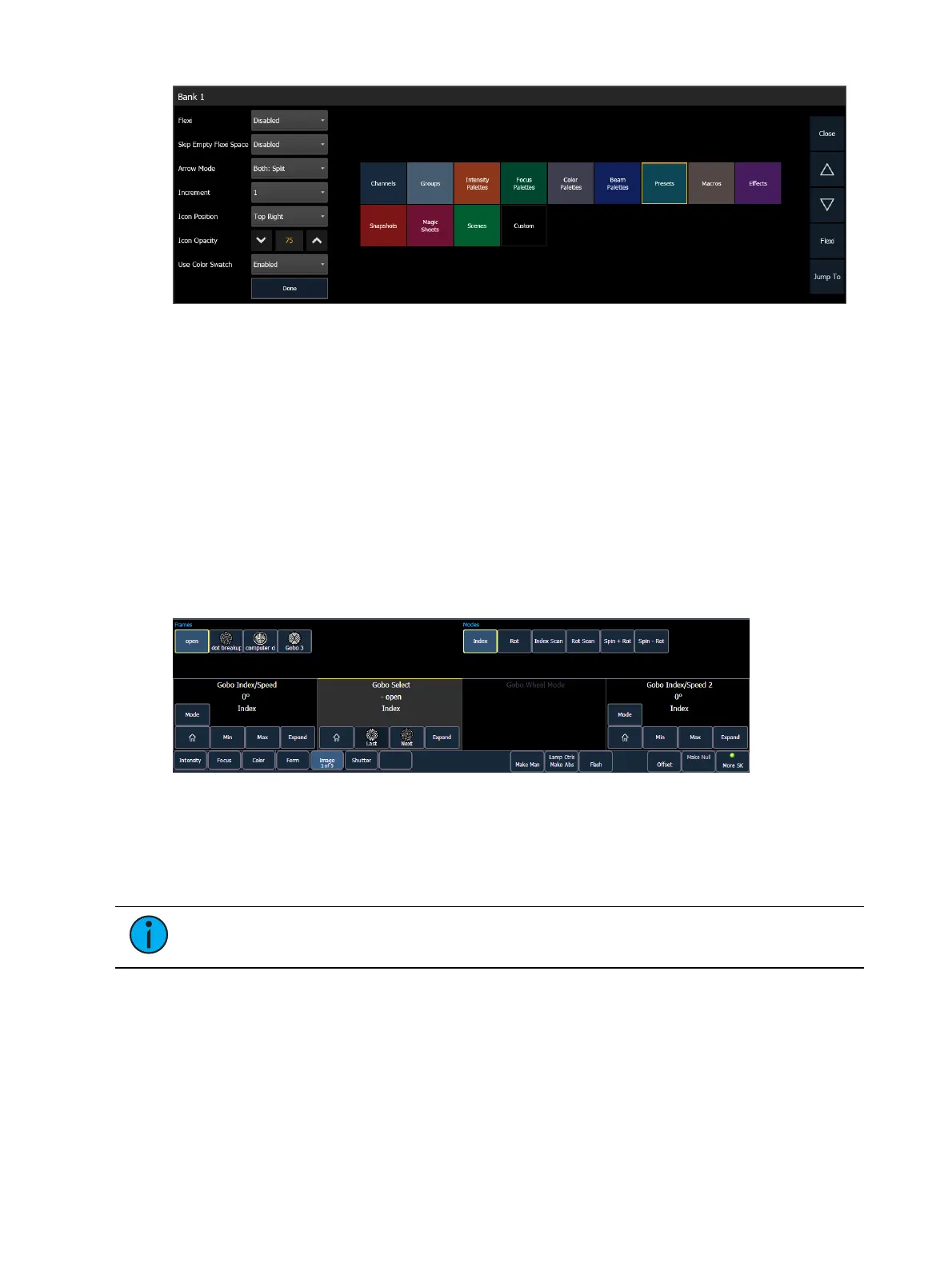
Encoder Controls Display
On Ion, the encoder LCD displays the active parameter category loaded on the encoders, as
selected by the page buttons. To see additional encoder information, open the Encoder
Display by using CTRL + ALT + \ on an alphanumeric keyboard. ALT + , can be used to change
encoder pages.
[Encoder Paging Keys] & [#] will take you directly to a page. [Flexi] & [Encoder Paging Keys]
will toggle the flexi encoder states. See
Flexi Encoders (on the facing page)
for more
information.
To post a parameter category to the command line, use the parameter category buttons
located in the CIA.
Note:
To post beam to the command line, double press the shutter, image, or form
parameter category buttons.
Each encoder’s area will display the name of the parameter it controls, display stepped limits
(if any) and also a {Home} button which allows you to set that parameter to its default
position.
The encoder controls display allows you to cycle through parameter steps (if available). You
can also home any parameter. Some buttons that may be available are:
Min
Max



 To Next Page