222 Ion Classic User Manual
The following options are available as extensions of [Offset]. Options can be used together.
These extensions can be used to create
Subgroups (on page253)
. To close the offset display,
press {Close}.
Direction
{Reverse} creates a group with the channels in the reverse order that they were selected
in.
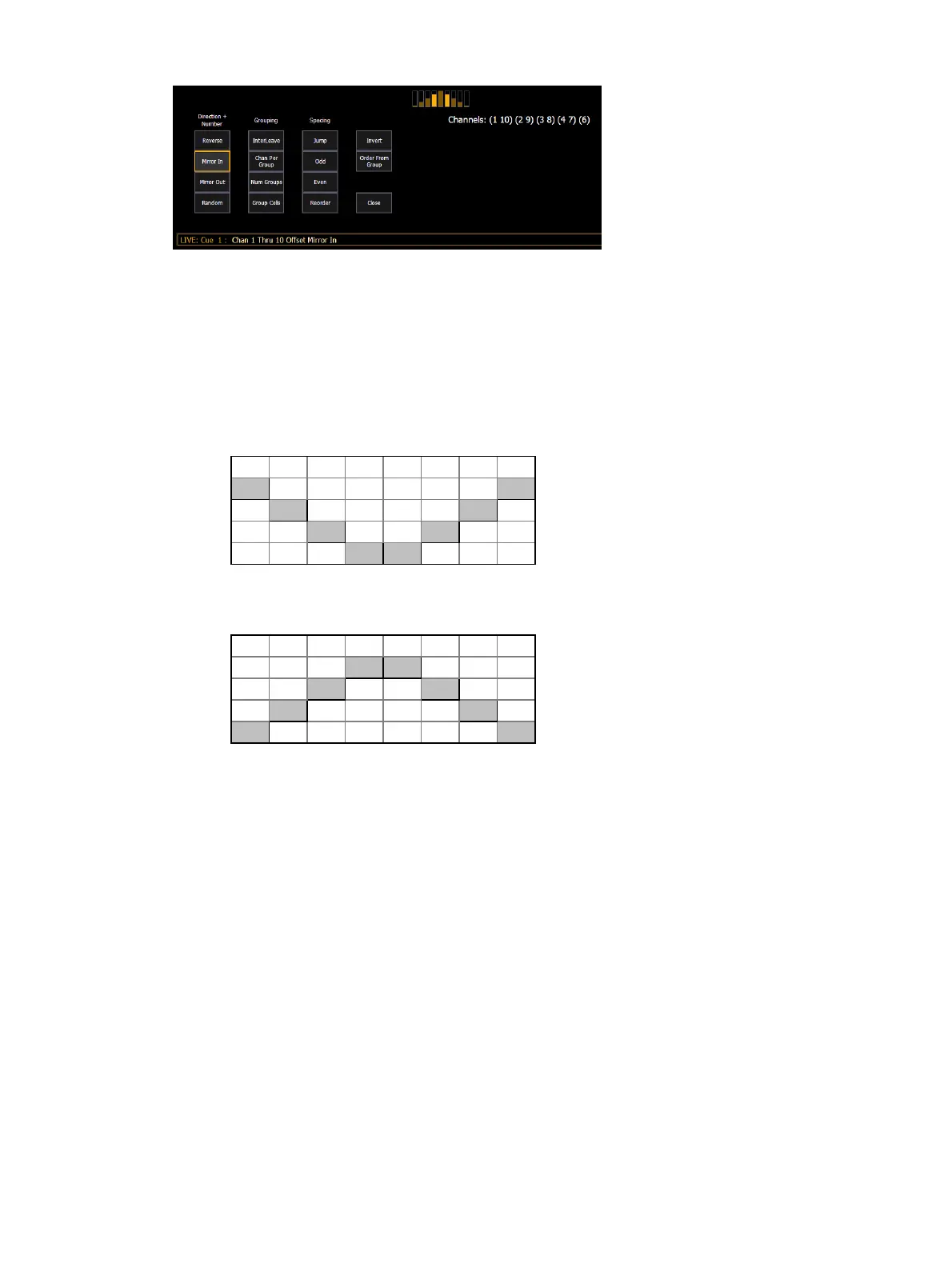
{Mirror In} creates subgroups of channels that mirror inward.
[1] [Thru] [8] {Mirror In} [Enter] would create 4 subgroups in this order: (1,8) (2,7)
(3,6) (4,5)
Ch 1 Ch 2 Ch 3 Ch 4 Ch 5 Ch 6 Ch 7 Ch 8
X X
X X
X X
X X
{Mirror Out} creates subgroups of channels that mirror outward.
[1] [Thru] [8] {Mirror Out} [Enter] would create 4 subgroups in this order: (4,5) (3,6)
(2,7) (1,8)
Ch 1 Ch 2 Ch 3 Ch 4 Ch 5 Ch 6 Ch 7 Ch 8
X X
X X
X X
X X
{Random} creates a random order to the channels.
Grouping
{Chan Per Group} creates a specified cluster of channels.
[1] [Thru] [1][2]{Chan Per Group} [3] [Enter] would create these 4 subgroups of 3
channels each: (1,2,3) (4,5,6) (7,8,9) (10,11,12).
{InterLeave} creates a number of distributed sets of channels, that are not clustered
together.
[1] [Thru] [1][2]{Chan Per Group} [4] {InterLeave} [Enter] would create these 4
subgroups: (1,4,7,10) (2,5,8,11) (3,6,9,12).
[1] [Thru] [5] [+] [1][1] [Thru] [1][5] [+] [2][1] [Thru] [2][5] {Chan Per Group} [3]
{InterLeave} [Enter] would create these 5 subgroups: (1,11,21) (2,12,22) (3,13,23)
(4,14,24) (5,15,25).
{Num Groups} creates a specified number of subgroups.
[1] [Thru] [1][2]{Num Groups} [3] [Enter] would create these 3 subgroups: (1,2,3,4)
(5,6,7,8) (9,10,11,12).



 To Next Page