16 Source Four LED Profile v1.7.0 User Manual
Step 1: Use a Phillips screwdriver to loosen the screws on the drop-in iris slot cover. Do
not remove screws.
Step 2: Slide the cover completely forward to expose the slot.
Step 3: Insert the iris or motorized pattern device. For an iris, install the flat side toward
the shutters and make sure the iris handle extends from the slot.
Step 4: Slide the slot cover back toward the shutters until it meets the iris handle. Leave
enough space to move the iris handle.
Step 5: Secure the accessory slot cover by tightening the screws.
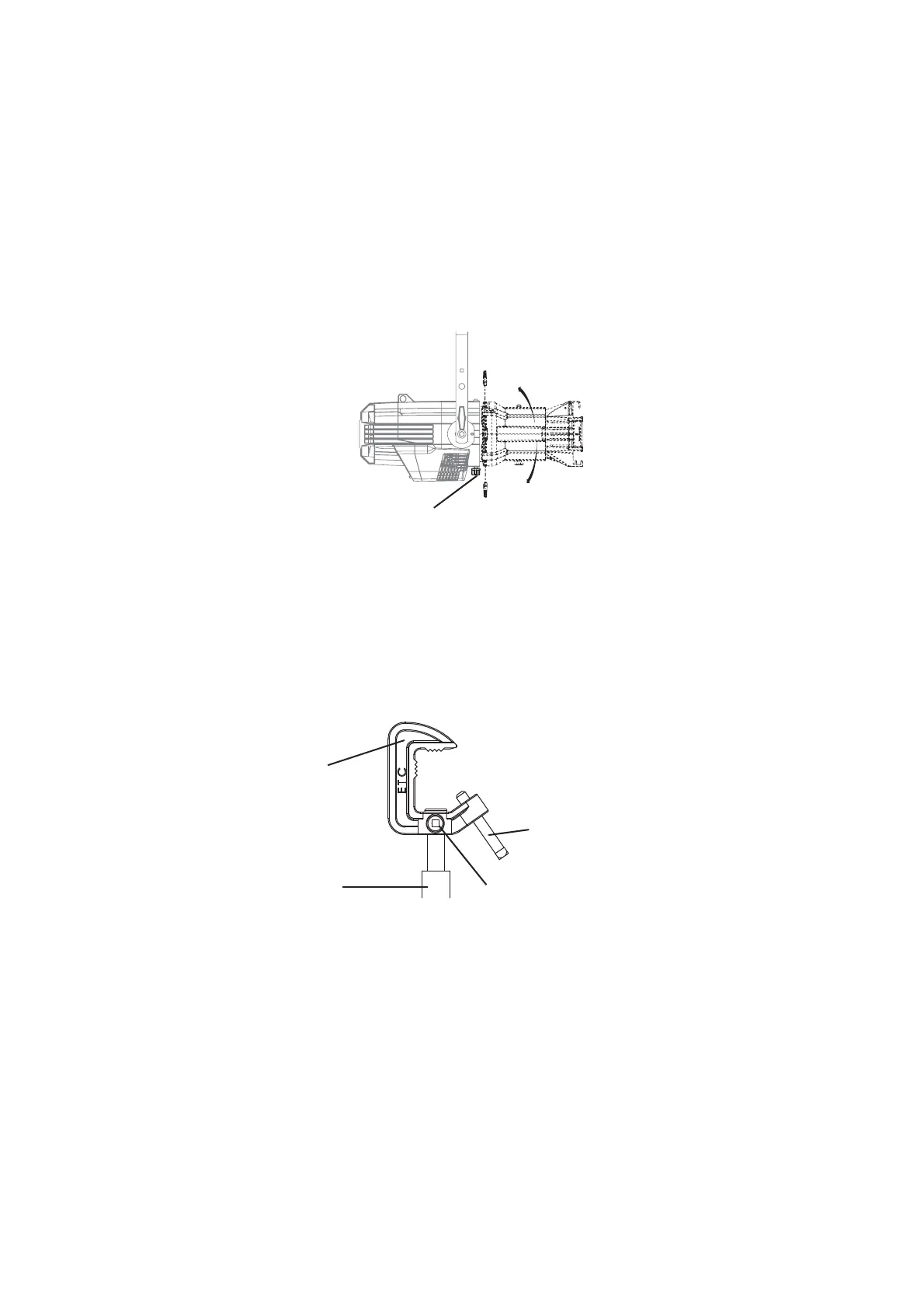
Rotating the Shutter Barrel Assembly
Figure-1.8 Rotating the shutter barrel assembly
Step 1: Loosen the shutter barrel rotation knob directly behind the shutters on the
underside of the reflector housing. Do not remove the barrel rotation knob.
Step 2: Rotate the shutter barrel to the desired position (up to 25° in either direction from
the centered position).
Step 3: Once the shutter barrel is positioned, tighten it’s rotation knob to lock it in place.
Adjusting the C-clamp For North America
Figure-1.9 Adjusting the C-clamp.
The C-clamp attaches the fixture to the mounting pipe and allows fixture adjustments when
mounted.
Barrel rotation knob
C-clamp
Pipe bolt
Pan screw
Yoke bolt and lock
washer













 To Next Page