1 Installation and User Interface 17
Step 1: Secure the C-clamp to the yoke with the provided yoke bolt and lock washer.
Step 2: Place the C-clamp on the mounting pipe and secure by tightening the pipe bolt.
Step 3: Loosen the C-clamp pan screw and rotate the yoke to the desired position.
Step 4: Retighten the pan screw to lock the fixture.
Adjusting the Yoke Position
The Source Four provides multi-positioning capabilities within its yoke for overall fixture height and
angle.
Setting the Fixture Height Within the Yoke
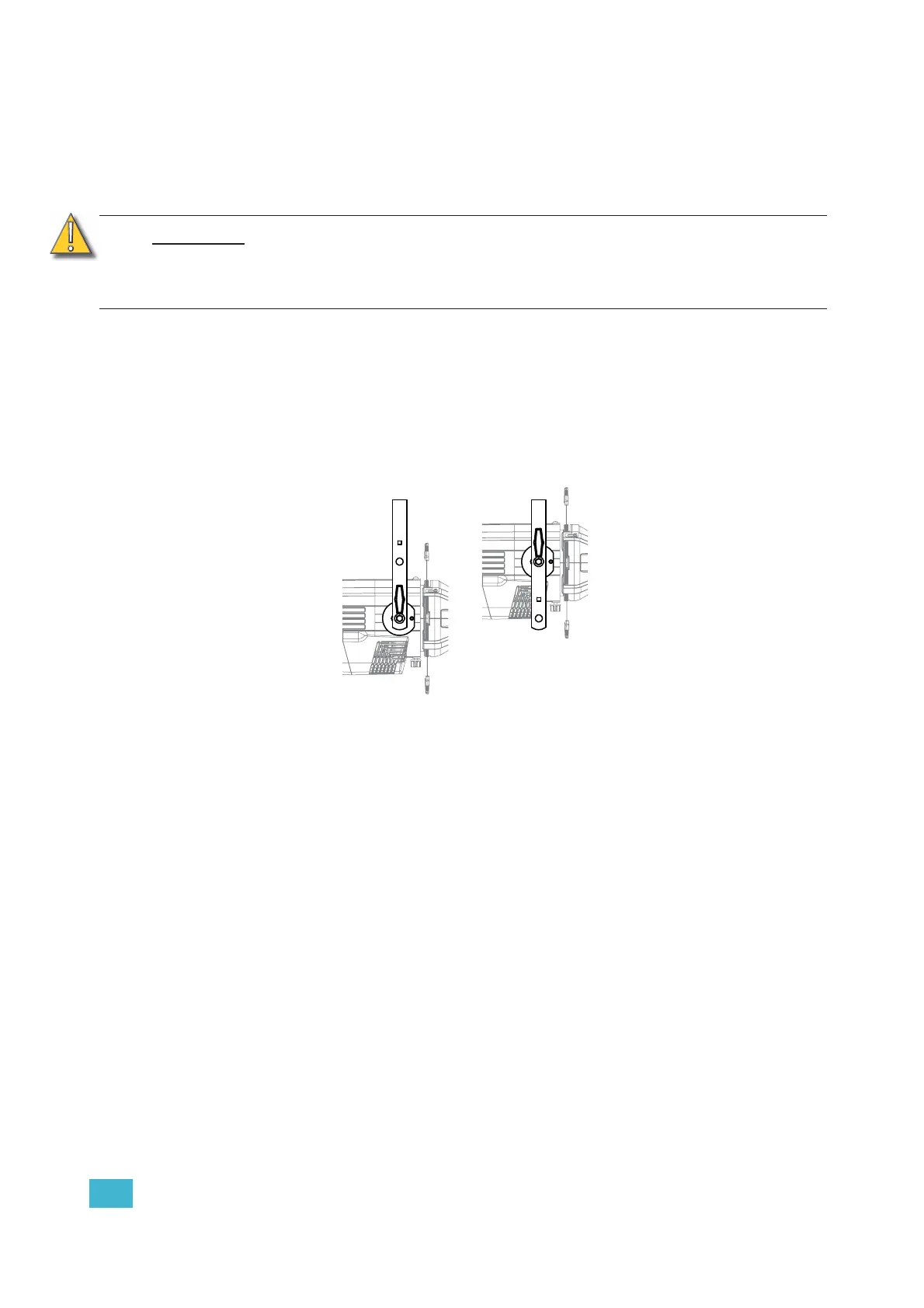
The Source Four has a two-position yoke for modifying the overall mounting height.
.
Figure-1.10 Adjusting the yoke position.
To change the fixture yoke position:
Step 1: Remove the yoke locking knobs, washers, and hex bolts from either side of the
fixture.
Step 2: Raise or lower the fixture to the desired position within the yoke.
Step 3: Reinstall the yoke’s hex bolts, washers, and locking knobs.
Step 4: Tighten the yoke knobs to secure in position.
CAUTION:
Tighten C-clamp pipe bolt to 15-20 ft./lbs. (approximately finger tight plus up to
one-quarter turn). Do not exceed 25 ft./lbs. Do not use excessive force.
Tighten the yoke pivot bolt to 5-10 ft./lbs. (approximately finger tight plus up to
one-eighth turn). Do not exceed 15 ft./lbs. Do not use excessive force.
Low clearance position
General use position













 To Next Page