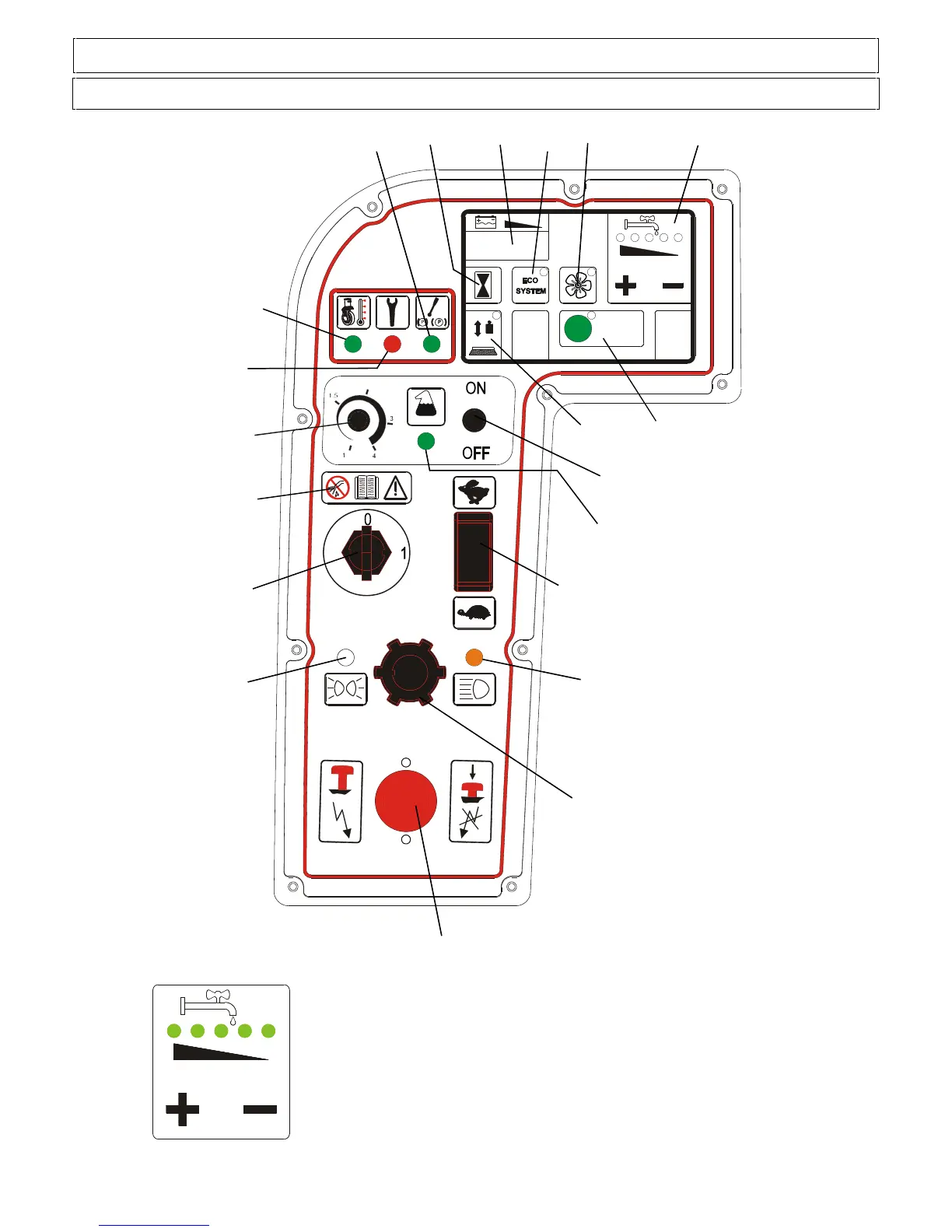
WATER ADJUSTMENT BUTTONS
Use the buttons + or – to set the maximum quantity of water to use for the operation.
Press the + button to increase the quantity of water; the 5 green led lights on the
panel come on progressively one at a time.
Each led light is associated with a maximum pre-set quantity of water.
Press the - button to decrease the quantity of water; the 5 led lights will go out
progressively one at a time. The water is shut off when all the led lights are off.
The machine keeps memory of the preset quantity of water even when switched off.
If the 5 led lights start flashing at the same time, this means that there is no solution
into the tank.


 To Next Page