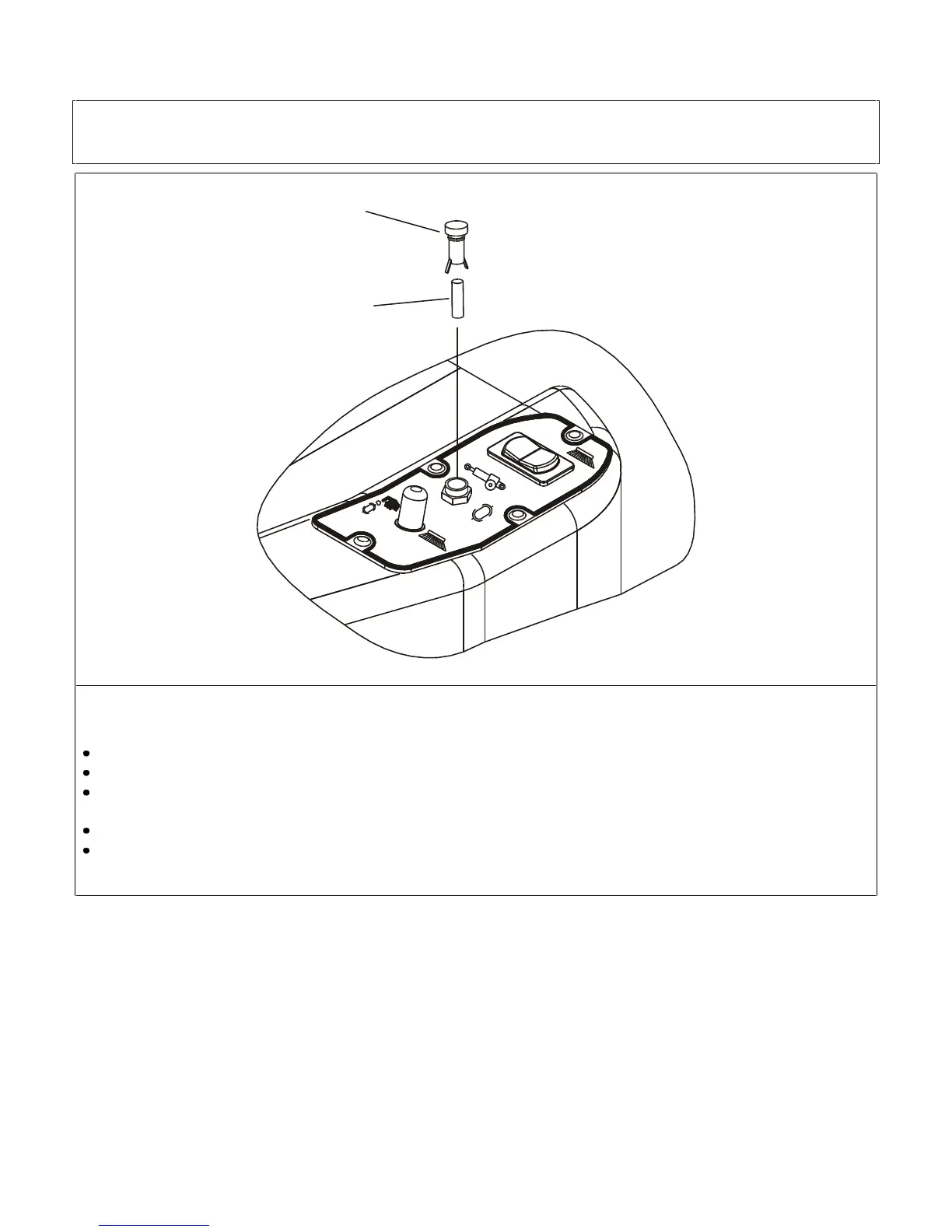
The side brush control panel features a 3 A glass fuse to protect the actuator which operates the brush.
To check and replace the fuse proceed as follows:
Disconnect the battery connector.
Turn the fuse carrier cover (pos. 1) by 1/4 of a turn anticlockwise and remove it; the fuse is connected to the cover.
Check and if necessary replace the fuse (pos. 2), removing it from the cover, with another having the same ampere and
features.
Fit the new fuse in the cover and then fit everything back together again.
Reconnect the connector to the battery.


 To Next Page