PhoenixBIOS features and setup
Issue G 69
Specifying cache memory settings
Using the memory cache can increase speed of access to data. When the memory cache
is enabled, recently accessed data is stored in SRAM, which is faster than regular
memory. Before accessing data in the regular memory, the CPU checks the cache. If the
data is not held in the cache, the CPU accesses regular memory as usual.
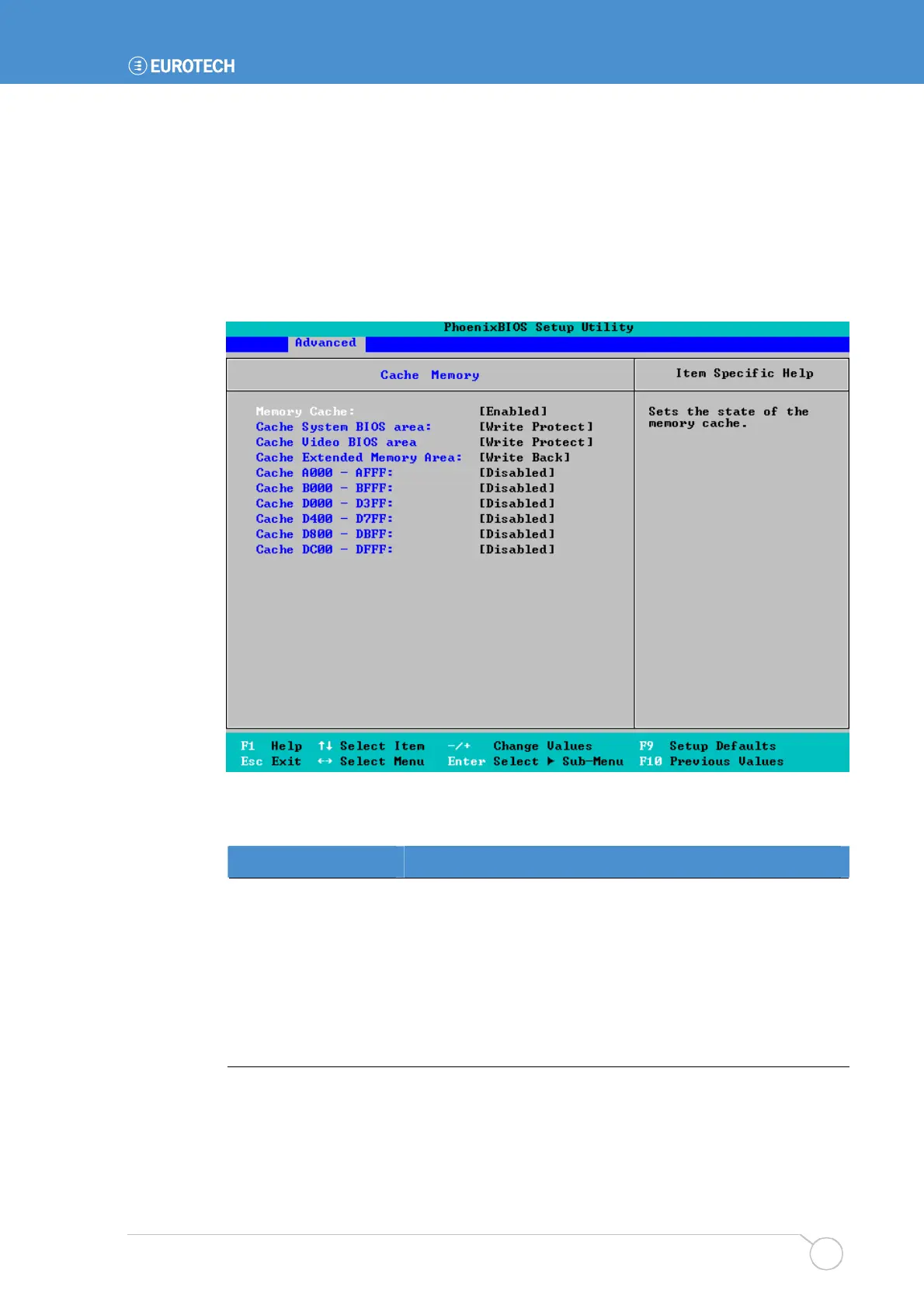
To specify cache memory settings, highlight Cache Memory in the Advanced menu and
press Enter. The following screen is displayed:
The details you are prompted to specify for the memory cache are explained in the
following table:
Field Explanation
Memory Cache
Choose to enable or disable all memory caching.
Cache System BIOS
area
Choose whether to cache the system BIOS. Doing so is likely
to improve system performance significantly. You are offered
Write Protect by default. This means the system BIOS is
cached. (The system BIOS is always write protected.)
If you don’t want to cache the system BIOS, choose
uncached. Please note that system performance may
decrease rapidly as a result.



 To Next Page