EVCO | 06.08.2021 | AZ | 17
005_c-pro3OEM_InterfacciaUtente_001_0.1_AZ
005_c-pro3OEM_ON-OFF_001_0.1_AZ
114CP3OEE104
c-pro 3 OEM - Hardware manual
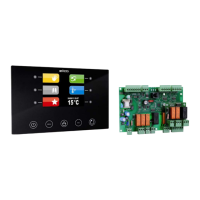
User interface version conguration
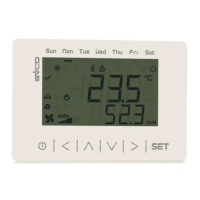
Keyboard
Key description
Keys Instructions
ESC
LEFT AND RIGHT
UP AND DOWN
ENTER
Switching ON/OFF the device
Progression Description
1
Connect the power supply:
it will be started an internal test that takes
typically a few seconds
2
Touch UP and DOWN keys for 2 seconds:
the display will show the main menu
3
To switch OFF the device switch OFF the power
supply
Accessing the procedure
Key Instructions
Touch UP and DOWN keys for 2 seconds:
the display will show the main menu
Touch ESC key few times to return to the previous
displays
Accessing the menu
Key Instructions
Touch UP and DOWN keys for 2 seconds:
the display will show the main menu
Touch UP or DOWN keys to move the menu cursor
Touch ENTER key to select the menu
Touch ESC key few times to return to the previous
displays
Parameters conguration
Key Instructions
Touch UP and DOWN keys for 2 seconds:
the display will show the main menu
Touch UP or DOWN keys to move the menu cursor
Touch ENTER key to select the menu
Touch UP or DOWN keys to see the parameters
Touch ENTER key to select the parameter
Touch UP or DOWN keys to set-up the value
Touch ENTER key to conrm the value
Touch ESC key few times to return to the previous
displays
Password
Key Instructions
Touch UP and DOWN keys for 2 seconds:
the display will show the main menu
Touch UP or DOWN keys to see the menu
“Password”
Touch ENTER key to select the menu:
the display will show “input password”
Touch ENTER key to enter the password
Touch UP or DOWN keys to set-up the password
“-19”
Touch ENTER key to conrm the password













 To Next Page