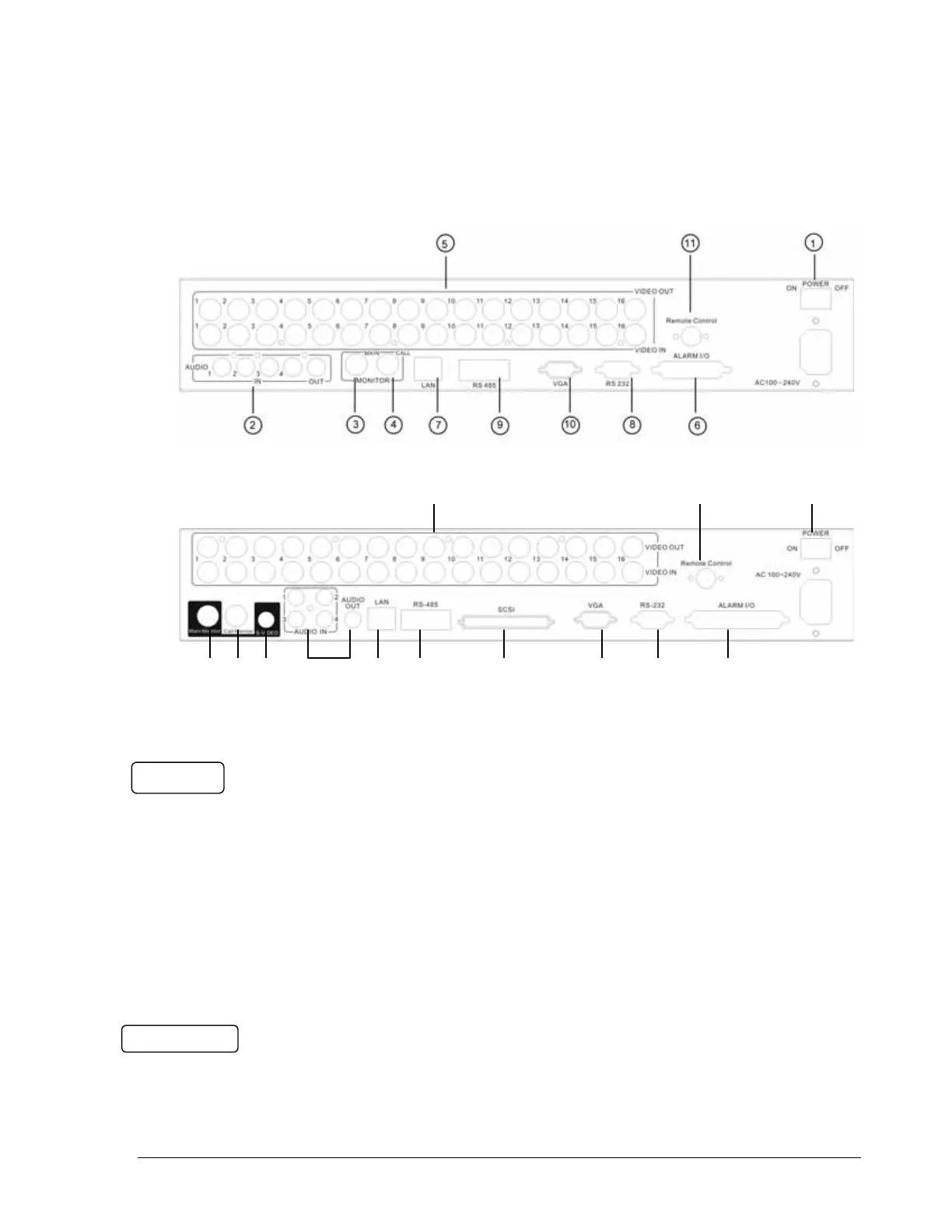
1
1
.
.
4
4
B
B
a
a
c
c
k
k
P
P
a
a
n
n
e
e
l
l
C
C
o
o
n
n
n
n
e
e
c
c
t
t
i
i
o
o
n
n
s
s
For model:
EDVRD3
3
4
2
13
5
11
1
6
8
10
9
12
7
For models:
EDVR16D1/F1, EDVR16D2/F2,
EDVR9D1/F1, EDVR4D1/F1
POWER
○
1
Main Power plug
Connect power jack (AC 100~240V).
○
2
Audio IN
Audio inputs 1~4 for recording, and it can be enabled by setting to “YES” or “NO” in
the RECORD SETUP MENU.
Audio OUT
Connect an audio output to a monitor or other device. Audio 1 corresponds to CH 1,
audio 2 corresponds to CH 2, audio 3 corresponds to CH 3 and audio 4 corresponds
to CH 4.
MONITOR
○
3
MAIN MONITOR
8













 To Next Page