3
3
.
.
1
1
T
T
i
i
m
m
e
e
/
/
D
D
a
a
t
t
e
e
S
S
e
e
t
t
u
u
p
p
M
M
e
e
n
n
u
u
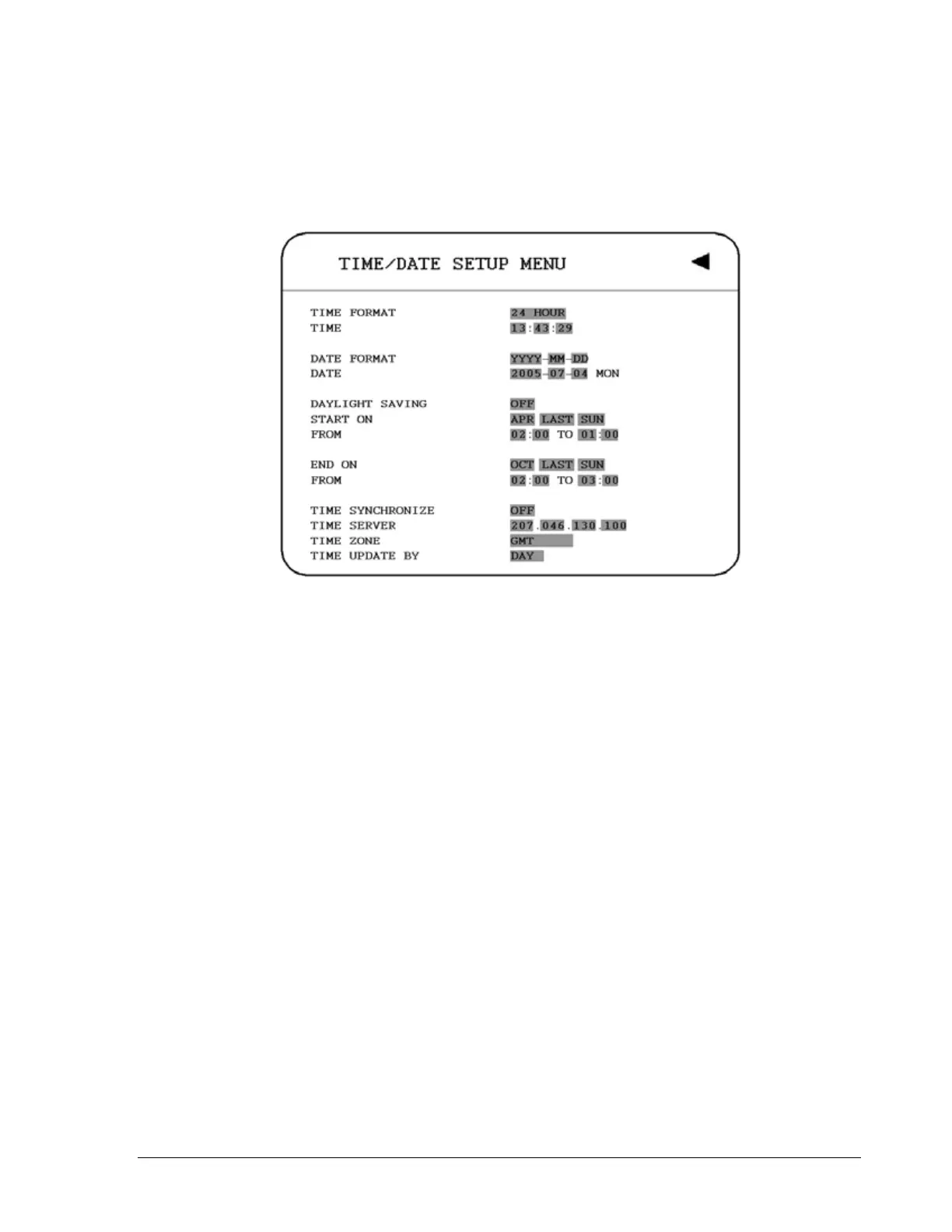
Diagram 3.2
Diagram 3.2 is a screen shot of the TIME/DATE SETUP MENU. This menu is used to set up
the correct time and date for your region of the world. You are able to setup daylight savings
as well as synch it with an internet based time server. In the TIME/DATE SETUP MENU the
following fields are defined as follows:
1. TIME FORMAT
This field represents the time format on the DVR. There are two time formats that are 12
HOUR and 24 HOUR to be selected.
2. TIME
This field represents the current time on the DVR. To change this, simply use the Jog
Dial on the DVR.
The Time is represented as follows:
Hour: 00~23: Minute: 00~59: Second: 00~59 (1 ~ 12 if TIME FORMAT is 12 HOUR)
18













 To Next Page