Note:
If STOP key is pressed while machine is recording or playing video, the playing function will
be disabled first. If STOP key is pressed twice the DVR will come out of record mode
completely.
4
4
.
.
2
2
S
S
c
c
h
h
e
e
d
d
u
u
l
l
e
e
R
R
e
e
c
c
o
o
r
r
d
d
i
i
n
n
g
g
S
S
e
e
t
t
u
u
p
p
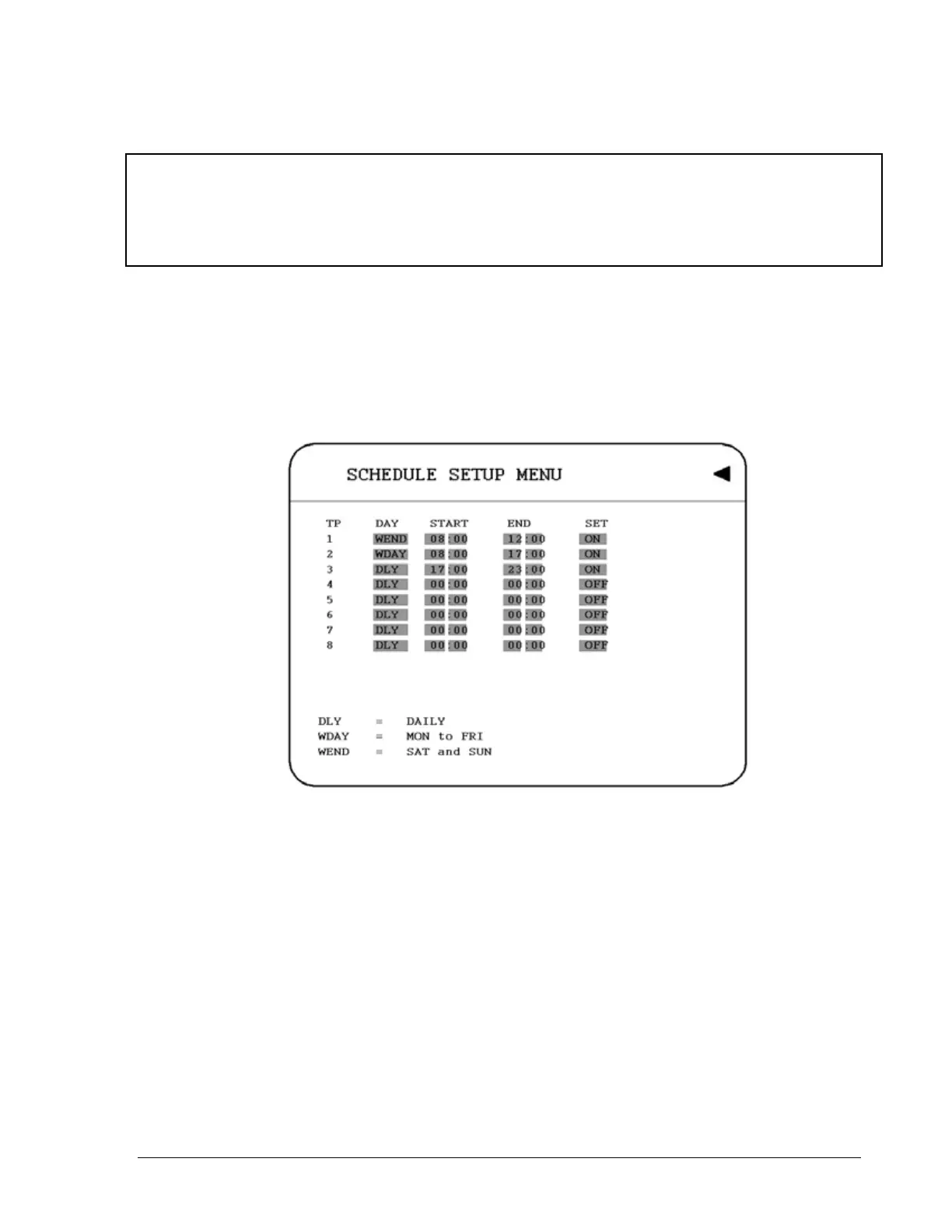
Set up the DAY, START time, END time and then enable the SET in the SCHEDULE
SETUP MENU.
Diagram 4.1
Please refer to SCHEDULE SETUP MENU, to see setting procedure and more details.
67













 To Next Page