5. SERVER 2
Assign the IP address of Alarm server 2.
6. SERVER 3
Assign the IP address of Alarm server 3.
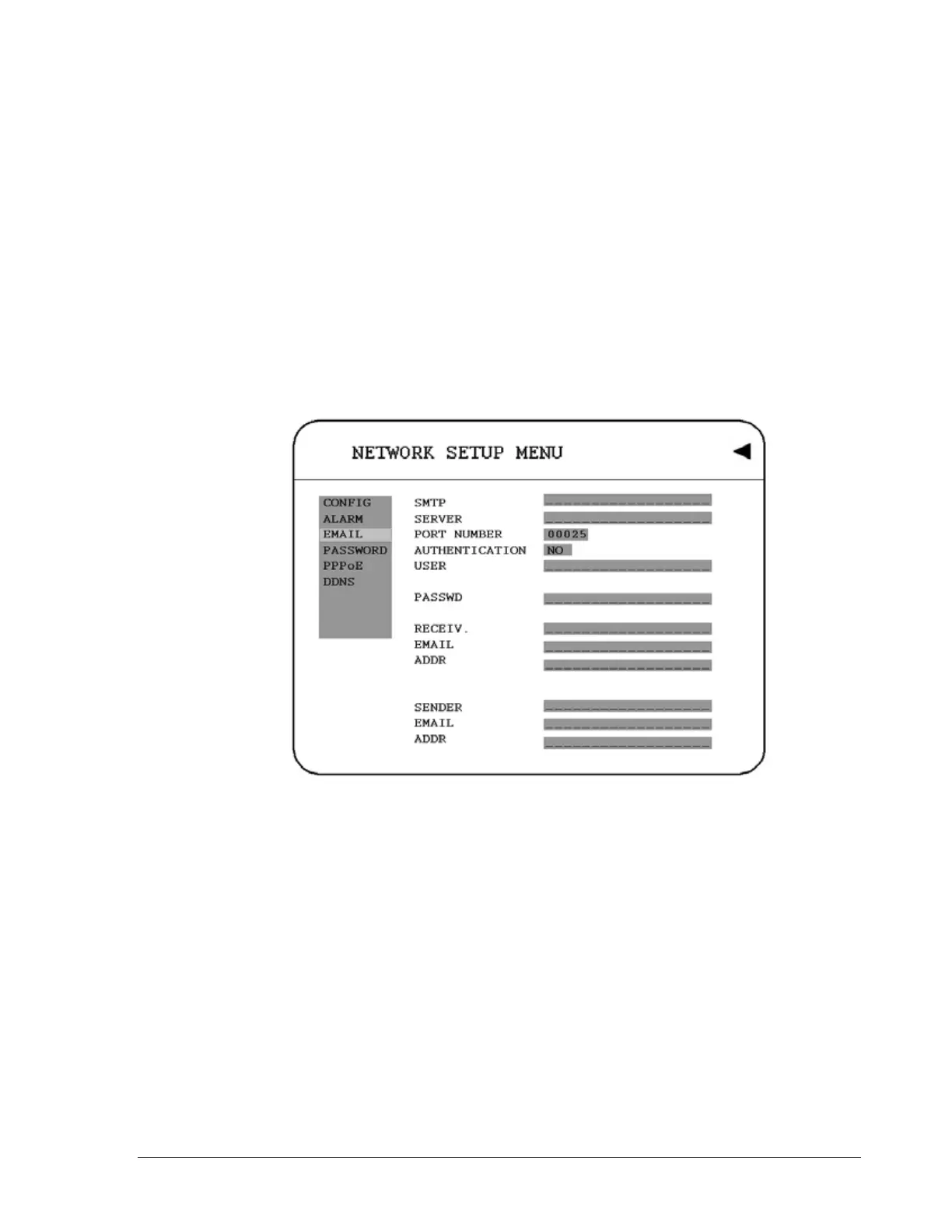
3.7.3 EMAIL
In the EMAIL of the NETWORK SETUP MENU, we define:
Diagram 3.12
1. SMTP SERVER
Assign the SMTP (e-mail) server’s name. Note: please do not enter IP address.
2. PORT NUMBER
Assign the port number for SMTP server.
3. AUTHENTICATION
Select “YES”, if the SMTP server requires Authentication (user name / password)
4. USER
Input the login user ID if the SMTP server requires Authentication.
42













 To Next Page